Key Technical Specifications
| Parameter | Value / Note |
|---|---|
| Product Model | ABB 216VC62A |
| Product Type | REG216 CPU / communication module |
| System Family | ABB REG216 digital protection system |
| Installation Style | Plug-in electronic unit in protection relay rack |
| Rack Format | 19-inch 6U electronic unit style |
| Function | CPU processing and communication |
| Internal Interface | REG216 parallel bus / backplane |
| External Communication | Dependent on REG216 configuration and option cards |
| Application | Generator, transformer, motor, or feeder protection systems |
| Power Supply | From host REG216 system; not a standalone powered module |
| Configuration | Requires REG216 system documentation |
| Verification Required | Full type designation, revision, slot position, firmware, and bus compatibility |
Product Introduction
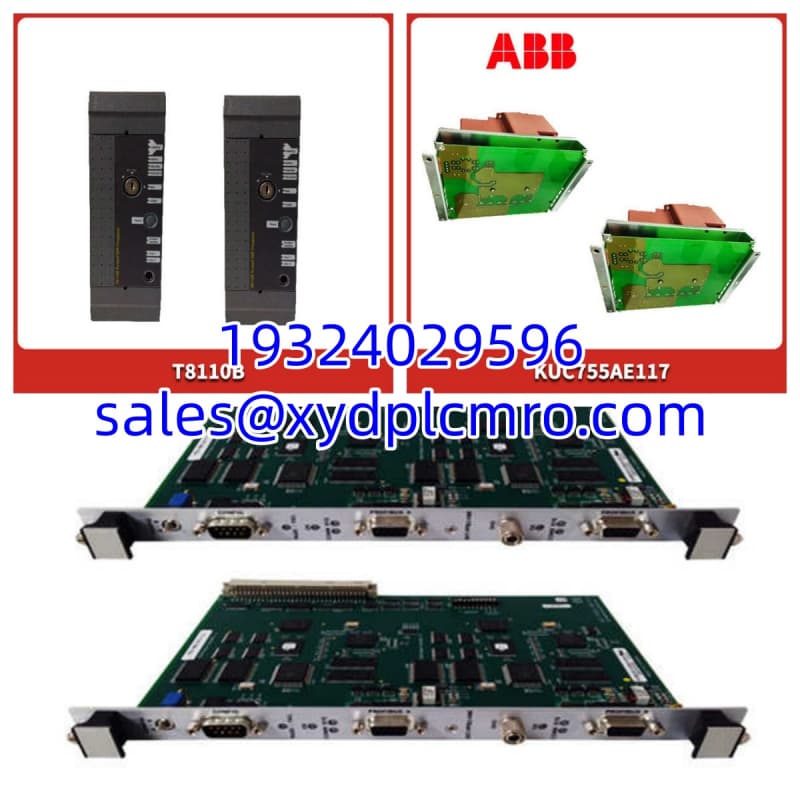
ABB 216VC62A is an ABB REG216 protection system module associated with the VC62a CPU/communication function. It is not a general-purpose PLC I/O card. Inside REG216 protection systems, this type of electronic unit supports processor operation, internal bus communication, and coordination with other protection relay modules.The main replacement risk is not just the model name. REG216 systems depend on correct CPU/communication unit type, firmware, bus compatibility, and slot configuration. A board that looks similar may still fail to operate correctly if the revision or internal bus role does not match the existing protection frame.
Installation & Configuration Guide
Preparation — 10 min
- Confirm the existing system is an ABB REG216 protection relay system.
- Record the full label on the existing 216VC62A module.
- Note the slot position, revision, serial number, and any visible firmware or hardware codes.
- Photograph the module orientation, connectors, retaining hardware, and neighboring boards.
- Prepare ESD protection: wrist strap, ESD mat, and insulated tools.
Safety: Before removing any protection relay module, confirm that the protection scheme is isolated or that a qualified protection engineer has approved the removal. Incorrect removal can affect trip circuits, alarms, or protection availability.
Removal — 5–10 min
- Label all connectors and cables before disconnection.
- Remove retaining screws or locking hardware in the recorded sequence.
- Pull the module straight out from its slot.
- Do not twist, bend, or force connectors.
- Place the removed module in an anti-static bag immediately.
Warning: If the module has burn marks, melted connectors, corrosion, or a burnt-electronics smell, do not install the replacement until the rack, backplane, and DC supply are inspected.
Installation — 10 min
- Inspect the replacement 216VC62A for bent pins, corrosion, cracked housing, or damaged connectors.
- Align the module with the correct slot.
- Seat the module fully before reinstalling screws or locking hardware.
- Reconnect cables exactly as labeled.
- Confirm no connector is forced or misaligned.
Check: A partially seated CPU/communication module can cause bus errors, missing-module faults, or intermittent protection communication failures.
Power-On & Test — 10 min
- Restore DC supply only after installation is verified.
- Observe REG216 status indicators and operator/display messages.
- Check for CPU, communication, bus, or module-mismatch alarms.
- Confirm the protection system recognizes the installed module.
- Verify communication with SCADA, DCS, or the local HMI if applicable.
- Run controlled functional tests under qualified supervision before returning protection to full service.
Troubleshooting Quick Reference
| Symptom | Most Likely Cause | First Check |
|---|---|---|
| Module not recognized | Wrong revision or slot mismatch | Compare full type designation and slot position |
| No status indication | DC supply or backplane issue | Measure supply and check rack power |
| Communication failure | Protocol or bus configuration mismatch | Check REG216 communication settings |
| Intermittent faults | Loose connector or ESD damage | Reseat module and inspect pins |
| Protection system alarm | Firmware or configuration mismatch | Review fault log and module revision |
| Module gets hot | Short circuit or incorrect installation | Remove power and inspect for damage |

Dimensions, Mounting & Wiring Notes
- Form Factor: Plug-in electronic unit for REG216 protection system
- Mounting Method: Installed in a 19-inch 6U-style protection relay rack or compartment
- Power Connection: Powered from the host REG216 system; not independently powered
- Wiring Notes:
- Do not assume external field wiring without REG216 documentation.
- Keep communication and control wiring separated from high-voltage power cables.
- Use shielded cables where required by the protection system manual.
- Verify connector orientation before insertion.
- Handle the module with ESD protection.
FAQ
Is ABB 216VC62A the same as a VD4 breaker control unit?
No. 216VC62A is associated with the REG216 protection system as a CPU/communication module. It should not be treated as a VD4 vacuum breaker control unit without verified documentation.Can I replace 216VC62A with another REG216 board?
Not automatically. The replacement must match the full type designation, revision, slot role, and firmware expectations. Other REG216 boards may have different functions.I need a communication module — is this the right part?
It can be, but only if your installed system uses 216VC62A in the CPU/communication role. Send the system model, existing module label, slot position, and fault log before purchasing.What is the biggest installation risk?
Bus or firmware mismatch. A module that powers up may still fail if the REG216 system expects a different revision, slot function, or communication configuration.Do I need to back up configuration before replacement?
Yes. Back up protection settings, communication settings, event logs, and application configuration before removing the module.Can you guarantee this module will work in my system?
No. Function can be verified under test conditions, but final compatibility depends on your REG216 configuration, firmware, slot assignment, and protection scheme.What should I send for compatibility checking?
Send the REG216 system model, full existing module label, revision, serial number, slot position, firmware version, communication protocol, and a photo of the installed module and rack layout.