 Tel:
Tel:  Email:
  WhatsApp:
 Description
Key Technical Specifications
| Parameter | Specification |
|---|---|
| Manufacturer | Bently Nevada (Baker Hughes) |
| Model | 3500/94 |
| Part Number | 145988-01 |
| Module Type | VGA Display Module |
| Platform | 3500 Series Machinery Protection System (API 670) |
| Installation | Full-height front-panel slot in 3500/05 rack |
| Display Output | VGA interface for external color monitor |
| Data Displayed | Channel values, alarm/danger status, event lists, 1X/2X amplitude & phase, gap voltage |
| Communication | Via 3500/05 backplane through 3500/22M TDI or legacy RIM |
| Power | 24 VDC from rack backplane |
| Operating Temperature | -30°C to +65°C |
| Storage Temperature | -40°C to +85°C |
| Humidity | Up to 95% non-condensing |
| Dimensions | Approx. 2.5 × 25 × 24 cm |
| Weight | Approx. 0.72 kg |
Product Introduction
If your 3500 rack is sitting in a compressor shelter or turbine hall, the last thing you want is to drag a laptop out every time an operator asks, “What is channel 3 doing right now?” That is where the 3500/94 145988-01 earns its keep. It is the VGA display module for the Bently Nevada 3500 Machinery Protection System, giving local visibility into vibration, displacement, speed, gap voltage, and alarm status directly at the rack.Engineers keep this module in spares inventories because it removes dependence on a remote DCS screen or a System 1 workstation for basic status checks. It pulls data from the 3500/22M TDI or legacy RIM over the backplane, so there is no separate data cable to run. It does not perform protection logic — the monitor and relay modules handle trips — but it makes alarm acknowledgement and现场 verification much faster. Just remember: this is a display path, not a protection path. If the TDI is down, the screen will not save you.
Quality SOP & Tech Pitfalls
The Lab Report (SOP)
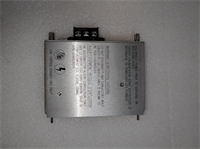
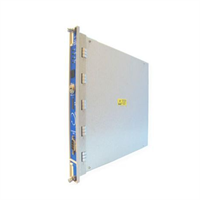
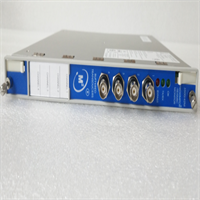
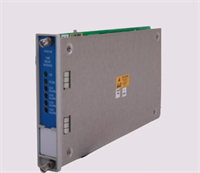
- Visual and counterfeit check — verify Bently Nevada branding, part number 145988-01, serial number format, and clean PCB condition.
- Connector inspection — check the backplane connector pins, VGA port, and front-panel LEDs for damage or corrosion.
- Live rack test — install in a 3500/05 rack with a healthy 3500/22M TDI and confirm the module powers up and displays channel data.
- Electrical checks — verify 24 VDC backplane draw and absence of shorted rails using a Fluke 115 or equivalent.
- Firmware/logging — record firmware or hardware revision if accessible; mismatched revisions can cause display or communication issues.
- Packaging — seal in an anti-static bag with connector caps and desiccant.
The Engineer’s Warning (Pitfalls)The most common mistake is assuming the 3500/94 is a standalone display. It is not. Without a functioning 3500/22M TDI or legacy RIM in the rack, the module has no data to show. I have seen technicians swap the display three times before realizing the TDI was faulted. Another pitfall: buying a “3500/94” without confirming the exact P/N. The 3500/94M 184826-01 is a later variant with different display options, and it is not automatically a drop-in substitute without checking rack firmware and configuration.
Installation & Configuration Guide
Estimated swap time: 20–30 minutes if the rack is already live and the replacement module is verified.
- Pre-Installation
- ️ Confirm whether your site permits hot-swapping this module. The 3500 platform supports hot-swappable modules in many configurations, but always follow your plant procedure.
- Photograph the existing module position, rack slot, and any alarm LEDs.
- Verify the replacement P/N is 145988-01, not 184826-01 or another variant.
- Removal
- Release the front-panel retaining screws or latches.
- Pull the module straight out without rocking it.
- Inspect the backplane connector for bent pins before installing the replacement.
- Installation
- Align the replacement 3500/94 module with the same slot.
- Seat it firmly into the backplane connector.
- Secure the front-panel fasteners.
- Connect the VGA monitor cable if an external display is used.
- Power-On & Testing
- Confirm the rack 24 VDC supply is stable.
- Watch the module LEDs during boot.
- Verify the display shows channel data from the 3500/22M TDI.
- Compare displayed values with the DCS or System 1 to confirm accuracy.
- Document the installed revision and test results.
Compatible Replacement Models
| Compatibility | Model | Notes |
|---|---|---|
| Drop-in Replacement | Bently Nevada 3500/94 145988-01 | Same model and P/N. Lowest risk. |
| ️ Evaluate | Bently Nevada 3500/94M 184826-01 | Updated display variant with additional display options. Verify rack firmware, configuration, and monitor compatibility before substitution. |
| ️ Alternative Local Display | Bently Nevada 3500/93 | Separate display device with different mounting and wiring. Not a direct front-panel swap. |
| Not a Replacement | 3500/92 Communication Gateway | Network gateway module, not a display device. |
| Not a Replacement | Generic VGA monitor | A standard VGA monitor cannot replace the 3500/94 module; the module provides the 3500 backplane-to-VGA interface. |
Frequently Asked Questions (FAQ)
Can I hot-swap the 3500/94 145988-01?
The 3500 system supports hot-swappable modules in many configurations, but whether you should do it depends on your site procedure and rack setup. If the display is purely for local visibility and the protection relays are independent, a controlled swap is usually low risk. Still, get approval from your control systems lead first.Will this work without a 3500/22M TDI?
No. The 3500/94 pulls data from the rack backplane through the 3500/22M TDI or legacy RIM. Without one of those, the display will not have valid channel data.Is 145988-01 the same as 184826-01?
No. 145988-01 is the 3500/94 VGA display module. 184826-01 belongs to the 3500/94M family, which is a later variant with different display capabilities. Do not treat them as identical without checking firmware, configuration, and monitor compatibility.Does the 3500/94 perform alarm tripping?
No. It is a display and local interface module. Alarm and trip logic is handled by the monitor modules and relay modules such as 3500/32, 3500/33, or 3500/34.What condition are these modules usually sold in?
Most available units are New Surplus, Refurbished, or Used. Ask for nameplate photos, revision confirmation, and a basic power-on test report before committing.Can I use any VGA monitor with it?
You can use a standard VGA monitor for display output, but the 3500/94 module itself must be present in the rack to drive it. A monitor alone cannot replace the module.What should I check before buying?
Confirm the exact part number 145988-01, verify the revision, request photos of the nameplate and connectors, and confirm whether the seller has performed a live rack test. For critical machinery, treat this as a verified spare, not a mystery box.