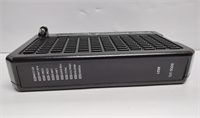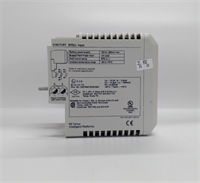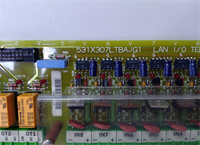
 Tel:
 Email:
 WhatsApp:
Description
Key Technical Specifications
| Parameter | Specification |
|---|---|
| Full Model | UR-6AV / UR6AV |
| Manufacturer | GE Multilin |
| Module Type | Digital Output I/O Module |
| Platform | GE Multilin UR / URPlus Universal Relay |
| Output Type | Form-A digital outputs (verify exact count on nameplate) |
| Installation | Slide-in module slot in UR chassis |
| Hot-Swap | Supported per UR platform rules |
| Configuration | EnerVista UR Setup / URPC software |
| Communication | Via UR chassis backplane to CPU module |
| Compatibility | Must match UR chassis slot type and firmware |
| Condition | Surplus / used — verify nameplate and firmware |
Product Introduction
If you’ve ever opened a UR relay rack only to find the wrong I/O card jammed into a slot, you know why module identity matters. The UR-6AV is a digital output module for the GE Multilin UR Universal Relay platform. It lives inside the UR chassis and gives the relay’s protection logic a set of hard contacts — tripping a breaker, closing a lockout relay, alarming a DCS, or driving an auxiliary relay.Engineers keep these in stock because UR relays are still sitting in substations, generator bays, and switchgear rooms worldwide. The UR platform’s modular design means you can replace a failed I/O card without ripping out the entire relay — provided the replacement matches the slot type and firmware expectations. My only caution: UR-6AV is a legacy part. Don’t assume “UR module” means interchangeable. The suffix matters.
Quality SOP & Tech Pitfalls
The Lab Report (SOP):
- Visual inspection — nameplate match, slot connector pins, housing cracks, corrosion.
- Counterfeit/diversion check — compare label font, serial format, and PCB revision against known GE Multilin UR modules.
- Bench test in a compatible UR chassis — module recognition, LED status, output contact operation.
- Contact resistance check with a multimeter.
- Firmware and revision logging.
- Anti-static bag, foam tray, and sealed shipping box.
The Engineer’s Warning (Pitfalls):
I’ve watched a substation sit dead because someone shoved a Form-C card into a Form-A slot. The UR CPU flagged a configuration mismatch and refused to run the scheme. UR-6AV must match the original module type exactly — Form-A, Form-C, or Fast Form-C are not interchangeable without reprogramming. Also, never pull or insert a UR I/O module while the chassis is energized unless your procedure explicitly allows hot-swap for that slot. GE Multilin’s documentation requires control power to be removed for installation and maintenance on certain UR I/O modules, and ignoring that warning can damage the backplane.
Installation & Configuration Guide
1. Pre-Installation ️
- De-energize the UR relay control power unless your site procedure explicitly permits hot-swap.
- Photograph the existing module, slot position, LED states, and wiring labels.
- Export the current EnerVista UR Setup configuration file and save the settings file.
2. Removal
- Label every wire or terminal associated with the failed module.
- Release the module retaining screws or latches.
- Pull the module straight out — no rocking.
3. Installation
- Verify the replacement is UR-6AV, not UR-6AH, UR-6NH, UR-6TV, or any other UR I/O variant.
- Inspect the backplane connector for bent pins.
- Seat the module firmly until it locks.
- Reinstall retaining hardware.
4. Power-On & Testing
- Restore control power.
- Check CPU module LEDs for “Module Mismatch” or “I/O Fault.”
- Open EnerVista UR Setup and verify the I/O configuration matches the installed module.
- Force-test each output contact and confirm downstream device operation.
- Document the firmware version and module serial number.
Compatible Replacement Models
| Tier | Model | Notes |
|---|---|---|
| Drop-in | UR-6AV | Exact match. Verify Form-A output count and firmware compatibility. |
| ️ Evaluate | UR-6AH / UR-6NH / UR-6TV | Same UR chassis family, but different I/O types and output configurations. Not a direct substitute without reprogramming. |
| Not Compatible | Non-UR Multilin modules | Different backplane, different firmware, different slot definition. Do not attempt. |
Frequently Asked Questions (FAQ)
Q1: Can I hot-swap a UR-6AV in a live UR chassis?
Only if your site procedure and the UR manual explicitly allow it for that slot. GE Multilin’s own guidance says control power must be removed for installation and maintenance on certain UR I/O modules. When in doubt, de-energize.Q2: Is UR-6AV the same as UR-6AH or UR-6NH?
No. They share the UR chassis but differ in output type, contact count, and speed class. Swapping them without reconfiguring EnerVista UR Setup will cause a module mismatch fault.Q3: How do I know if my UR-6AV is genuine?
Check the nameplate model suffix, serial number format, PCB revision, and connector quality. Counterfeit or mislabeled UR modules show up in surplus markets. Test it in a known-good UR chassis before deployment.Q4: What software configures this module?
EnerVista UR Setup (also referenced as URPC in older documentation). The CPU validates the installed module against the programmed configuration at power-up.Q5: Is this module still manufactured?
No. UR-6AV is obsolete. Supply comes from surplus inventory, unused removed stock, or tested used units. Condition varies by seller.Q6: What happens if the CPU doesn’t recognize the module?
The UR CPU reports a configuration mismatch and may block the protection scheme from running. Verify the module type, slot position, and EnerVista configuration file before blaming the hardware.Q7: Can I upgrade to a newer UR I/O module?
Possibly, but only within the same UR/URPlus chassis family and with matching slot definitions. A full migration to URPlus or a newer GE Vernova protection relay requires a proper engineering review, I/O remapping, and scheme revalidation.