 Tel:
 Email:
 WhatsApp:
Description
Key Technical Specifications
| Parameter | Detail |
|---|---|
| Manufacturer | DEIF |
| Model | GPU/2/GS |
| Product Family | DEIF GPU Series Generator Protection Unit |
| Supply Voltage | 24V DC |
| Power Consumption | Verify against OEM label |
| Communication | RS-485, Modbus RTU |
| Protection Functions | Over/under voltage, over/under current, reverse power, frequency, zero-sequence, islanding, temperature, vibration |
| Control Functions | Generator monitoring, auto start/stop logic, synchronization, load sharing support |
| I/O Expansion | Expandable with additional I/O modules |
| Front Protection | IP65 |
| Operating Temperature | Verify against OEM label |
| Enclosure Material | Aluminum alloy |
| Dimensions / Weight | Verify against OEM label |
Product Introduction
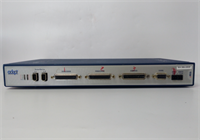
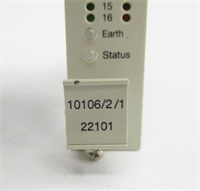
When a generator trips at the wrong time, nobody cares about marketing brochures. They care about whether the protection unit actually saw the fault, logged it, and let the rest of the plant stay alive. The DEIF GPU/2/GS sits in that category: a compact generator protection and synchronization unit that handles voltage, current, frequency, reverse power, and basic synchronization tasks without requiring a full power management system.Engineers keep these on hand because DEIF GPU-series units show up in marine gensets, diesel plants, and older industrial switchboards. The GPU/2/GS is not a modern touchscreen controller. It is a field-hardened protection unit with RS-485/Modbus RTU communication, 24V DC supply, and expandable I/O. The IP65 front and wide temperature range make it tolerable in switchrooms that bake in summer. Just do not assume every GPU/2/GS has the same I/O layout. DEIF released multiple revisions and expansion options, so the label is the only thing that matters.
Quality SOP & Tech Pitfalls
The Lab Report (SOP)
- Visual inspection: label, revision, connectors, corrosion, and counterfeit indicators.
- Physical check: terminal blocks, expansion slots, mounting hardware, and display/interface condition.
- Live test: apply 24V DC supply and verify boot sequence, LED/display status, and communication response.
- I/O verification: test digital inputs, relay outputs, and expansion module presence.
- Communication check: verify RS-485/Modbus RTU response and register mapping.
- Final packing: anti-static bag, label photos, and test record.
The Engineer’s Warning (Pitfalls)
- Do not confuse GPU/2/GS with PPU/2/GS. They sound similar but serve different roles in DEIF’s lineup. PPU units are paralleling/protection devices with different mounting and wiring.
- Check the expansion modules. A GPU/2/GS without its original I/O cards may arrive short on trip outputs or status inputs.
- Modbus mapping matters. Replacing a unit without exporting the old configuration can leave you with a healthy-looking controller that refuses to talk to the SCADA system.
- I have seen a replacement GPU installed with the wrong Modbus address. The generator ran fine, but the control room saw nothing for two days. Nobody noticed until the daily report came up blank.
Installation & Configuration Guide
- Pre-Installation
- Lock out generator control power and auxiliary supplies.
- Photograph all wiring, terminal labels, DIP switches, and expansion modules. ️
- Export or record Modbus address, protection setpoints, and I/O assignments.
- Removal
- Verify all supplies are OFF.
- Label every cable before disconnecting.
- Remove expansion modules carefully and keep them with the original unit.
- Unmount the GPU/2/GS without stressing the terminal blocks.
- Installation
- Copy all configuration data from the old unit before powering the replacement.
- Mount the new GPU/2/GS and reinstall expansion modules in the correct order.
- Reconnect wiring using the original labels.
- Confirm RS-485 polarity, shield grounding, and termination.
- Power-On & Testing
- Apply 24V DC supply.
- Verify display/LED status and fault history.
- Check Modbus RTU communication and register reads.
- Test trip outputs, alarm relays, and synchronization signals under safe conditions.
- Confirm protection setpoints match the approved settings sheet before returning the generator to service.

Compatible Replacement Models
| Replacement Option | Compatibility | Notes |
|---|---|---|
| DEIF GPU/2/GS, same revision | Drop-in | Match label, firmware, and expansion modules. |
| DEIF GPU/2/GS, different revision | ️ Software compatible | May require setpoint, I/O, and Modbus mapping review. |
| DEIF GPU-3 | ️ System upgrade | Newer generator protection unit; requires configuration migration and wiring review. |
| DEIF PPU/2/GS | Not a direct replacement | Different product family; do not substitute without engineering review. |
| Non-DEIF protection relay | Hardware mod required | Requires rewiring, CT/VT checks, and protection study. |
Frequently Asked Questions (FAQ)
Can I replace a failed GPU/2/GS with any DEIF GPU unit?
No. Even within the GPU family, I/O, firmware, and expansion options can differ. Match the exact model and revision whenever possible.Is GPU/2/GS the same as PPU/2/GS?
No. GPU/2/GS is a generator protection unit. PPU/2/GS belongs to a different DEIF product family and should not be treated as a direct substitute.Does it support Modbus?
Yes. It supports RS-485 and Modbus RTU communication. Verify the baud rate, address, and register map before connecting it to SCADA.What supply voltage does it need?
24V DC. Do not assume it accepts 110V or 220V AC unless the label explicitly states it.Can it handle synchronization?
Yes. The GPU/2/GS supports generator synchronization and related control functions. Exact behavior depends on configuration and installed options.Is it still in production?
Treat it as a legacy unit. New surplus or tested used stock may be available, but always confirm condition, revision, and test records before buying.