 Tel:
Tel:  Email:
  WhatsApp:
 Description
Key Technical Specifications
| Parameter | Specification |
|---|---|
| Channels | 16 Independent Analog Inputs |
| Processor Speed | 800 MHz |
| Memory | 1 GB RAM |
| Communication | Ethernet, USB, RS-485 |
| Power Supply | 24V DC |
| Safety Rating | SIL 3, IEC 61508, FM, CSA |
| Operating Temp | -40°C to 70°C |
| Insulation | ≥500VAC (Channel to Loop) |
Product Introduction
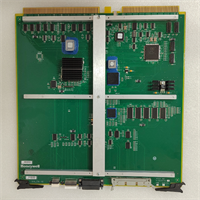
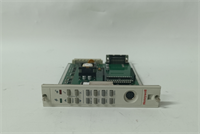
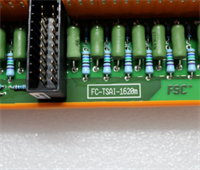
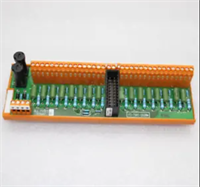
The Honeywell FC-TSAI-1620M is a specialized 16-channel analog input module designed for the Safety Manager system. It serves as the critical interface between field sensors—measuring temperature, pressure, or flow—and the safety logic solver. This unit ensures that physical process data is accurately digitized and transmitted for real-time safety monitoring in high-risk environments like refineries and chemical plants.Unlike standard control modules, this device prioritizes fault tolerance and diagnostic speed. It features advanced circuit design to suppress noise and includes automatic cold-end compensation for thermocouple inputs, ensuring measurement accuracy within tight tolerances (±0.1% FS). The module supports redundant configurations, allowing it to maintain system integrity even if a primary path fails. You will typically find this deployed in applications requiring strict adherence to IEC 61508 safety standards.
Installation & Configuration Guide
Phase 1: Preparation (10 min)
- Safety First: Verify the rack power is OFF. Lock out/Tag out (LOTO) the main power supply.
- ESD Protection: Put on your anti-static wrist strap. Connect it to the rack chassis ground.
- Visual Check: Inspect the DIN rail and backplane connectors for bent pins or debris.
Phase 2: Removal of Old Unit (If applicable) (5–10 min)
- Disconnect Wiring: Loosen terminal block screws. Pull the wiring harness gently away from the module face.
- Release Latch: Depress the locking tab at the bottom of the module.
- Extract: Slide the module straight out. Do not rock it side-to-side excessively to avoid damaging the backplane bus.
Phase 3: Installation (10 min)
- Insert Module: Align the FC-TSAI-1620M with the slot guides. Push firmly until the rear connector seats completely.
- Lock: Ensure the locking tab clicks into place.
- Wiring: Reconnect field wires to the correct terminals. Tighten to the specified torque (usually 0.5–0.6 Nm). Double-check polarity for 4-20mA loops.
Phase 4: Power-On & Test (10 min)
- Apply Power: Restore 24V DC power to the rack.
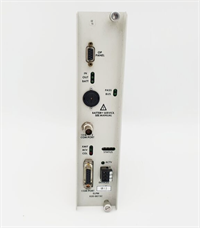
- Observe LEDs: Watch the front panel status lights. A solid green “Run” LED indicates normal operation. Red usually signals a configuration mismatch or hardware fault.
- Verify Comms: Open your engineering workstation (e.g., Experion PKS or FSC Builder). Confirm the module appears online and matches the hardware revision in the project file.
Troubleshooting Quick Reference
| Symptom | Probable Cause | Corrective Action |
|---|---|---|
| Red Status LED | Firmware mismatch or internal fault | Cycle power. If persistent, re-download firmware/config. |
| No Communication | Backplane connection issue | Reseat the module. Clean backplane contacts with contact cleaner. |
| Signal Noise/Drift | Ground loop or shielding | Verify shield grounding at the sensor end only. Check isolation voltage ratings. |
| Channel Read Error | Wiring fault | Measure resistance across terminals. Check for open circuits (>25mA often flags open). |
Dimensions, Mounting & Wiring Notes
- Form Factor: Standard industrial card format (verify exact height/width against FSC chassis specs).
- Mounting: DIN Rail or specific Honeywell FSC Chassis slots.
- Terminals: Removable screw-type terminal block.
- Wiring Note: Use twisted-pair shielded cable for all analog inputs to minimize electromagnetic interference (EMI). Keep analog wiring separate from high-voltage AC lines.
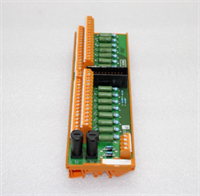
FC-TSAI-1620M HONEYWELL
FAQ
Is the FC-TSAI-1620M compatible with older FSC systems?
Yes, it is designed to integrate with the Honeywell Fail Safe Control (FSC) architecture. However, you must verify that your system processor firmware supports this specific I/O revision before installation.What does the “M” in the model number stand for?
In Honeywell nomenclature, suffixes often denote specific revisions or packaging (like “Module”). For this series, it generally indicates the standard module form factor compatible with the Safety Manager platform.I’m seeing fluctuating values on channel 4. What gives?
Check your shielding first. Since this is an analog input, EMI is the most common culprit. Also, verify that the input type (Thermocouple vs. mA) matches the software configuration.Can I hot-swap this module?
While the system might support redundancy, hot-swapping I/O modules carries risk. It is best practice to power down the specific I/O bank if possible, or ensure the system is in a safe state before removing cards.Do you sell the terminal blocks separately?
We primarily stock the modules themselves. Terminal blocks are usually sold as accessories (FTA – Field Termination Assembly), so check the specific part number for your wiring interface.