Key Technical Specifications
| Parameter | Specification |
|---|---|
| Product Model | 469-P5-HI-A20-E-H |
| Manufacturer | GE Multilin / GE Vernova |
| Series | SR469 Motor Management Relay |
| Phase CT Secondary | 5 A (P5) |
| Control Power | 70–265 VAC, 90–300 VDC, 48–62 Hz (HI) |
| Analog Output | 4–20 mA (A20) |
| Front Panel | Enhanced with 40-character LCD (E) |
| Environmental Protection | Conformal coating for harsh environments (H) |
| Communication | RS232 front port, RS485 rear ports |
| Optional Communication | Ethernet, DeviceNet (module-dependent) |
| RTD Inputs | Up to 12 three-wire RTD inputs |
| Protection Functions | Thermal overload, ground fault, unbalance, locked rotor, undervoltage/overvoltage, jam/stall, RTD overtemperature |
| Diagnostics | Event recorder, waveform capture, data logger, simulation mode |
| Configuration Software | EnerVista 469 |
| Mounting | Draw-out chassis |
| Operating Temperature | -40°C to +60°C (verify with OEM datasheet) |
| Standards | IEC 60255, IEC 60947-4-1, CE, CSA, UL |
Product Introduction
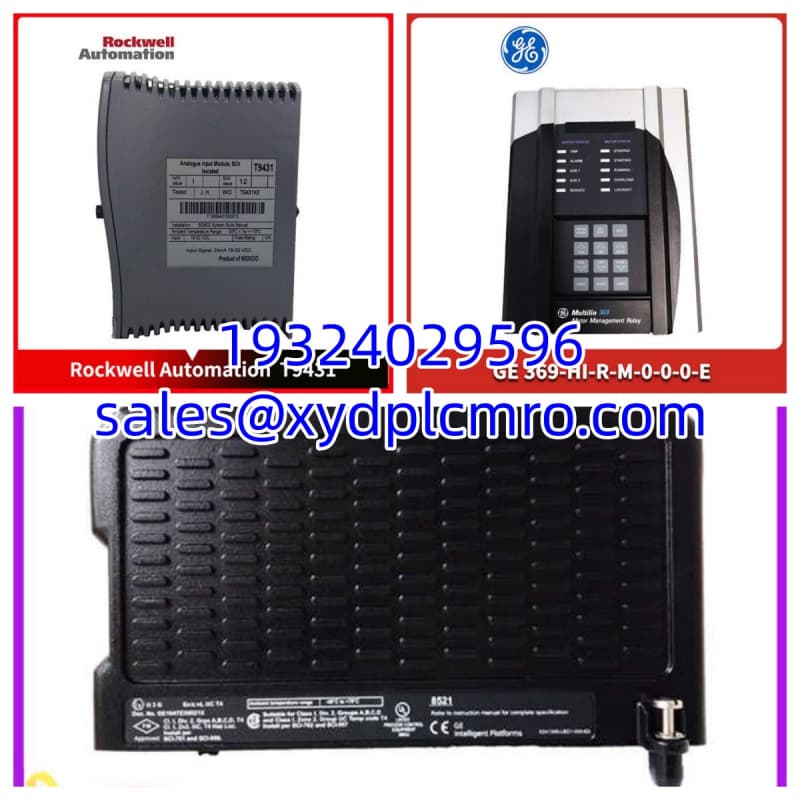
The GE Multilin 469-P5-HI-A20-E-H is an SR469-series motor management relay built for medium-voltage, medium-to-large horsepower motors. It combines thermal overload protection, ground fault detection, RTD-based temperature monitoring, metering, and diagnostics in a single draw-out chassis. The part code decodes directly: P5 means 5 A phase CT secondary, HI means wide-range AC/DC control power, A20 means 4–20 mA analog output, E means enhanced front panel, and H means factory conformal coating.What sets the -H version apart is the conformal coating applied to the PCB assembly. That thin polymer layer protects against moisture, chemical vapors, dust, and corrosive atmospheres — making this unit a better fit for pulp and paper, chemical processing, wastewater, or coastal installations. It still carries the SR469’s thermal model with RTD biasing, unbalance compensation, learned starting capacity, and waveform capture. One practical note: because the SR469 line is discontinued, firmware upgrades and long-term OEM support are limited, so verify firmware revision and compatibility before deployment.
Installation & Configuration Guide
Preparation (10 min)
- Confirm the existing relay’s full part number matches 469-P5-HI-A20-E-H, especially P5 vs P1 and the -H suffix.
- Record all setpoints, CT/VT ratios, RTD assignments, and communication addresses from the existing unit or EnerVista backup file.
- Verify control power supply: 70–265 VAC or 90–300 VDC, within ±10%.
- Prepare EnerVista 469 software and an RS232 cable for local configuration.
Removal (5–10 min)
- De-energize control power if hot-swap is not permitted by site procedure.
- Disconnect RS232/RS485 and optional Ethernet/DeviceNet cables from the rear.
- Release the draw-out handle and slide the relay from the chassis.
- Label all CT, VT, RTD, and I/O wires before disconnecting.
Installation (10 min)
- Inspect chassis pins for bent or corroded contacts. Clean if necessary.
- Slide the new relay into the chassis until fully seated.
- Reconnect CT, VT, RTD, digital I/O, and communication wiring per original labels.
- Verify CT polarity — reversed CTs cause false unbalance or ground fault readings.
Power-On & Test (10 min)
- Apply control power. Confirm the “IN SERVICE” LED is green.
- Load setpoints from backup or manually enter CT/VT ratios, motor nameplate data, and protection curves.
- Run the built-in simulation mode to verify trip logic without applying real fault current.
- Confirm 4–20 mA output scaling matches the receiving PLC/DCS range.
- Verify RS485 communication and Modbus register reads if integrated into SCADA.
Troubleshooting Quick Reference
| Symptom | Most Likely Cause | Quick Check |
|---|---|---|
| Relay not powering up | Control power out of range or wiring reversed | Measure 70–265 VAC / 90–300 VDC at terminals |
| “CT Mismatch” alarm | P5 relay connected to 1 A CT secondary | Confirm CT secondary rating matches P5 (5 A) |
| False ground fault trip | CT polarity reversed or residual wiring error | Check CT polarity marks and ground CT wiring |
| Thermal model trips during start | Learned starting capacity too low or hot motor | Check thermal capacity used; review start inhibit settings |
| 4–20 mA reads 0 mA | Output not scaled or wiring open | Verify A20 option active; check loop continuity |
| RS485 no communication | Wrong baud rate, address, or wiring | Confirm 9600/19200 baud, slave address, A/B polarity |
| RTD reads open/fault | Broken RTD wire or wrong RTD type | Check 3-wire RTD continuity; confirm 100 Ω Pt setting |
| Display blank, LEDs off | Chassis not fully seated or fuse blown | Reseat relay; check external control fuse |

Dimensions, Mounting & Wiring Notes
- Chassis Type: Standard SR469 draw-out chassis
- Mounting: Panel cutout per GE Multilin SR469 mechanical drawing; exact cutout dimensions vary by chassis revision — verify with OEM manual 1601-0122-AG or current datasheet.
- Approximate Relay Body: ~4.5″ × 3.5″ × 1.5″ (114 × 89 × 38 mm) — chassis depth is greater; confirm full envelope before panel design.
- Front Connections: RS232 program port (9-pin), sealed draw-out handle
- Rear Connections: Phase CTs, ground CT, VT inputs, RTD terminals, digital I/O, RS485 ports, optional Ethernet/DeviceNet module
- CT Wiring: Use 5 A secondary CTs only (P5). Do not connect 1 A CTs to a P5 relay.
- RTD Wiring: 3-wire connection; support for 100 Ω Pt, 100/120 Ω Ni, 10 Ω Cu types.
- Analog Output: 4–20 mA sourcing; confirm load impedance does not exceed relay drive capability.
FAQ
Can I replace a 469-P5-HI-A20-E with the -H version?
Yes. The -H suffix adds conformal coating; all other functions are identical. Just confirm firmware compatibility and reload setpoints.What does the “P5” mean, and can I use it with 1 A CTs?
P5 means the relay expects 5 A CT secondaries. Using 1 A CTs will produce incorrect current readings and unreliable protection. Match CT secondary to the relay’s P-code.Is this relay still supported by GE?
The SR469 line is discontinued. GE Vernova recommends the Multilin Agile 859 or 869 as the replacement platform. Existing units can still be used, but firmware updates and OEM replacements are limited.I need to integrate it into a Modbus SCADA system — which port do I use?
Use the rear RS485 ports for Modbus RTU. The front RS232 is intended for local EnerVista configuration. Confirm baud rate, parity, and slave address match your SCADA master settings.Does the conformal coating affect heat dissipation?
Minimally. The SR469 chassis relies on side airflow. Ensure adequate panel ventilation. In high-ambient installations, monitor relay temperature via RTD or the relay’s internal temperature reading.What’s the difference between A20 and A1 analog outputs?
A20 provides 4–20 mA output; A1 provides 0–1 mA. The 4–20 mA range is preferred because a 0 mA reading clearly indicates a wiring fault rather than a valid low signal.Can I upgrade the firmware on a used unit?
Yes, the SR469 supports field firmware upgrades via EnerVista 469. Record the current firmware version before upgrading, and verify the new firmware is compatible with your setpoint file and optional communication modules.