Key Technical Specifications
| Parameter | Value |
|---|---|
| Part Number | 288055-01 |
| Module Type | 3500/22M TDI |
| Ethernet Port | 10/100 Base-TX (RJ45) |
| Required Slot | Slot 1 (Next to Power Supply) |
| Protocol | TCP/IP, System 1 Compatible |
| Redundancy | TMR Option Available (138607-02) |
| Critical Path | No (Does not affect mechanical protection) |
| Max Data Rate | 100 Mbps |
| LED Indicators | Status, Link, Activity, Fault |
| Mounting | 3500 Rack Backplane |
Product Introduction
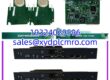
You can’t run System 1 diagnostics without this card, but don’t confuse it with your protection relays. The 3500/22M 288055-01 is purely a data highway; if it dies, your turbine keeps spinning, but your trend plots stop updating. It sits in Slot 1, grabs waveform data from the M-series monitors, and shoves it to your server so you can catch that bearing fault before it eats the shaft.I’ve installed dozens of these in retrofit jobs. The 288055-01 revision is solid, but it’s picky about cable quality. I’ve seen intermittent link failures traced back to a $2 patch cable vibrating loose in a high-frequency environment. It’s not a safety-critical part, but in a plant running on predictive maintenance, losing this module is like flying blind.

Quality SOP & Tech Pitfalls
The Lab Report:
Every 288055-01 gets plugged into a live 3500 rack, not just a bench tester. We verify the Ethernet link light, ping the module from a laptop, and confirm System 1 sees the frame ID. We check the slot 1 backplane pins for bending because I’ve seen guys force these in and ruin the connector. Then it’s bagged with an ESD shield.The Engineer’s Warning:
⚠️ Slot 1 is non-negotiable. I’ve had a junior tech put this in Slot 3 because “it fit.” The system won’t even boot the comms stack. Also, check your TMR config. If you’re running Triple Modular Redundancy, you need the 138607-02 TMR version, not this standard 288055-01. Mixing them up will give you a fault light and zero data.
Installation & Configuration Guide
- Pre-Installation: ⚠️ Power down the rack. This isn’t hot-swappable. Photograph the backplane wiring and existing jumper settings. Verify you have a Cat5e/Cat6 cable rated for industrial use.
- Removal: If replacing, release the ejector levers gently. Don’t yank. Inspect the Slot 1 backplane connector for bent pins before inserting the new 3500/22M 288055-01.
- Installation: Align the guide rails perfectly. Push until the ejectors click. Verify the address switches match your old card if this is a swap; System 1 uses this ID to find the frame.
- Power-On: Apply rack power. Watch the “OK” LED. Green = Good. Red = Check slot seating or backplane. Plug in Ethernet; Link LED should be solid. Ping the IP you assigned in System 1 config.
Compatible Replacement Models
- ✅ Drop-in Replacement: 3500/22M 288055-01 (Standard TDI, 10/100TX)
- ⚠️ Software Compatible: 3500/22M 138607-01 (Newer revision, same function, verify firmware level in System 1)
- ❌ Hardware Mod Required: 3500/22M 138607-02 (TMR Version. Do NOT use unless your rack is configured for TMR. Requires different backplane logic.)

Frequently Asked Questions
Can I pull this card while the rack is running?
No. It’s not hot-swappable. You’ll crash the communication stack and potentially glitch the RIM. Schedule a shutdown window.Why is my System 1 showing “Frame Not Found”?
Check the IP address and subnet mask first. Second, verify the slot 1 address switches on the 288055-01. If you swapped cards, the old address might still be set. Third, check your Ethernet cable; I’ve seen more “bad cards” that were actually bad cables.Does this affect my API 670 protection?
No. The 3500/22M is strictly for data acquisition. If this card fails, your relays still trip on vibration. You just lose the trend data.Can I use a standard office patch cable?
You can, but I wouldn’t. Industrial environments have oil, vibration, and EMI. Use a shielded, stranded Cat5e minimum with industrial-grade connectors. Solid core cable will break internally from vibration.Is the 288055-01 obsolete?
It’s mature tech, but still fully supported and available. The newer 138607-01 is the current production version, but functionally identical for standard apps. If you’re buying new, you’ll likely get the 138607-01 anyway.How do I know if I need the TMR version?
Look at your existing card or System 1 config. If it says “TMR TDI” or you have three of these in a row, you need the 138607-02. If you have one, you need the standard 288055-01.