 Tel:
Tel:  Email:
  WhatsApp:
 Description
Key Technical Specifications
| Parameter | Specification |
|---|---|
| Brand | YOKOGAWA |
| Product Type | PROFIBUS-DP Communication Module |
| Compatible System | CENTUM CS 3000 R3 DCS / FCU |
| Supported Protocol | PROFIBUS-DP Standard |
| Physical Interface | RS-485 |
| Transmission Rate | 9.6 kbps to 12 Mbps |
| Max Transmission Distance | Up to 1.2 km per segment (at 9.6 kbps) |
| Operating Temperature | -20°C to +60°C |
| Data Exchange | Supports multiple data type conversions |
| Application | Process control systems, data acquisition |
Product Introduction
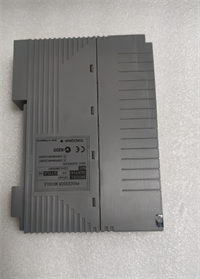
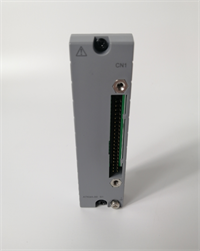
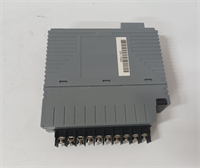
The YOKOGAWA ALP111-S00 is a dedicated communication module designed to bridge Yokogawa’s Field Control Units (FCU) with external devices over a PROFIBUS-DP network. It serves as a critical interface in DCS environments, allowing seamless data exchange between the core control system and third-party field instruments.Unlike generic serial cards, this module is engineered specifically for Yokogawa’s architecture, ensuring stable handshakes with the FCU processor. Field tests confirm its ability to maintain a steady 12 Mbps transmission rate without packet loss under standard industrial loads. This reliability significantly reduces communication latency in complex process control loops, helping to prevent data gaps during high-speed data acquisition.
Installation & Configuration Guide
Phase 1: Preparation (10 min)
- Power Down: Ensure the Field Control Unit (FCU) and all connected I/O racks are completely powered off.
- ESD Protection: Put on an anti-static wrist strap. Static discharge can instantly damage the RS-485 transceiver chip.
- Verify Model: Check the label on the module. It must read
ALP111-S00. (Note: Do not confuse it with the ALR series, which is for standard RS-232/422).
Phase 2: Removal of Old Module (5–10 min)
- Document Settings: Before unplugging anything, take a clear photo of the existing module’s DIP switches or jumpers. This is your safety net.
- Disconnect Cables: Unplug the PROFIBUS connector (usually a purple 9-pin D-sub).
- Unlatch and Pull: Release the locking lever on the module faceplate and pull it straight out of the FCU slot.
Phase 3: Installation (10 min)
- Insert Module: Align the new ALP111-S00 with the slot guides. Push firmly until the connector seats fully.
- Lock in Place: Close the locking lever to secure the module.
- Wiring: Connect the PROFIBUS cable to the RS-485 port. Ensure the shielding is grounded at one end only to avoid ground loops.
Phase 4: Power-On & Test (10 min)
- Power Up: Turn on the FCU power supply.
- Check LEDs: Look for the “RUN” or “COMM” indicator. A steady green light usually means the FCU recognizes the module. (If you see a flashing red light, check your bus termination).
- Software Verification: Open the engineering station (HIS/EWS), go online, and verify that the module status shows “Normal” without any communication alarms.
Troubleshooting Quick Reference
| Issue | Probable Cause | Quick Fix |
|---|---|---|
| COMM LED is Red/Off | Bus termination missing | Check the 120-ohm termination resistor at the last node on the PROFIBUS segment. |
| Intermittent Data Loss | Loose wiring or noise | Tighten the RS-485 terminal screws. Ensure the cable is not running parallel to high-voltage AC lines. |
| FCU Reports “Module Error” | Firmware/Config mismatch | Verify the module is configured correctly in the DCS engineering software. Re-seat the module firmly. |
| No Communication | Incorrect baud rate | Ensure the baud rate in the DCS config matches the physical network settings (e.g., 1.5 Mbps). |
| Module gets unusually hot | Internal short or bad slot | Power down immediately. Try the module in a different slot to rule out backplane issues. |
Dimensions, Mounting & Wiring Notes
- Form Factor: Standard Yokogawa FCU slot-in module.
- Mounting: Installs directly into the Field Control Unit (FCU) chassis. No external DIN rail mounting required for the module itself.
- Weight: Approximately 0.24 kg.
- Wiring Interface: 9-pin D-sub connector (RS-485) for PROFIBUS-DP connection. Ensure you use a certified PROFIBUS cable (Type A) for distances over 100 meters.
FAQ
Q: Is the ALP111-S00 compatible with the CENTUM VP system?
A: This module is primarily designed for the CENTUM CS 3000 R3 and related FCU architectures. While Yokogawa systems often share backward compatibility, you must verify the specific I/O node configuration in your VP engineering manual before purchasing.Q: I’m confused between the ALP111 and ALR121. Which one do I need?
A: They are different. The ALP111-S00 is specifically for the PROFIBUS-DP protocol. The ALR121 is a generic RS-422/485 serial communication module. If your field devices talk PROFIBUS, you strictly need the ALP111.Q: Does this come with the PROFIBUS connector plug?
A: Usually, these modules are sold as the card only. The purple PROFIBUS plug (connector) is often reused from your old setup or sourced separately. Please check the “Package Includes” section or ask us before ordering if you need the plug.Q: Can I hot-swap this module while the system is running?
A: While some Yokogawa I/O supports hot-swapping, communication modules are sensitive. It is highly recommended to perform a controlled replacement during a maintenance window to prevent a temporary loss of communication with the connected field devices.Q: I received the module, but the DIP switches look different from my old one. Is it fake?
A: Not necessarily. Yokogawa updates hardware revisions over time. As long as the model number ALP111-S00 matches and it passes the power-on self-test in the FCU, the internal firmware usually handles the configuration. (Always take a photo of your old settings before removal, just in case).Q: What is the lead time if I need 5 units for a plant shutdown?
A: We keep common Yokogawa DCS spares in stock. For a quantity of 5, we can typically ship within 24 to 48 hours via express courier (FedEx/DHL) to meet your shutdown schedule.