 Tel:
 Email:
 WhatsApp:
Description
Key Technical Specifications
| Parameter | Specification |
|---|---|
| Processor | Intel Celeron, 300 MHz |
| DRAM | 32 MB |
| L2 Cache | 128 KB |
| Flash Storage | 16 MB or 128 MB CompactFlash (configurable) |
| Battery-Backed SRAM | 8 KB (NVRAM) |
| Ethernet | 1× 10Base-T / 100Base-TX, RJ-45 |
| COM1 | RS-232, 9600 baud, 8N1 (diagnostics) |
| COM2 | RS-232, 9600/19200 baud (Modbus serial) |
| Protocols | TCP/IP, EGD, Modbus TCP, Modbus RTU |
| Operating Temperature | -30°C to +65°C |
| Board Dimensions | 8.6 cm W × 16.2 cm H (VME form factor) |
| Rack Compatibility | Mark VI 13-slot or 21-slot VME chassis |
Product Introduction
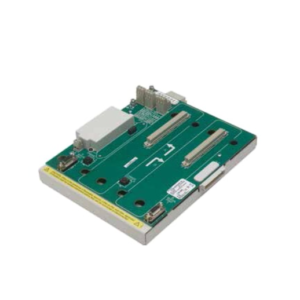
I have pulled enough Mark VI racks apart to know that the UCVE card is the brain of the entire turbine control system — and when it dies, the unit trips. The IS215UCVEM01A and IS215UCVEH2AF are GE’s VME controller boards for the Speedtronic Mark VI platform, sitting in the VME backplane and running the real-time control logic for gas and steam turbines. The “VMIVME-7614-133” and “350-017614-133E” are the VMI/GE internal board assembly numbers; they refer to the same physical UCVE controller family.What keeps engineers buying this board is the 300 MHz Celeron with 32 MB DRAM — not fast by modern standards, but deterministic and proven in turbine service where scan jitter kills you faster than a slow processor. The dual COM ports give you a dedicated diagnostics channel (COM1 at fixed 9600 baud) and a Modbus serial channel (COM2), while the 10/100 Ethernet handles EGD traffic to CIMPLICITY HMI and 90-70 PLCs. One thing to watch: the -AF suffix is a later hardware revision than -AE. Functionally compatible, but I have seen firmware mismatches between -AE and -AF cards cause EGD timeout faults during a hot standby switchover. Always check the installed firmware before you swap.
Quality SOP & Tech Pitfalls
The Lab Report (SOP)Pre-shipment protocol should look like this:
- Visual / counterfeit check — verify GE labeling, VMI part number silkscreen, and connector condition against known reference boards.
- Live test in a Mark VI VME rack — power up with a known-good UCVC/UCVP power supply, confirm POST completion, and verify Ethernet link LEDs.
- Insulation resistance and multimeter checks — verify backplane rail voltages (+5 V, ±12 V) and COM port pinout continuity with a Fluke 115.
- Firmware version logging — record the QNX OS version and application firmware revision; this is critical for Mark VI redundancy pairing.
- CompactFlash integrity check — verify the CF card boots and the NVRAM battery holds charge.
- Anti-static sealing — bag in ESD-safe packaging with desiccant and a tamper-evident label.
Do not accept a board that has not been live-tested in an actual VME chassis. Bench power supplies do not replicate backplane loading.The Engineer’s Warning (Pitfalls)Two failures will cost you a turbine trip:
- Firmware / application mismatch in redundant pairs. In a TMR or simplex+duplicate configuration, both UCVE cards must run the same application firmware revision. I watched a combined-cycle plant spend 14 hours chasing a “loss of peer” fault after a technician swapped in a -AF card with newer firmware into an -AE pair. The cards booted fine individually but refused to synchronize.
- CompactFlash corruption and dead NVRAM battery. The 8 KB battery-backed SRAM holds critical configuration data. If the lithium battery dies and the CF card has developed bad sectors, you lose the application image. Always upload the turbine application and configuration from the running controller before you pull the card. Never assume the spare CF card is a clone.
Installation & Configuration Guide
Phase 1 — Pre-Installation ⚠️
- Follow site lockout/tagout procedures. This is turbine control — do not hot-swap unless your redundancy architecture explicitly permits it and you have written authorization.
- Upload and archive the full application from the running controller, including the QNX image, application firmware, and configuration files.
- Photograph all front-panel LEDs, COM port wiring, Ethernet cable labels, and the CF card slot.
- Verify the replacement board’s firmware revision matches the running controller.
Phase 2 — Removal
- Label the Ethernet cable, both COM port cables, and any front-panel connections.
- Remove the top and bottom front-panel retaining screws.
- Extract the board from the VME slot using the ejector handles. Do not force it.
Phase 3 — Installation
- Transfer the CompactFlash card from the old board to the new one if the application image resides there — or verify the new CF is pre-loaded with the correct image.
- Insert the replacement UCVE board into the same VME slot. Seat firmly; you should feel the backplane connectors engage.
- Reinstall the front-panel retaining screws.
Phase 4 — Power-On & Testing
- Restore power. Watch the LED boot sequence — OK/Run LEDs should stabilize within 60–90 seconds.
- Verify Ethernet link lights and ping the controller IP.
- If in a redundant configuration, confirm peer synchronization and switchover status.
- Run a forced I/O test on critical turbine protection points before returning to full service.

Compatible Replacement Models
| Model | Compatibility Tier | Notes |
|---|---|---|
| IS215UCVEH2AF (VMIVME-7614-133) | ✅ Drop-in Replacement | Same 300 MHz Celeron, 32 MB DRAM. Verify firmware revision matches running controller. |
| IS215UCVEH2AE (VMIVME-7614-132) | ⚠️ Software Compatible | Earlier hardware revision. Same processor and memory. Requires firmware match for redundant pairs. Estimate 1–2 hours for firmware verification and sync test. |
| IS215UCVEH2AB (VMIVME-7614-132) | ⚠️ Software Compatible | Earlier revision. Functionally compatible but may require application firmware reload. |
| Mark VIe migration (IS220UCSAH1A, etc.) | ❌ Hardware Mod Required | New chassis, new I/O packs, full application conversion. Only advise during a planned system upgrade. |
Frequently Asked Questions (FAQ)
Can I hot-swap a UCVE card in a running Mark VI rack?
Only if your system is configured for redundancy (simplex+duplicate or TMR) and the peer controller is healthy. In a simplex configuration, pulling the CPU card trips the turbine. Follow your site’s specific redundancy procedure — do not guess.What is the difference between IS215UCVEM01A and IS215UCVEH2AF?
They refer to the same UCVE controller family within the Mark VI system. IS215UCVEH2AF is the specific board part number; IS215UCVEM01A is a related assembly/configuration designation used in GE documentation and spare parts lists. Always confirm the exact board label and VMI number (VMIVME-7614-133) when ordering.Will a -AF board work in a rack that originally had -AE cards?
Yes, hardware-compatible. But if you are running redundant controllers, both cards must have matching application firmware. Mismatched firmware causes peer synchronization failures. Verify the firmware revision before installation.How long does the NVRAM battery last?
GE does not publish a single universal figure for all UCVE revisions. In practice, expect 3–5 years at moderate ambient temperatures. Replace the battery proactively every 3 years in warm environments. If the BATT or FAULT LED is lit, replace it immediately.Is the CompactFlash card interchangeable between boards?
Physically, yes. But the CF card contains the QNX OS image and turbine application. Do not swap CF cards between controllers running different application revisions — you will overwrite the running application. Always back up first.Can I use this board in a non-GE VME chassis?
No. The UCVE board relies on the Mark VI backplane pinout, power rails, and VCMI communication architecture. It will not function in a generic VME chassis.Where can I get the firmware update for this board?
Firmware updates for Mark VI controllers are distributed through GE Vernova (formerly GE Power) authorized channels. You will need a valid service agreement and the correct turbine application package. Do not attempt to flash firmware from unofficial sources.