
 Tel:
 Email:
 WhatsApp:
Description
Key Technical Specifications
| Parameter | Specification |
|---|---|
| Device type | Mark VIe / Mark VIeS IONet Ethernet switch (ESWB) |
| Copper ports | 10/100Base-TX, RJ-45 |
| Fiber ports | None |
| Uplink | FX uplink port |
| Standards | IEEE 802.3, 802.3u, 802.3x |
| Duplex | Full/half duplex auto-negotiation |
| MDIX | HP-MDIX auto-sensing |
| Buffer / MAC | Internal buffer, MAC address table |
| Power supply | Redundant dual DC power input |
| Operating temperature | Wide industrial temperature range |
| Cooling | Convection-cooled |
| Mounting | DIN rail or panel mount |
| DIN rail clips | 259B2451BVP1, 259B2451BVP4 |
| Connectors | RJ-45 |
| LEDs | Power, link/activity per port, speed/duplex indication |
Product Introduction
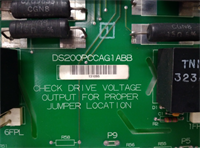
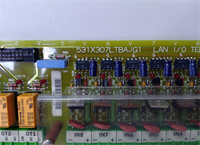
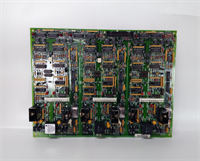
The IS420ESWBH3A is not a general-purpose network switch you would throw into an office rack. It lives inside GE Mark VIe and Mark VIeS turbine control panels, carrying IONet traffic between controllers, I/O packs, and operator stations. When this switch dies, the turbine panel does not “slow down.” It loses visibility. That is why replacements get urgent fast.I have seen these swapped during forced outage windows because a single bad port or flaky DC feed knocked out part of the IONet segment. The H3A revision provides multiple copper ports, redundant DC power, and convection cooling, which matters when the panel is already warm and airflow is limited. It is unmanaged by design, so there is no web interface to debug. You read the LEDs, check the cabling, verify power, and confirm the upstream controller sees the I/O packs. Treat it as critical infrastructure, not a commodity Ethernet switch.
Quality SOP & Tech Pitfalls
The Lab Report (SOP):
- Visual inspection — housing, RJ-45 ports, nameplate, revision label, mounting clip hardware.
- Power-up test — apply rated DC power to redundant inputs; verify Power LED and port LED boot behavior.
- Port check — connect known-good Ethernet patch leads; confirm link LEDs on multiple ports.
- Throughput sanity check — verify auto-negotiation and duplex indication.
- Insulation and multimeter checks on DC power terminals.
- Record hardware revision, LED status, and any visible damage.
- Pack in anti-static bag with desiccant; seal for shipment.
The Engineer’s Warning (Pitfalls):
Do not assume any “multi-port industrial switch” can replace this. The IS420ESWBH3A sits on IONet, and Mark VIe/VIeS systems are sensitive to network behavior, broadcast/multicast handling, and timing. Swapping in a managed switch with STP, IGMP snooping, or port blocking can break communications even if the link lights look normal.Also, check the mounting clips. DIN rail clips 259B2451BVP1 and 259B2451BVP4 are called out for this unit, and missing clips cause vibration issues inside the panel. I once saw a replacement seated loosely on the rail; after a few days of thermal cycling, the chassis flexed enough to interrupt one power feed. The switch stayed alive on the redundant input, but the intermittent fault wasted hours of troubleshooting.
Installation & Configuration Guide
1. Pre-Installation ️
- Obtain work permit and confirm turbine control system status.
- Do not remove a live IONet switch unless the maintenance procedure explicitly allows it.
- Photograph port assignments, cable labels, power terminals, and LED status on the failed unit.
- Verify replacement IS420ESWBH3A revision and mounting clip kit.
2. Removal
- Label every Ethernet cable by port number.
- Disconnect DC power only after confirming it is safe per site procedure.
- Release DIN rail clips or panel-mount screws.
- Remove the switch without pulling on connected cables.
3. Installation
- Install correct DIN rail clips (259B2451BVP1 / 259B2451BVP4) or use existing panel-mount hardware.
- Seat the switch firmly; verify it does not rock on the rail.
- Reconnect Ethernet cables exactly as labeled.
- Connect redundant DC power leads to the correct terminals.
4. Power-On & Testing
- Apply power and confirm the Power LED.
- Check each port LED for link status.
- Verify speed/duplex indication per the OEM manual.
- Confirm controller/HMI communication and I/O pack visibility.
- Monitor for at least one full operational cycle before closing the panel.
Compatible Replacement Models
- Drop-in Replacement: GE IS420ESWBH3A, same revision. Preferred option. Verify mounting clips and LED behavior.
- ️ Family Equivalent (Verify First): Other GE Mark VIe ESWB switches may be compatible, but port count, firmware, and hardware revision must be confirmed against the GE manual. Expect additional verification time.
- Not a Direct Substitute: Commercial managed Ethernet switches, non-GE industrial switches, or fiber-only switches. They may physically fit, but they can change network behavior on IONet and should not be used without GE engineering approval.
Frequently Asked Questions (FAQ)
Can I hot-swap the IS420ESWBH3A?
Only if the Mark VIe/VIeS maintenance procedure allows it. The switch has redundant power, but it sits on a live control network. Pulling it without approval can trip alarms or isolate I/O.Does this switch have fiber ports?
No. The IS420ESWBH3A has copper RJ-45 ports and no fiber ports. If your panel uses fiber uplinks, verify whether a different ESWB variant is installed.Is it managed or unmanaged?
It is an unmanaged ESWB switch designed for Mark VIe IONet. Do not replace it with a managed switch unless GE documentation explicitly supports it.What voltage does it need?
Redundant dual DC power input. Check both power feeds during commissioning.What do the LEDs mean?
Power LED shows supply status. Link LEDs show connection speed and activity. Confirm exact color behavior in the OEM manual before relying on them for fault diagnosis.Will any multi-port industrial switch work?
No. Port count alone does not make it compatible. IONet traffic, broadcast/multicast handling, and panel integration matter. Stick with GE ESWB hardware unless the OEM manual says otherwise.What is the warranty condition?
Surplus units typically carry a functional warranty unless stated otherwise. That covers DOA and bench-tested failures, not site miswiring, network redesign, or incorrect mounting.