 Tel:
Tel:  Email:
  WhatsApp:
 Description
Key Technical Specifications
| Parameter | Specification |
|---|---|
| Brand | YOKOGAWA |
| Product Type | Analog Input Module |
| Compatible System | CENTUM CS 3000 / CENTUM VP DCS |
| Input Signal | 4 to 20 mA DC |
| Number of Channels | 16 channels (Isolated) |
| Communication Protocol | HART Protocol (Digital communication) |
| Explosion Proof Rating | Non-explosion proof (Suffix ‘5’) |
| Environmental Spec | ISA G3 Standard, -20°C to 70°C (Suffix ‘3’) |
| Isolation | Channel-to-channel and module-to-system isolation |
| Application | Process variable monitoring, field device diagnostics |
Product Introduction
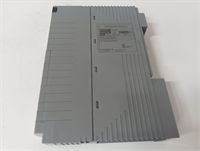
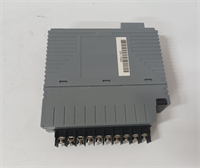
The YOKOGAWA AAI143-H53 is a highly reliable 16-channel analog input module designed for Yokogawa’s CENTUM DCS platforms. It precisely captures 4-20 mA signals from field transmitters and features built-in HART protocol capabilities, allowing engineers to access digital device data without additional hardware.The “-H53” suffix is critical for specific industrial environments. It indicates the module supports HART communication, is non-explosion proof, and meets the rigorous ISA G3 standard for wider temperature tolerance (-20°C to 70°C). Field deployments show that its channel-to-channel isolation effectively prevents ground loops, ensuring that a fault in one sensor does not disrupt the entire 16-channel rack.
Installation & Configuration Guide
Phase 1: Preparation (10 min)
- System Check: Identify the correct I/O node and slot in your DCS engineering software. Ensure the system is in a safe state for hardware modification.
- ESD Protection: Always wear a grounded anti-static wrist strap. The internal circuitry of the AAI143 is highly sensitive to electrostatic discharge.
- Verify Model: Confirm the physical label reads
AAI143-H53. (Note: A standard AAI141 looks identical but lacks HART functionality).
Phase 2: Removal of Old Module (5–10 min)
- Document Settings: If the old module has any external jumper blocks or specific cable adapters (like /K4A00 or /A4S10), take a clear photo before disconnecting.
- Disconnect Cables: Unplug the field wiring connector or ribbon cable from the module faceplate.
- Unlatch and Pull: Release the module’s locking lever and carefully slide it out of the I/O node slot.
Phase 3: Installation (10 min)
- Insert Module: Align the AAI143-H53 with the slot guides. Push it in firmly until the backplane connector seats completely.
- Lock in Place: Secure the module by closing the locking lever.
- Wiring: Reconnect the field wiring. Ensure the 4-20 mA loop polarity is correct for all 16 channels.
Phase 4: Power-On & Test (10 min)
- Power Up: Restore power to the I/O node.
- Check LEDs: Observe the module status LEDs. A steady green “RUN” or “STATUS” light indicates the module is operating normally.
- Software Verification: Go online with the DCS engineering station. Verify that all 16 channels are reporting “Normal” status and that the HART communication flag is active for connected smart transmitters.
Troubleshooting Quick Reference
| Issue | Probable Cause | Quick Fix |
|---|---|---|
| STATUS LED is Red | Module hardware fault or loose seating | Power down the node, re-seat the module firmly, and power back up. |
| Channel reads 0 or Max | Open or shorted field loop | Use a multimeter to check the 4-20 mA loop continuity and power supply for that specific channel. |
| HART Comm Failure | High loop resistance or noise | Ensure total loop resistance is between 250-600 ohms. Check for electrical noise interfering with the HART signal. |
| DCS shows “I/O Error” | Configuration mismatch | Verify the module type in the DCS I/O configuration matches the physical AAI143-H53 installed. |
| Intermittent signal fluctuation | Poor wiring connection | Tighten all terminal screws on the junction box or terminal board. Check for corroded wires. |
Dimensions, Mounting & Wiring Notes
- Form Factor: Standard Yokogawa DCS I/O module size.
- Mounting: Installs directly into a Yokogawa Field Control Station (FCS) or Remote I/O node slot.
- Weight: Approximately 0.5 kg (varies slightly with attached connector).
- Wiring Interface: Connects via a terminal board (e.g., ATA4S, ATA4D) or a cable adapter (e.g., ATK4A). Ensure the correct mating connector is used for the 16-channel ribbon.
FAQ
Q: What is the exact difference between AAI143-H53 and AAI141-S50?
A: There are two main differences. First, the AAI143 supports HART protocol (digital communication over 4-20mA), while the AAI141 is analog-only. Second, the “-S” vs “-H” suffix denotes standard vs. HART, and “-53” implies specific environmental standards (ISA G3). They are not direct replacements if you rely on HART diagnostics.Q: Can I use this module in a hazardous/explosive area?
A: No. The “5” in the AAI143-H53 suffix specifically indicates it is non-explosion proof. If your installation is in a hazardous location requiring intrinsic safety barriers, you would typically need a module with an “E” suffix (like AAI143-HE3) paired with the correct safety barriers.Q: I’m replacing an old card. Do I need to change the DCS configuration?
A: If you are replacing a like-for-like AAI143-H53, the configuration should remain identical. However, if you are upgrading from a non-HART module (like an AAI141) to this HART-enabled module, you will need to update the I/O configuration in your engineering station to enable the HART function blocks.Q: Does this module come with the terminal block connector?
A: Typically, the module is sold as the main processing card. The external wiring connector or cable adapter (such as the /K4A00 or /A4S10 options) is often reused from your existing setup. Please check the package details or contact us if you need the mating connector.Q: We are running a CENTUM VP R6 system. Is this module compatible?
A: Yes. Yokogawa’s CENTUM series maintains strong backward compatibility. The AAI143-H53 is a standard I/O module widely used in both CS 3000 R3 and CENTUM VP environments. (Always a good idea to double-check your specific I/O node manual just to be safe).Q: What is the lead time if we need 10 units for an upcoming plant turnaround?
A: We maintain a healthy stock of common Yokogawa DCS modules. For a batch of 10, we can usually arrange shipment within 1 to 3 business days. We can also provide batch testing reports to speed up your site acceptance testing (SAT).