 Tel:
Tel:  Email:
  WhatsApp:
 Description
Key Technical Specifications
| Parameter | Specification |
|---|---|
| Input Voltage | 24 VDC Nominal (10 to 36 VDC) |
| Current Draw | 300 mA typical @ 24V DC |
| EtherNet/IP Connections | 5 Server Connections (Class 3) |
| Siemens Compatibility | S7-200, S7-300, S7-400, S7-1200, S7-1500 |
| Data Capacity | Up to 10,000 16-bit registers |
| Operating Temp | -25°C to 70°C |
| Dimensions | 13.67 x 5.05 x 11.13 cm (H x W x D) |
| Storage Temp | -40°C to 80°C |
| Ethernet Ports | 10/100 Mbit RJ45 |
| Configuration | SD Card Slot (optional) / Web Server |
Product Introduction
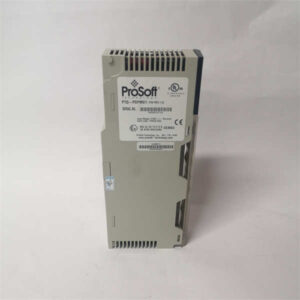
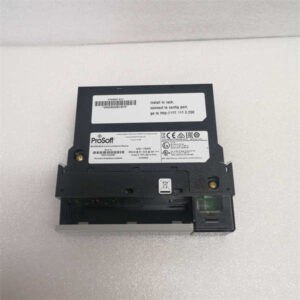
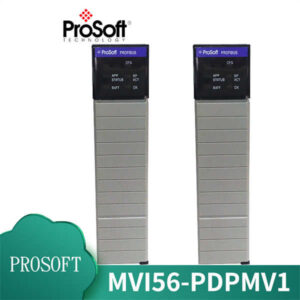
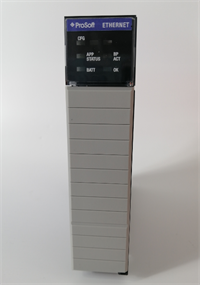
The ProSoft PLX31-EIP-SIE acts as a translator between Rockwell Automation EtherNet/IP networks and Siemens S7 PLCs. It allows a ControlLogix or CompactLogix controller to exchange data with an S7-1200 or S7-1500 without complex custom coding. The module handles the protocol conversion internally, mapping data tags directly between the two systems.Field use shows this gateway handles large data blocks effectively. It supports up to 10,000 registers, which is critical for recipe management or batch data transfer. The unit features a “Data Priority” function, letting you assign bandwidth to critical status bits over less urgent logging data. This ensures the control loop remains stable even during heavy data loads.
Installation & Configuration Guide
Preparation (10 min)
- Verify Voltage: Confirm your power supply is 24V DC. The unit accepts 10-36V DC, but 24V is standard.
- Check Firmware: Note the firmware version on the label. Mismatches here can cause configuration file errors later.
- Gather Tools: You will need a small flathead screwdriver (2.5mm) for the terminal block and an Ethernet cable.
Removal (If replacing existing unit)
- Power Down: Disconnect the 24V DC power source.
- Label Cables: Mark the Ethernet cables “EtherNet/IP Side” and “Siemens Side” to avoid loop errors later.
- DIP Switches: Take a photo of the DIP switch settings on the old unit before removing it. Do not rely on memory.
Installation (10 min)
- Mounting: Clip the PLX31-EIP-SIE onto a standard 35mm DIN rail. Ensure it sits flush; a loose clip can cause vibration issues.
- Wiring: Connect the power supply to the removable terminal block (J180).
- Pin 1: +24V DC
- Pin 2: Negative/Return
- Pin 3: Ground (Earth)
- Network: Plug the EtherNet/IP cable into Port 1 and the Siemens network cable into Port 2 (or vice versa, depending on your topology).
Power-On & Test (10 min)
- Apply Power: Connect the 24V DC supply.
- LED Check: Watch the
PWRLED. It should turn solid green. - Discovery: Use the “ProSoft Discovery Service” utility on a laptop to find the module’s IP address.
- Configuration: If replacing a unit, load your backup configuration file. If new, map the I/O connections in your PLC software.
Troubleshooting Quick Reference
| Symptom | Probable Cause | Corrective Action |
|---|---|---|
| PWR LED is OFF | No power or reversed polarity | Check 24V DC supply. Verify Pin 1 is positive. |
| MS LED Flashing Red | Configuration error | Check SD card file or reload config via web server. |
| EtherNet/IP Connection Fails | IP Address mismatch | Ensure the gateway and scanner are on the same subnet. |
| Siemens Data Not Updating | Address offset error | Verify the DB (Data Block) numbers in the configuration match the S7 PLC. |
| ERR LED Solid Red | Hardware fault | Cycle power. If persistent, the unit may be damaged. |
Dimensions, Mounting & Wiring Notes
- Dimensions: 5.38″ (H) x 1.99″ (W) x 4.38″ (D).
- Mounting: Standard 35mm DIN Rail.
- Wiring: The power connector is a removable 3-pin terminal block. Use 24-14 AWG wire.
- Clearance: Leave at least 20mm of space above and below the unit for airflow. The operating temperature range is wide, but heat dissipation is passive.
FAQ
1. Can this connect a ControlLogix to an S7-1500?
Yes. The PLX31-EIP-SIE is designed specifically to bridge EtherNet/IP (Rockwell) and Siemens Industrial Ethernet (S7-300/400/1200/1500).2. Is the firmware version important?
Yes. Firmware v1.04 and higher have specific module switch protection features. Always verify the version before loading a configuration file created on a different unit.3. Does it come with a power connector?
Yes, the unit typically includes the J180 power connector and a 2.5mm screwdriver. Check the package contents upon arrival.4. How do I back up the configuration?
You can use an optional SD card inserted into the module. This allows for “disaster recovery” where the module auto-loads settings upon power-up without a PC.5. What if the “ERR” light is blinking?
A blinking red ERR light usually indicates a communication timeout or a configuration syntax error. Check your tag mapping in the ProSoft Configuration Builder software.6. Can I use this for motion control?
No. This is a data gateway. It moves register data (integers, floats). It does not handle isochronous motion control traffic (CIP Motion).7. Is this unit new?
We supply “New Surplus” or “Tested Refurbished” units. They are functionally verified but may show minor shelf wear.