

 Tel:
Tel:  Email:
  WhatsApp:
 Description
Product Introduction
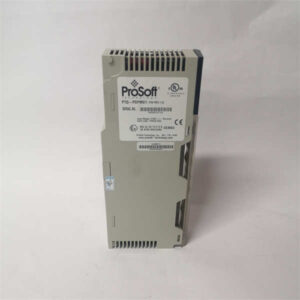
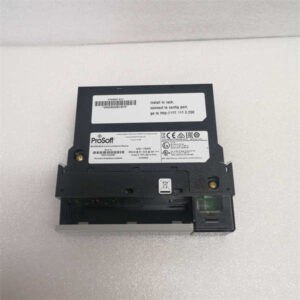
Integrating legacy equipment or third-party sensors into a modern Rockwell Automation FLEX I/O system often creates a communication bottleneck. The PROSOFT MVI94-MCM solves this exact problem by acting as a high-speed translator between the FLEX backplane and the Modbus network. Whether you are connecting to a Modicon PLC, a SCADA system, or a specialized process controller, this module handles the heavy lifting without bogging down the main processor.What makes this specific unit stand out is its memory management and dual-role capability. It supports the storage and transfer of over 5,000 registers directly within the FLEX I/O processor data files. Furthermore, it features a configurable application port that can simulate either a Modbus Master or a Slave. Honestly, having a virtual Modbus master port that can actively poll other nodes on the network is a massive advantage when you need to pull data from multiple remote sensors without writing complex ladder logic.
Key Technical Specifications
- Part Number: MVI94-MCM / MVI94-MCM-MHI
- Compatible Platform: Allen-Bradley / Rockwell Automation FLEX I/O
- Communication Protocol: Modbus RTU (Master/Slave)
- Supported Function Codes: 1, 2, 3, 4, 5, 6, 15, 16
- Memory Capacity: Up to 5,000 Registers
- Command Capacity: 100 Commands per Port
- Physical Interface: RS-232 or RS-485 (Configurable via Jumper)
- Operating Temperature: -40 °C to +85 °C
- Power Supply: -12 VDC to 24 VDC
- Dimensions: 94 mm x 94 mm x 69 mm
Application Scenarios & Pain Points
Picture a water treatment facility where the main Rockwell PLC needs to read flow data from a newly installed, third-party Bently Nevada vibration monitor. The Bently device speaks Modbus, but the FLEX I/O speaks its own native language. Plugging in the MVI94-MCM instantly bridges this gap. The module acts as the Modbus master, actively polling the Bently system and mapping the data directly into the FLEX processor’s memory.
- In SCADA Environments: When a SCADA host needs to aggregate data from multiple FLEX I/O racks, configuring this module as a Modbus Slave allows the host to read all 5,000 registers in a single, efficient sweep.
- For Pipeline Monitoring: In remote offshore platforms, the module’s optimized polling characteristics reduce the frequency of pinging unresponsive slave ports, preventing the entire communication bus from hanging up.
- In Manufacturing Retrofits: Upgrading an old plant? This module lets you keep existing Modbus-compatible motor drives while upgrading the central controller to a modern FLEX I/O platform.
Case Study: The “Silent” Sensor
A systems integrator in the paper and pulp industry was struggling to get a legacy Modbus sensor to talk to their new FLEX I/O rack. The sensor kept dropping off the bus. After installing the MVI94-MCM, they utilized the module’s debug port and user profile software to monitor the traffic. They discovered the sensor was timing out due to a baud rate mismatch. Adjusting the jumper settings and tweaking the master port’s polling frequency stabilized the connection in under an hour.

Quality Control Process
1. Inbound Inspection
We treat every MVI94-MCM as a precision instrument. We verify the PROSOFT authenticity and check the physical jumpers (RS-232 vs RS-485) against the listing. We inspect the metal casing for dents and ensure the FLEX backplane connector pins are perfectly straight and free of oxidation.2. Live Functional Test
We mount the module onto a genuine Rockwell FLEX I/O test chassis. We power up the backplane and verify the module initializes correctly. Using a Modbus simulator tool, we send function code 3 (Read Holding Registers) requests and verify the module responds accurately. We also test the virtual master port by having it poll a secondary test device.3. Electrical Parameters
Using a Fluke 115 multimeter, we verify the input voltage tolerance and check for proper isolation between the communication port and the backplane power. We ensure the module draws within the specified 1100 mA maximum output limit.4. Firmware & Jumper Verification
We open the debug software to read the internal firmware revision. We take a high-resolution macro photo of the internal jumper block to document the exact RS-232/RS-485 configuration. This prevents any “it doesn’t work” surprises upon arrival.5. Final QC & Packaging
After passing, the module is cleaned, placed in a premium anti-static bag, and packed with dense foam to protect the backplane pins during transit. A QC pass label with the test date is affixed to the box. Test videos are available upon request.
Installation Pitfalls Guide
1. Jumper Configuration Errors
This is the #1 cause of failure. The MVI94-MCM has physical jumpers to select between RS-232 and RS-485. If you wire it for RS-485 but leave the jumpers in the RS-232 position, communication will fail completely. Always double-check the jumper block before applying power.2. Modbus Address Conflicts
When configuring the module as a slave, ensure the Modbus Node ID doesn’t clash with other devices on the daisy-chained network. Map out your entire Modbus topology on paper before wiring.3. Termination Resistor Issues
If you are using the RS-485 interface on a long cable run, failing to terminate the bus properly will cause signal reflections and intermittent data loss. Ensure 120Ω termination resistors are present at both ends of the physical bus.4. Register Mapping Overlap
The module supports up to 5,000 registers, but your FLEX processor has limits. If you map the Modbus registers to overlapping memory addresses in the FLEX data file, you will overwrite critical control logic. Carefully review the memory map in the PROSOFT configuration software.5. ESD Precautions
The FLEX backplane connector is highly sensitive to electrostatic discharge. Sliding the module in without grounding yourself can fry the internal transceiver. Always wear a grounded wrist strap and touch the grounded chassis before inserting the module.