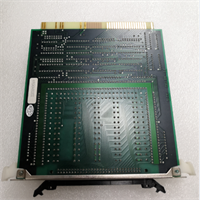
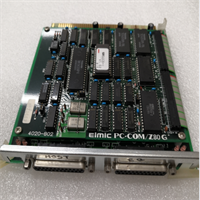
 Tel:
Tel:  Email:
  WhatsApp:
 Description
Key Technical Specifications
| Parameter | Specification |
|---|---|
| Manufacturer | NEC |
| Part Number | FC-9821X MODEL1 |
| Product Type | Industrial Factory Computer |
| Series | Control Systems |
| Application | Industrial factory environments |
| Structure | Ruggedized industrial housing |
| Performance | High-speed calculation capability |
| Environment | Resistant to dust, heat, and vibration |
| Features | Wear-resistant, Anti-interference |
| Condition | Used / Surplus (Verify availability) |
Product Introduction
The NEC FC-9821X MODEL1 is an industrial factory computer designed for demanding production environments. It serves as a control system component, providing reliable computing power for manufacturing processes. This unit is engineered to handle complex calculation tasks while maintaining stability in harsh conditions where standard computers would fail.Built for durability, the chassis resists dust accumulation, heat buildup, and mechanical vibration. The unit features high-performance processing capabilities suitable for automotive, electronic, and machinery manufacturing sectors. Its design prioritizes stable operation and wear resistance, ensuring longevity in continuous duty cycles typical of factory floors.
Installation & Configuration Guide
Phase 1: Preparation (10 min)
- Gather tools: Anti-static wrist strap, screwdriver set, interface cables.
- Verify the FC-9821X MODEL1 model number matches your system requirements.
- Inspect the unit for physical damage or bent connector pins.
Phase 2: Removal (5–10 min)
Warning: Disconnect all power sources before handling internal components.
- Power down the control cabinet and lock out/tag out the main breaker.
- Disconnect communication cables and power cords from the rear panel.
- Remove mounting screws or release DIN rail clips securing the unit.
- Slide the module out carefully; avoid pulling on connected wires.
Phase 3: Installation (10 min)
- Position the FC-9821X MODEL1 in the designated slot or mounting location.
- Secure the unit firmly to prevent movement during machine operation.
- Reconnect all interface cables, ensuring locking mechanisms click into place.
- Verify ground connections are tight to maintain interference protection.
Phase 4: Power-On & Test (10 min)
- Restore power to the system.
- Observe startup LEDs for normal boot sequence activity.
- Check system logs or diagnostic screens for error codes.
- Run a basic communication test with the host controller.
Troubleshooting Quick Reference
| Symptom | Probable Cause | Corrective Action |
|---|---|---|
| No Power / LEDs Off | Blown fuse or loose cable | Check input voltage at terminals. Inspect power cord seating. |
| System Won’t Boot | Corrupted memory or CPU fault | Reseat memory modules if accessible. Cycle power completely. |
| Communication Error | Cable mismatch or noise | Verify cable pinout. Check shield grounding. |
| Overheating | Dust buildup or fan failure | Clean air vents. Verify internal cooling fans are spinning. |
| Intermittent Faults | Vibration loosening connectors | Re-torque terminal blocks. Check mounting stability. |
Dimensions, Mounting & Wiring Notes
- Form Factor: Industrial modular unit.
- Mounting: Panel mount or rack mount (verify specific bracket requirements).
- Connections: Standard industrial I/O and communication ports.
- Note: Ensure adequate clearance around ventilation slots for airflow.
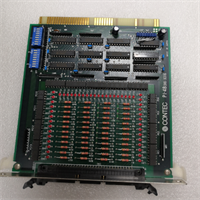
FC-9821X MODEL1 NEC
FAQ
What industries use the FC-9821X MODEL1?
This unit is commonly found in automotive manufacturing, electronics assembly, and general machinery production lines where rugged computing is required.Is this unit new or refurbished?
Availability varies. We stock used surplus and tested units. Please check the specific listing condition or request photos before purchase.Can I replace my old FC-9821X with this MODEL1 version?
Generally yes, but verify the firmware version and pinout compatibility with your existing backplane or cabling harness first.Does it come with a warranty?
Yes, we provide a standard warranty on functional performance. Dead-on-arrival units are replaced.I need a manual for setup, do you have one?
Documentation for legacy NEC industrial hardware can be scarce. We recommend verifying pinouts physically before connecting to live systems.