 Tel:
Tel:  Email:
  WhatsApp:
 Description
Key Technical Specifications
- Speed Loop Bandwidth: 400 Hz
- Current Loop Refresh Rate: 62.5 µs (16 kHz)
- Position Loop Refresh Rate: 250 µs (4 kHz)
- Input Voltage: 208-480 VAC
- Control Modes: Torque, Speed, Position, Electronic Gear, Pulse Tracking
- Communication Options: CANopen, RS232, DeviceNet, Profibus, SERCOS
- Feedback Devices: Resolver, Sine Encoder, Serial Synchronous Interface (SSI)
- I/O Configuration: 4 Digital Inputs, 2 Digital Outputs, 2 Analog Inputs/Outputs
- Long-Term Speed Regulation: 0.01%
Product Introduction
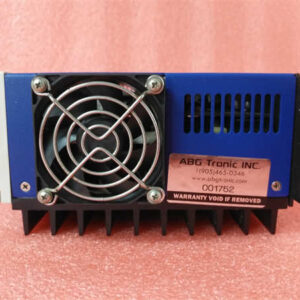
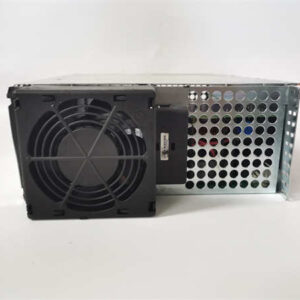
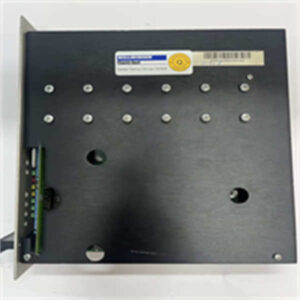
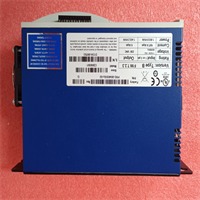
When a packaging line or CNC axis starts vibrating like a jackhammer, the first thing I suspect is a degraded servo loop, and the Kollmorgen S67001 was built to fix exactly that kind of headache. As a flagship member of the Servostar 600 family, this digital amplifier handles torque, speed, and position modes with a blistering 400 Hz speed loop bandwidth. It takes the guesswork out of tuning, allowing heavy machinery to accelerate and decelerate without tearing itself apart.I’ve kept these running on factory floors for over a decade, mostly because the 16 kHz current loop refresh rate keeps motor ripple practically invisible. The engineering inside is solid, but be warned: this drive is notoriously unforgiving if you wire it wrong. I once watched a tech cross an input line to the motor output, and the internal IGBTs exploded instantly. Treat this amplifier with respect, and it will give you years of flawless motion control.
Quality SOP & Tech Pitfalls (The Reality Check)
The Lab Report (SOP)
We don’t just ship these blind. Every S67001 goes through a visual inspection for blown capacitors or scorched traces before we even touch a multimeter. Then, it gets mounted on a live test rack with a matched Kollmorgen motor to verify the 400 Hz bandwidth and check for overcurrent faults. I use a Fluke 115 to verify the DC bus voltage and insulation resistance. Finally, we log the firmware version, pack it in anti-static shielding, and seal it with a QA date stamp.The Engineer’s Warning (Pitfalls)
Here is the number one killer of Kollmorgen drives: wiring input power to the motor output terminals. Because both L1/L2/L3 and U/V/W are three-phase connections, rushed electricians sometimes swap them. The result is an immediate, catastrophic short circuit. Also, never bundle high-voltage motor cables with low-voltage control wires. I’ve seen so much electrical noise bleed into the encoder feedback that the drive faulted out constantly. Keep them separated by at least 50mm, or cross them at a 90-degree angle.
Installation & Configuration Guide
Phase 1: Pre-Installation (Safety & Documentation)
- ⚠️ Verify Safety: Ensure the 480V AC main power is de-energized and lockout/tagout (LOTO) is applied. Wait at least 5 minutes for the DC bus capacitors to fully discharge.
- ⚠️ Document Everything: Take high-resolution photos of the old drive, specifically focusing on DIP switches, jumpers, and terminal wiring.
- Gather Tools: ESD wrist strap, insulated screwdrivers, and the OEM wiring manual.
Phase 2: Removal
- Label Wires: Use a label maker to tag every single wire. Do not trust your memory.
- Release Connectors: Carefully loosen the terminal blocks. Never pry the connectors with a flathead screwdriver.
- Extract Drive: Unbolt the mounting hardware and pull the amplifier straight out of the panel.
Phase 3: Installation
- ESD Protection: Strap up. Winter static will fry the logic board before you even rack it.
- Copy Settings: Match the old DIP switch and jumper settings exactly. This step prevents 90% of startup failures.
- Seat the Drive: Align the mounting holes and secure the bolts to the specified torque.
- Reconnect Wiring: Follow your labels and photos to restore all power and control connections. Keep high-voltage and signal lines separated!
Phase 4: Power-On & Testing
- Pre-Power Check: Double-check for loose strands of wire that could cause a short. Verify motor resistance with a multimeter.
- Apply Power: Energize the drive and watch the LED display. A normal boot sequence should show no fault codes.
- Verify Comms: Connect via RS232 or CANopen using the Windows-based graphical user interface to verify the handshake.
- Run Auto-Tune: Use the startup wizard to run a quick system identification and verify the axis moves smoothly.
Compatible Replacement Models
| Model / Revision | Compatibility Tier | Notes |
|---|---|---|
| S67001 (Exact Match) | ✅ Drop-in Replacement | Verify firmware and option card (Slot 2/3) matches your system exactly. |
| S670 (Short Model) | ✅ Drop-in Replacement | Same hardware family, just a shorthand designation. |
| S64001 | ⚠️ Software Compatible | Lower current rating. Requires logic recompile and motor re-tuning. Budget ~4 hours labor. |
| AKD Series | ❌ Hardware Mod Required | Completely different footprint and wiring. Advise against unless doing a full system upgrade. |
Frequently Asked Questions (FAQ)
Can I replace my S64001 with this S67001?
Yes, physically and electrically it’s a direct upgrade. The S67001 has a higher current rating, so it will handle the load easily. Just be prepared to spend some time re-tuning the servo loop, as the internal gain parameters will differ.What if the drive shows an overcurrent fault immediately on power-up?
First, disconnect the motor cables and test the drive with no load. If the fault persists, the internal IGBTs are likely blown. If it clears, check your motor cables for shorts to ground or phase-to-phase. I’ve seen chewed-up cables cause this exact symptom.Does this drive support modern Ethernet protocols?
Out of the box, no. The S67001 natively supports CANopen, RS232, DeviceNet, Profibus, and SERCOS via option cards. If you need EtherCAT or PROFINET, you’ll need an external gateway or should look at upgrading to the newer AKD series.How do I know if the option cards match?
Look at the physical slot locations on the front of the drive. Slot 2 and Slot 3 can house different communication or I/O cards. Always verify the exact part number of the installed option cards before ordering a replacement.Is this drive still supported by Kollmorgen?
The Servostar 600 series is legacy hardware. While Kollmorgen still supports it, spare parts are getting harder to find. If this drive fails and you can’t source a replacement quickly, start planning a migration to the AKD platform.How do I tune the servo loop properly?
Don’t guess. Use the Windows-based MotionWare software to run the auto-tuning routine. It will calculate the inertia ratio and set the initial gains. After that, do a manual fine-tune while monitoring the actual vs. commanded position.