 Tel:
Tel:  Email:
  WhatsApp:
 Description
Key Technical Specifications
| Parameter | Specification |
|---|---|
| Manufacturer | ELEMASTER |
| Product Series | Control Systems |
| Model Number | IB3110551 |
| Operating Voltage | 24 VDC |
| Processor Type | Hard PLC |
| Processing Speed | 133 MHz |
| Output Frequency | 50 / 60 Hz |
| Operating Temperature | -20°C to 60°C |
| Humidity | 0% – 95% (Non-condensing) |
Product Introduction
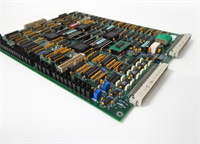
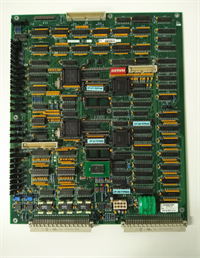
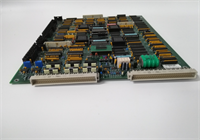
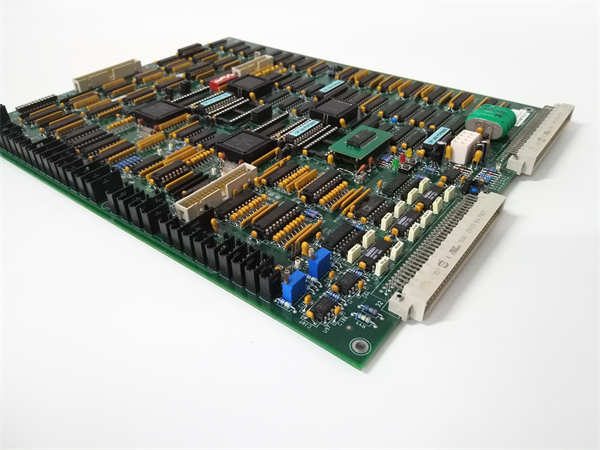
The IB3110551 is a high-performance control module manufactured by ELEMASTER. Designed as a universal control unit, it serves as a critical interface in industrial automation environments, bridging the gap between central processing units and field devices. It is frequently associated with servo control systems and PLC (Programmable Logic Controller) applications.This module features a compact, modular design that allows for easy integration into various automation architectures. It handles input/output (I/O) signal processing, converting external device signals into standard logic levels for the CPU. With a processing speed of 133 MHz, it ensures rapid data handling and reliable control execution in demanding industrial settings such as manufacturing and automotive applications.
Installation & Configuration Guide
Phase 1: Preparation (10 min)
- Safety First: Disconnect all power to the control panel. Follow Lockout/Tagout (LOTO) procedures.
- Verify Compatibility: Ensure the IB3110551 is compatible with your specific PLC chassis or servo controller rack.
- Gather Tools: You will need a screwdriver and a multimeter to verify the 24V DC supply.
Phase 2: Removal (5–10 min)
- Mark Connections: Label all cables connected to the module to ensure correct re-installation.
- Disconnect Power: Unplug the 24V DC power supply cable.
- Unmount: Loosen the screws or release the clips securing the module to the DIN rail or panel.
- Extract: Carefully remove the module from the assembly.
Phase 3: Installation (10 min)
- Mounting: Align the IB3110551 with the mounting rail or panel holes. Slide or screw it into place securely.
- Reconnect Power: Plug the 24V DC power supply back into the designated terminals.
- Signal Wiring: Connect the I/O field wires to the appropriate terminals, ensuring tight connections to prevent signal noise.
- Configuration: Verify that any dip switches or jumpers are set according to the system schematic (if applicable).
Phase 4: Power-On & Test (10 min)
- Visual Check: Inspect the installation for loose wires or tools.
- Power Up: Restore power to the control system.
- Status Indicators: Check the LED status lights. A steady light typically indicates normal operation, while blinking may indicate data transmission or errors.
- System Test: Run a diagnostic or cycle the machine to verify the module is communicating correctly with the CPU and I/O devices.
Troubleshooting Quick Reference
| Symptom | Probable Cause | Corrective Action |
|---|---|---|
| No Power LED | Loose Power Connection | Check and tighten the 24V DC power terminals. |
| Communication Error | Improper Seating | Reseat the module firmly in the rack or check bus connections. |
| Signal Noise | Grounding Issues | Verify proper grounding of the shield and chassis. |
| Overheat | High Ambient Temp | Ensure the cabinet cooling is functioning and airflow is not blocked. |
| I/O Failure | Wiring Fault | Inspect field wiring for shorts or open circuits. |
Dimensions, Mounting & Wiring Notes
- Dimensions: Specific dimensions are not listed in the available documentation, but the unit is described as “compact” and “modular.”
- Mounting: Designed for Control Room Installation or DIN rail mounting.
- Wiring: Operates on a standard 24V DC supply. The module features I/O interfaces that typically include optical isolation to improve anti-interference capability.
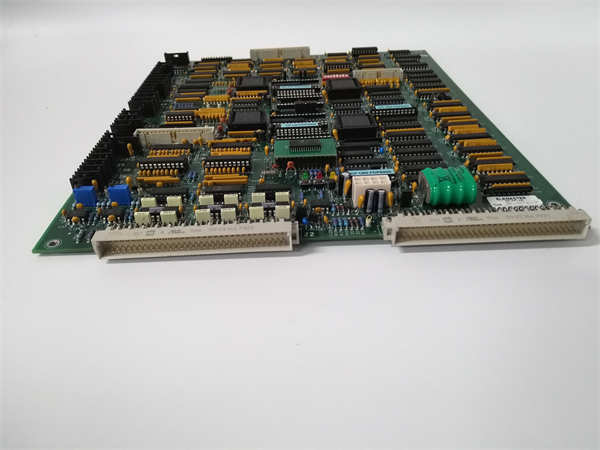
IB3110551 ELEMASTER
FAQ
What is the IB3110551 used for?
The IB3110551 is a control module used in industrial automation systems. It acts as an interface for processing input/output signals and is often used in servo control systems and PLC applications to manage field devices.What voltage does this module require?
The module operates on a 24V DC power supply. Ensure your power source is stable and within the specified range to prevent damage.Is this compatible with other brands?
While it is an ELEMASTER branded part, it is designed to interface with standard industrial control systems. However, you should verify the pinout and communication protocol compatibility with your specific PLC or controller before installation.What does the “Hard PLC” processor mean?
This indicates that the module has a dedicated hardware-based logic processor, allowing it to handle logic tasks independently or as a specialized extension to a main CPU, ensuring fast processing speeds (133 MHz).Where can I find the wiring diagram?
Wiring diagrams are typically found in the specific system manual for the machinery you are servicing. Since this is a component part, refer to the OEM documentation for the specific machine (e.g., elevator controller or industrial robot) where this module is installed.
ELEMASTER IB3110551 Control Module