 Tel:
 Email:
 WhatsApp:
Description
Key Technical Specifications
| Parameter | Specification |
|---|---|
| Processor | 32-bit PowerPC 603e/604e RISC |
| Main Memory | 16 MB ECC DRAM |
| Program Memory | 512 KB Flash |
| Bus Interface | Futurebus+ (S100 I/O extension) |
| Power Supply | 5 V DC (Backplane) / 24 V DC (Auxiliary) |
| Power Consumption | ≤ 15 W |
| Communication | RS232, 10/100 Mbps Ethernet |
| Redundancy | Supports dual-CPU hot standby |
| Operating Temp | -20°C to +60°C |
| Storage Temp | -40°C to +85°C |
| Dimensions | 270 x 274.5 x 27 mm |
| Weight | 0.76 kg |
| Protection | IP20 (Panel/Rack Mount) |
Product Introduction
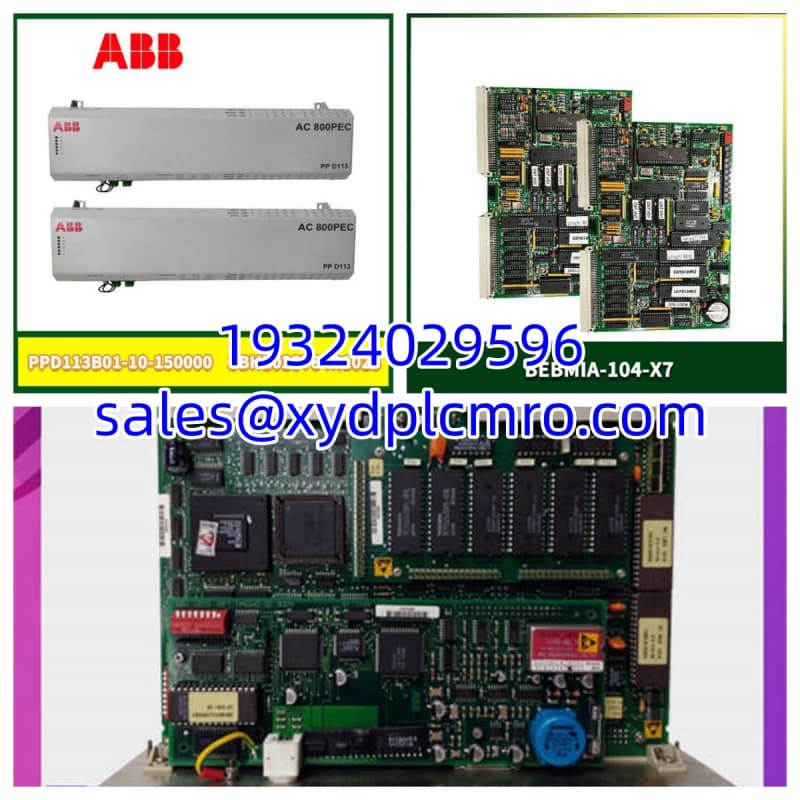
When you are running a legacy AC450 system in a power plant or a chemical processing facility, you don’t want the CPU to be the weak link. The PM511V16 was a workhorse for ABB’s Advant OCS platform, doubling the memory of the older PM511V08 to handle larger control programs. It relies on a PowerPC 603e core, which, while dated by modern IT standards, was built to churn through deterministic control tasks without blinking. I’ve pulled these out of cabinets after 15 years of continuous duty, and they usually still boot right up.The real value here is the 16 MB of ECC RAM. In a process control environment, a single bit-flip can shut down a turbine or ruin a batch. The Error Checking and Correcting memory handles those errors on the fly. It also features a PCMCIA slot for program storage and expansion, which makes backing up your logic before a firmware update a breeze. Just remember, this is a Futurebus+ module. It’s strictly for the AC450 architecture. Don’t try to jam this into a modern AC800M or AC500 rack unless you enjoy magic smoke.

Quality SOP & Tech Pitfalls
The Lab Report (SOP)
Before I sign off on a PM511V16 for shipment, it goes through a rigorous bench check:
- Visual Inspection: I look for swollen capacitors or corrosion on the Futurebus+ edge connector.
- Power-Up Test: Connected to a test rack. I verify the 5V backplane draw and the 24V auxiliary input using a Fluke 87V.
- Memory Check: I run a diagnostic to ensure the 16MB ECC DRAM is reporting zero errors.
- Communication Test: I ping the Ethernet port and verify the RS232 handshake.
- Sealing: Vacuum-sealed with desiccant to prevent moisture damage during transit.
The Engineer’s Warning (Pitfalls)
- The “Clean Room” Myth: I once saw a plant manager try to swap this module while the rack was live, thinking it was hot-swappable like modern I/O. It’s not. Always de-energize the rack. Pulling a Futurebus+ card under power can crash the entire bus and take down your redundant pair if you aren’t careful.
- Firmware Mismatches: If you are replacing a failed unit, check the firmware version on the label. Dropping a module with an older firmware revision into a system running newer control software can cause the system to fault the CPU immediately. Match the revision or be prepared to flash it via the PCMCIA slot.
Installation & Configuration Guide
- Pre-Installation:
- ⚠️ Lockout/Tagout the AC450 rack power. Wait for the capacitors to discharge.
- If replacing a failed unit, locate the CPU Key (if equipped) or verify you have a recent backup of the control program on your engineering station.
- Removal:
- Unscrew the mounting screws. Do not use pliers; you’ll strip the heads.
- Gently pull the module straight out of the Futurebus+ slot. Avoid rocking it side-to-side.
- Installation:
- Align the new PM511V16 with the slot guides.
- Insert the CPU Key or ensure the DIP switches (if present on the specific revision) match the old card exactly.
- Push firmly until the connector seats, then hand-tighten the screws.
- Power-On & Testing:
- Restore power to the rack.
- Watch the LEDs. The “Run” LED should cycle or stay solid green depending on the state. A solid red “Error” LED usually means a bus fault or bad memory.
- Connect via Control Builder and verify the system identifies the CPU correctly.
Compatible Replacement Models
| Compatibility | Model | Notes |
|---|---|---|
| ✅ Drop-in Replacement | PM511V16 (Newer Revision) | Same hardware, potentially newer firmware. Fully compatible. |
| ⚠️ Software Compatible | PM511V08 | Half the memory (8MB). Only use if your control program is small enough to fit. |
| ❌ Hardware Mod Required | PM866 / PM892 | These are for AC800M systems. Completely different architecture and bus. |
| ❌ Hardware Mod Required | PM510V16 | Older generation. May lack specific instruction sets or speed required by modern AC450 software. |
Frequently Asked Questions (FAQ)
Q: Is the PM511V16 hot-swappable?
A: No. Unlike modern distributed I/O, the Futurebus+ architecture in the AC450 does not support safe hot-swapping of the CPU. You must power down the rack or ensure the redundant CPU is fully controlling the system before removing the primary, per ABB’s specific maintenance manual for your rack configuration.Q: What is the difference between PM511V08 and PM511V16?
A: The V16 has 16 MB of RAM, while the V08 has 8 MB. If your application uses complex PID loops or heavy historical logging, the V08 will run out of memory. The V16 is the standard upgrade path.Q: Can I use this in an AC800M system?
A: Absolutely not. The AC450 (Advant OCS) and AC800M (800xA) are different worlds. The physical bus connectors, backplanes, and software protocols are incompatible.Q: My module has a PCMCIA card slot. Do I need a card to run?
A: Not always. The control program usually resides in the internal Flash memory. However, the PCMCIA slot is critical for backups and firmware updates. I highly recommend keeping a backup card in the cabinet.Q: What does the “ECC” in the memory spec actually do for me?
A: It detects and corrects single-bit memory errors. In an industrial environment with high electrical noise, cosmic rays, or aging components, bits can flip. ECC prevents these flips from causing a crash or, worse, a bad control output.Q: Where do I find the GSD file for this?
A: The PM511V16 isn’t a PROFIBUS slave device itself; it’s the controller. You configure it using ABB Control Builder. If you are connecting it to a third-party PLC, you configure the communication via the Ethernet or serial ports using standard protocols like Modbus.