

 Tel:
Tel:  Email:
  WhatsApp:
 Description
Key Technical Specifications
| Parameter | Value |
|---|---|
| Part Number | FC-PUIO01 |
| Manufacturer | Honeywell |
| Application | Industrial Safety Systems, Fire & Gas, ESD |
| Channel Count | 16 Points |
| Signal Types | Analog, Digital, Pulse |
| Input Range | -10 to +10 VDC; 4 to 20 mA |
| Output Range | 0 to +10 VDC; 4 to 20 mA |
| Power Supply | 24 VDC (via backplane/cable) |
| Features | Hot-swap, Signal Conditioning |
| Mounting | DIN Rail / Chassis (USMA System) |
| Warranty | 12 Months |
Product Introduction
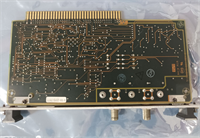
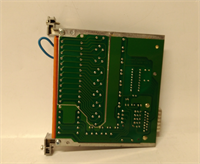
The Honeywell FC-PUIO01 is a Universal Input/Output (I/O) module designed for the Honeywell Safety Manager and FSC (Fail Safe Controller) systems. It acts as a flexible bridge between field devices—such as sensors, switches, and transmitters—and the central safety controller. By handling both analog and digital signals, it reduces the need for multiple specific module types in a cabinet.This module is critical for maintaining the integrity of safety loops. It features 16 configurable channels capable of processing voltage, current, and pulse signals. Field data suggests its hot-swap capability significantly reduces downtime during maintenance, allowing technicians to replace the unit without shutting down the entire control system.
Installation & Configuration Guide
Preparation (10 min)
- Safety Lockout: Ensure the safety system is in a safe state or maintenance mode.
- ESD Safety: Wear a grounded wrist strap. The internal circuitry is sensitive to static.
- Verify Revision: Check the hardware revision on the label to ensure compatibility with your existing backplane or USMA chassis.
Removal (5–10 min)
- Disconnect Cabling: Unplug the System Integration Cable (SIC) or D-Sub connector from the front.
- Release Lock: Depress the locking tab or unscrew the mounting clips holding the module to the DIN rail.
- Extract: Slide the module out carefully.
Installation (10 min)
- Mount: Slide the new FC-PUIO01 onto the DIN rail or into the chassis slot.
- Lock: Secure the locking mechanism. Ensure it clicks into place firmly.
- Reconnect: Plug in the SIC cable or field wiring harness. Verify pin alignment.
Power-On & Test (10 min)
- Power Up: Restore power to the rack.
- LED Check: Observe the status LEDs. A steady green typically indicates “Run” or “OK.”
- System Handshake: Check the controller software (e.g., Safety Manager Builder) to confirm the module is recognized and communicating without fault codes.
Troubleshooting Quick Reference
| Symptom | Probable Cause | Corrective Action |
|---|---|---|
| Status LED Red | Internal fault or config error | Check controller diagnostics. Re-seat the module. |
| No LEDs Lit | Backplane power loss | Verify 24V DC supply to the rack. Check fuses. |
| Channel Reading 0 | Wiring break or fuse blown | Check field wiring. Inspect channel-specific fuses (if equipped). |
| Comms Error | SIC Cable loose | Reseat the D-Sub/System cable. Check for bent pins. |
Dimensions, Mounting & Wiring Notes
- Form Factor: Modular block design, compatible with USMA (Universal Safety Management Architecture) systems.
- Connections: D-Sub connector for system bus; pluggable terminal blocks for field I/O.
- Mounting: Standard DIN Rail or specific Honeywell chassis slot.
- Note: The FC-PUIO01 often supports “Signal Conditioning Adapters” (SCA). Ensure these adapters are transferred correctly from the old unit to the new one if not pre-installed.

FAQ
Q: What is the difference between FC-PUIO01 and a standard PLC card?
This is a safety-rated module (SIL 3 capable) designed for Honeywell’s specific safety architecture. It has stricter diagnostic capabilities and redundancy features compared to a standard DCS or PLC I/O card.Q: Can I hot-swap this module?
Yes, the FC-PUIO01 is designed for hot-swapping. However, you should always consult your system’s maintenance manual to ensure the specific backplane supports it before pulling the card live.Q: I see a “FSC-PUIO01” reference. Is it the same?
Yes, “FC” and “FSC” are often used interchangeably in documentation for the Fail Safe Controller series. The hardware part number FC-PUIO01 is the physical unit.Q: Does this come with the terminal block?
Usually, the module includes the basic housing. If your application requires specific Signal Conditioning Adapters (SCA) for isolation or relay outputs, verify if they are included or need to be ordered separately.Q: What is the input voltage range?
It supports a wide range, typically -10 to +10 VDC for analog inputs and standard 24V DC logic for digital inputs. Always verify the specific channel configuration in the software.Q: Is this compatible with the Honeywell USMA system?
Yes, it is a core component of the USMA architecture, designed to plug directly into the universal backplanes.