 Tel:
Tel:  Email:
  WhatsApp:
 Description
Key Technical Specifications
| Parameter | Specification |
|---|---|
| Manufacturer | Honeywell |
| Part Number | FC-PSU-UNI2450U |
| Version | V1.0 |
| Input Voltage | AC 100-240V, 50/60Hz |
| Output Voltage | 24 VDC |
| Output Current | 5 A |
| Efficiency | > 85% |
| Protections | Over-voltage, Short-circuit, Over-temperature |
| Dimensions | 126mm x 88mm x 31mm |
| Operating Temp | -5°C to +70°C |
Product Introduction
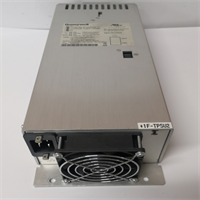
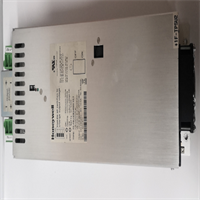
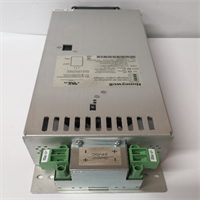
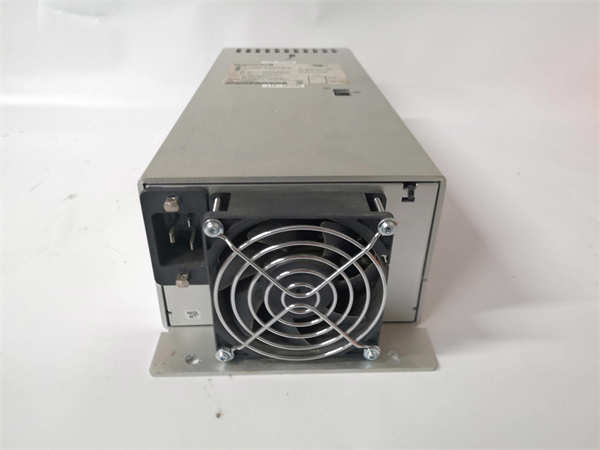
The Honeywell FC-PSU-UNI2450U V1.0 is a dedicated power supply unit designed for Safety Management Systems (SMS) and industrial automation applications. It converts standard AC input (100-240V) into a stable 24VDC output required by controllers, sensors, and safety logic solvers. This module is engineered to maintain system integrity during power fluctuations.Distinguishing itself through integrated diagnostics, the unit features LED indicators for real-time status monitoring. It includes comprehensive protection circuits—over-voltage, short-circuit, and over-temperature—to prevent downstream damage. The module operates efficiently (>85%) within a temperature range of -5°C to +70°C, making it suitable for unconditioned industrial cabinets.
Installation & Configuration Guide
Phase 1: Preparation (10 min)
- Gather tools: Anti-static wrist strap, Phillips screwdriver, multimeter, wire strippers.
- Verify the FC-PSU-UNI2450U V1.0 label matches the system requirements (24VDC 5A).
- Ensure the mounting DIN rail or panel is clean and free of metal shavings.
Phase 2: Removal (5–10 min)
Warning: Isolate main AC power before touching terminals. Capacitors may hold charge.
- Disconnect input AC wiring and output DC wiring.
- Release the unit from its mounting clips or unscrew the housing.
- Gently pull the module out. Note the orientation of any cabling harnesses.
Phase 3: Installation (10 min)
- Position the FC-PSU-UNI2450U V1.0 in the designated slot or on the DIN rail.
- Secure the unit mechanically to prevent vibration loosening.
- Connect AC input to L/N terminals and DC output to V+/V- terminals.
- Torque terminals to specification (verify with OEM manual) to prevent hot spots.
Phase 4: Power-On & Test (10 min)
- Apply AC power. Measure the DC output immediately; it should read 24V ±5%.
- Check the LED status panel. Green typically indicates “OK,” while Red flags faults.
- Monitor the unit under load for 15 minutes to ensure thermal stability.
Troubleshooting Quick Reference
| Symptom | Probable Cause | Corrective Action |
|---|---|---|
| No Output / LEDs Off | No AC input or internal fuse blown | Check input voltage (100-240VAC). Replace unit if fuse is internal/integrated. |
| Red Fault LED | Over-voltage or Over-temp | Check for short circuits on the 24V line. Verify cabinet cooling/fans. |
| Voltage Drop | Overload or failing capacitor | Measure current draw. If >5A, reduce load. If <5A, replace PSU. |
| Intermittent Power | Loose terminal connection | Re-torque input/output terminals. Check for corrosion. |
Dimensions, Mounting & Wiring Notes
- Dimensions: 126mm (W) x 88mm (H) x 31mm (D).
- Mounting: Designed for panel mounting or specific carrier slots (check chassis compatibility).
- Connections: Screw terminals for AC input and DC output.
- Note: Ensure adequate airflow around the unit; do not block ventilation slots.
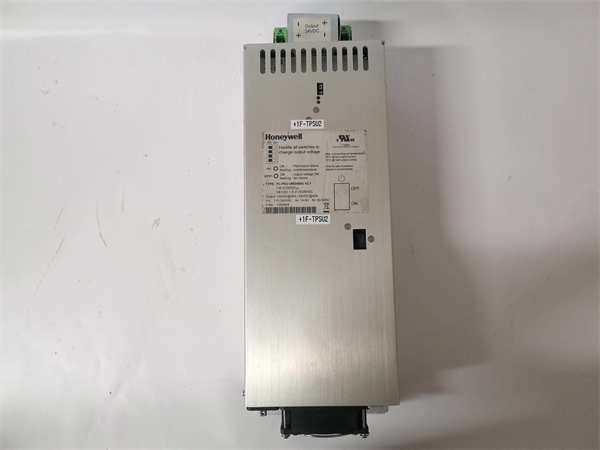
FC-PSU-UNI2450U V1.0 HONEYWELL
FAQ
What does the “V1.0” indicate?
It specifies the hardware version. While often compatible with later versions (like V2.1), pinouts or firmware features might differ slightly. Always verify with the system manual.Can this power a PLC directly?
Yes, provided the PLC requires 24VDC and the total current draw is under 5 Amps.Does this unit support redundancy?
The FC-PSU-UNI2450U can be part of a redundant system architecture, but check if your specific setup requires diode modules or specific parallel configurations.Is this item new or used?
We stock both new surplus and refurbished units. Please check the condition field on the product page or ask for a specific lot photo.I see a “Fan Speed” warning in the docs, does this unit have a fan?
Some versions utilize internal cooling fans. If the LED indicates “Fan Speed Too Slow,” the internal bearing may be worn, requiring immediate replacement to prevent overheating.