 Tel:
Tel:  Email:
  WhatsApp:
 Description
Key Technical Specifications
| Parameter | Specification |
|---|---|
| Architecture | TMR (Triple Modular Redundancy) |
| Processor | 32-bit RISC (Multi-core/Channel) |
| Safety Rating | IEC 61508 SIL 3 (Systematic Capability SIL 4) |
| Memory | 1 MB Flash-EPROM (Program), 1 MB SRAM (Data) |
| Operating Temp | -20°C to +60°C (some specs up to 70°C) |
| Supply Voltage | 24V DC (±15%) |
| Communication | Ethernet, Modbus TCP/IP, HIMax Bus |
| Dimensions | Approx. 120mm x 80mm x 40mm (Module only) |
Product Introduction
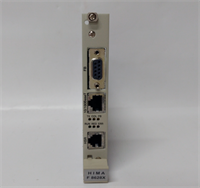
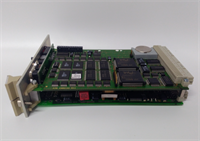
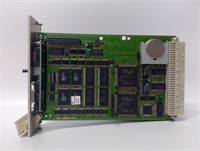
When you are dealing with a refinery shutdown or a gas leak, you don’t have time for a “maybe.” The HIMA F8652E is the card that stands between a minor hiccup and a catastrophic explosion. It is the central processor for the HIQuad H41q and H51q systems, designed specifically for one purpose: fail-safe operation.I’ve worked on these in petrochemical plants where the ambient temperature hits 50°C (122°F) and the vibration is constant. This module doesn’t care. It uses Triple Modular Redundancy (TMR), meaning there are three processors running the same logic simultaneously. If one decides to take a nap or spits out bad data, the other two outvote it and keep the process safe. It’s not the fastest processor on the market by clock speed, but it is arguably one of the most reliable. If you see this in your rack, treat it with respect—it’s the guardian of your plant.
Quality SOP & Tech Pitfalls (The Reality Check)
The Lab Report (SOP)
We don’t just plug these in and hope for a green light. The F8652E is complex.
- Visual Inspection: We check the PCB for corrosion, specifically around the edge connectors. We also look for bulging capacitors—a sign of old age or heat stress.
- Battery Check: Many of these units have backup batteries for RAM retention. We test the voltage. A dead battery means your program vanishes when power cycles.
- Self-Test Verification: Upon power-up, the module runs an extensive internal self-test. We monitor the diagnostic LEDs to ensure no sub-components (FPGA, Memory) are flagged as faulty.
- Comm Loop Test: We connect via the Ethernet/Service port and attempt to establish a handshake with the engineering workstation (HIMA SafeWare). If it won’t talk, the comms chip is likely fried.
️ The Engineer’s Warning (Pitfalls)
Do NOT hot-swap blindly. While some HIMA systems support redundancy, yanking a primary CPU without verifying the sync status of the standby unit can cause a system trip. I once saw a technician pull a “Master” CPU while the “Standby” was actually in a fault state. Result? Total system blackout and a very angry plant manager. Always check the LED status of the partner module first.Also, watch the firmware version. The F8652E hardware is robust, but the software is picky. If you drop a newer revision card into an old chassis with outdated backplane firmware, you might get communication errors or a “Mismatch” alarm. Verify the part number suffix (e.g., 984865264) matches your existing hardware as closely as possible.
️ Installation & Configuration Guide
Phase 1: Pre-Installation
⚠️ Safety First: This is a safety-critical component. Ensure you have bypassed the logic in the software or obtained a work permit before removing the card.
- Check Redundancy: If running in a pair, verify the second CPU is healthy and synchronized.
- Photo Documentation: Take a picture of the DIP switches or jumpers on the faceplate or side of the module. These settings control things like termination and addressing.
Phase 2: Removal
- Disconnect any external cables (Ethernet/Serial) if they block removal.
- Unlock the DIN rail clip or chassis latch.
- Pull the module straight out. Do not twist it; the backplane pins are fragile.
Phase 3: Installation
- Copy Settings: Set the DIP switches/jumpers on the new module to match the old one exactly. This is where 90% of startups fail.
- Seat the Module: Slide it into the slot until it clicks firmly onto the backplane.
- Reconnect Cables: Plug in your service/ethernet cables.
Phase 4: Power-On & Testing
- Apply power.
- LED Sequence: Watch the boot sequence. You should see a flash of diagnostics followed by a steady “Run” or “OK” LED.
- Load Logic: If the card is blank, you will need to download the safety logic from your engineering station. If it’s a replacement, it should sync with the existing program.
F8652E HIMA
Compatible Replacement Models
| Model | Compatibility Tier | Notes |
|---|---|---|
| F8652E (984865264) | Exact Match | Standard revision for H41q/H51q systems. |
| F8652X | Upgrade/Variant | Newer generation HIQuad CPU. Requires firmware check and possibly chassis compatibility verification. |
| F8650X | Different Class | Usually for non-redundant or different safety levels. Check manual. |
Frequently Asked Questions (FAQ)
Q: Can I use this in a standard PLC rack?
A: No. This is a proprietary safety controller. It requires a specific HIMA backplane (HIMax bus) and power supply architecture to function. It won’t fit in a standard Allen-Bradley or Siemens rack.Q: What does the “E” stand for in F8652E?
A: It generally denotes the specific series generation within the HIQuad family, optimized for high availability and Ethernet connectivity. It superseded earlier versions like the F8621A.Q: My “Ready” LED is blinking red/green. What does that mean?
A: That is usually a synchronization error or a memory fault. It often means the program loaded on the card doesn’t match the checksum expected by the system, or the internal battery is low and RAM is corrupted. Check the diagnostic logs via the service port.Q: Is this module SIL 4 certified?
A: The module itself is capable of SIL 3 (per IEC 61508), but HIMA often rates the system architecture (when used in TMR) as having a Systematic Capability of SIL 4. For most oil & gas applications, it is treated as the highest level of protection.Q: How do I clear the memory before reusing it?
A: You typically need the HIMA engineering software (SafeWare/ELOP II) to perform a “Reset” or “Format” command. There isn’t a simple physical button for security reasons—you don’t want someone accidentally wiping a safety program during a panic.