 Tel:
Tel:  Email:
  WhatsApp:
 Description
Key Technical Specifications
| Parameter | Specification |
|---|---|
| Part Number | 984862160 |
| Module Type | Serial Communication Interface |
| Protocols | Modbus RTU, Profibus DP |
| Physical Interface | 2 x RS485 (Software configurable to RS232) |
| Baud Rate | 300 – 57,600 bps (Selectable via DIP switch) |
| Isolation | Channel-to-Bus Isolation (Protects CPU from spikes) |
| Data Integrity | CRC Error Checking, Encryption support |
| Safety Rating | SIL 3 (IEC 61508), TÜV Certified |
| Power Input | 24V DC (Supplied via Backplane) |
| Operating Temp | -20°C to 60°C |
| Enclosure | IP54 (Ruggedized Cast Housing) |
| Dimensions | Approx. 120mm x 80mm (Module only) |
Product Introduction
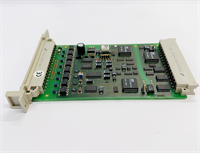
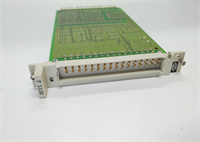
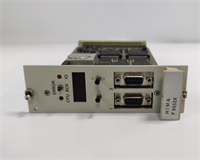
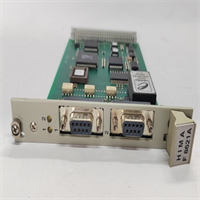
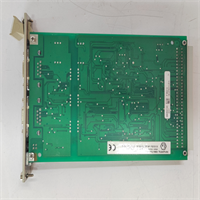
In safety instrumented systems (SIS), you can’t just plug in any generic serial card and hope for the best. The HIMA F8621A (984862160) is a dedicated communication module designed for the HIMatrix F-Series safety controllers. Its job is simple but critical: it acts as the secure bridge between your safety logic solver and third-party devices like gas detectors, analyzers, or turbine governors using Modbus RTU or Profibus.What sets this apart from a standard PLC comm card is the “Safety” aspect. This module is TÜV certified for SIL 3 applications. It has built-in diagnostics that constantly check the integrity of the data stream. If the communication link gets noisy or corrupted, this card flags it immediately rather than passing bad data to the controller. I’ve seen these modules running in offshore platforms where they haven’t been touched in a decade, happily polling emergency shutdown valves without a single bit error. However, configuration is strictly hardware-based via DIP switches, which is old-school but reliable—no software drivers to crash.
Quality SOP & Tech Pitfalls (The Reality Check)
The Lab Report (SOP)
We treat safety comms cards with extreme prejudice. Here is how we verify a 984862160:
- Visual Inspection: We check the housing for cracks (IP54 rating relies on the seal). We inspect the DB9/terminal connectors for bent pins, which are common if someone forced a cable.
- Protocol Stress Test: We connect the module to a Modbus simulator and a Profibus master. We run continuous read/write cycles at the maximum baud rate (57,600 bps) to ensure the buffer doesn’t overflow.
- DIP Switch Verification: We manually toggle every DIP switch to ensure they aren’t stuck or oxidized. A stuck switch means you can’t change the address or baud rate in the field.
- Isolation Test: We verify the galvanic isolation between the backplane (CPU side) and the serial ports. This is critical to prevent ground loops from frying the main CPU.
The Engineer’s Warning (Pitfalls)
- The “Address” Trap: The station address and baud rate are set via physical DIP switches on the module faceplate. There is no software override. I have seen technicians spend hours troubleshooting a “broken” card only to realize they missed Switch #4, leaving the address at ‘0’ instead of ‘1’. Always double-check your switch settings against the manual.
- Termination Resistors: RS485 networks require termination resistors at the ends of the line. The F8621A usually has a switch or jumper for this. If you forget to engage it on the last card in the chain, you will get signal reflection and intermittent communication errors that drive you crazy.
- Field Disaster: A contractor replaced an F8621A but didn’t realize the old one had the “Inverted Logic” jumper set for a specific fire panel interface. The new card used standard logic. When the fire alarm triggered, the safety system saw a “0” instead of a “1” and failed to initiate the emergency shutdown sequence. Always document all jumper positions.
Installation & Configuration Guide
This is a precision swap. Do not rush the configuration.
- Pre-Installation Safety
- ⚠️ CRITICAL: Although this is low voltage, it connects to safety systems. Place the controller in “Maintenance Mode” or bypass the relevant logic loops to prevent an accidental trip during the swap.
- Take a high-resolution photo of the DIP switches and jumpers on the old module. This is your most important reference.
- Removal
- Disconnect the serial cables (DB9 or terminal block). Label them Port A and Port B.
- Release the locking mechanism (usually a screw or lever at the top/bottom).
- Slide the module out of the HIMatrix rack.
- Hardware Setup
- Place the new F8621A on a grounded mat.
- Copy the Config: Set the DIP switches and jumpers on the new module to exactly match your photos. Pay attention to the “Termination” and “Baud Rate” blocks.
- Insert the module into the slot. Ensure it seats firmly into the backplane connector. Lock it down.
- Power-Up & Commissioning
- Remove the maintenance bypass.
- Watch the LED indicators. You should see a “Run” status (Green) and active TX/RX blinking lights.
- Connect your engineering laptop to the HIMA system. Force a poll request to the external device. Verify the “Comm OK” bit is set in the logic.
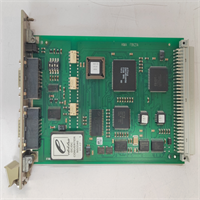
F8621A 984862160 HIMA
Compatible Replacement Models
- ✅ Drop-in Replacement: F8621A (984862160). This is the exact part. Suffix variations (like revision numbers) are generally backward compatible.
- ⚠️ Functional Equivalent: F8627X. This is a newer Ethernet-based communication module. It performs a similar function (talking to third-party devices) but uses TCP/IP instead of Serial. Requires rewiring and logic changes.
- ❌ System Upgrade: HIMatrix F60. Moving to the F60 series requires a completely new chassis and processor migration. Only do this if the whole rack is being replaced.
Frequently Asked Questions (FAQ)
Q: Can I use this module for both Modbus and Profibus at the same time?
A: Yes. The F8621A typically has two ports. You can configure Port A for Modbus RTU (e.g., talking to a flow meter) and Port B for Profibus (e.g., talking to a VFD), provided the firmware supports mixed modes (most do).Q: My “Error” LED is flashing red. What does it mean?
A: On HIMA modules, a red LED usually indicates a configuration mismatch or a watchdog timeout. Check that your DIP switch settings (baud rate/address) match what the CPU expects. Also, check for short circuits on the serial wiring.Q: Does this support “Hot Swapping”?
A: The HIMatrix system supports hot swapping for many modules, but for a safety communication card, I strongly advise against it unless the system is in a redundant configuration. Pulling the only comm card to a safety device will break the link and might trigger a trip.Q: What is the max distance for the RS485 connection?
A: Standard RS485 specs apply—up to 1200 meters (4000 ft) at lower baud rates. If you are running long distances in a noisy plant, ensure you are using shielded twisted pair cable and proper termination.Q: Is the 984862160 obsolete?
A: It is considered “mature” technology. While HIMA still supports the HIMatrix platform, finding brand new F8621A modules directly from the factory is getting harder. Most available stock is now surplus or refurbished.