
 Tel:
Tel:  Email:
  WhatsApp:
 Description
Key Technical Specifications
| Parameter | Specification |
|---|---|
| Input Channels | Up to 24 discrete contact inputs |
| Nominal Voltage | 24 VDC (Max 28.6 VDC) |
| Max Contact Input Voltage | 32 VDC |
| Communication | Dual 10/100 Ethernet (IONet) |
| Operating Temperature | -30°C to +65°C |
| Power Supply | 28 VDC, 0.24 Adc |
| Hazardous Area Rating | Class 1, Div 2, Groups A,B,C,D, T4 |
| Compatible Terminal Boards | IS200STCIH1A, IS200TBCIH2C, IS200TBCIH4C |
| Diagnostic Indicators | 7 Front LEDs (Power, ENet1, ENet2, Channel Status) |
| Mounting Style | DIN Rail / Direct Backplane |
Product Introduction
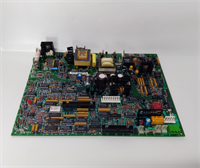
Gas turbine control cabinets get hot, and they stay hot. When you are dealing with Mark VIe systems, the last thing you want is an I/O module failing because it couldn’t handle the ambient heat. The GE IS220PDIAH1BE is the workhorse discrete input pack for these systems. It sits right next to the terminal boards, grabbing up to 24 dry contact or active switch signals and pushing that data over the IONet Ethernet backbone. It is designed to take a beating in power generation and oil & gas facilities.The real value here is the isolation and the dual Ethernet ports. You get channel-to-channel isolation, which keeps a grounded sensor from taking out your entire input card. Plus, the soft-start circuit prevents those annoying power surges when you plug it in. I will say this, though: the front panel has seven tiny LEDs. When you are crawling around a turbine skid with a flashlight, trying to read those lights is a pain. But once you know what they mean, diagnosing a tripped limit switch takes seconds instead of pulling out a multimeter.
Quality SOP & Tech Pitfalls (The Reality Check)
The Lab Report (SOP)
We don’t ship blind. Every IS220PDIAH1BE gets a full bench test. We start with a visual inspection under magnification to check for cold solder joints or corrosion. Then it goes on a Mark VIe test rack where we force 24V onto all 24 channels and verify the LED indicators and Ethernet link status. We check the 28VDC power draw to ensure the soft-start circuit is functioning. Finally, it gets wiped down, bagged in fresh anti-static shielding, and shipped with a test log.The Engineer’s Warning (Pitfalls)
Here is where guys mess up: the terminal board compatibility. This I/O pack does NOT work with just any Mark VIe board. It specifically requires STCI or TBCI type terminal boards (like the IS200STCIH1A). If you try to mate it with an analog input board, you will bend pins and waste a weekend. Also, watch the wiring voltage. The max contact input is 32VDC. I’ve seen guys wire 48VDC pilot signals directly to these cards because “it’s just a digital input.” Poof. Magic smoke. Stick to 24VDC or use an interposing relay.
Installation & Configuration Guide
- Pre-Installation: ⚠️ LOCKOUT/TAGOUT. Remove 28VDC power to the I/O rack. Take a photo of the Ethernet cable routing and the terminal board wiring. Verify your replacement part number matches the suffix exactly.
- Removal: Disconnect the DC-62 connector from the terminal board. Remove the two mounting screws on the sides of the I/O pack. Slide the module straight out. Do not rock it side-to-side.
- Installation: Inspect the backplane pins for damage. Slide the new IS220PDIAH1BE into position. Hand-tighten the mounting screws evenly. Overtightening cracks the PCB. Reconnect the DC-62 connector firmly.
- Power-On & Testing: Restore 28VDC power. Watch the LEDs. PWR should be solid green. ENet1 and ENet2 should blink amber/green when communicating. Open ToolboxST and verify the module is recognized on the IONet. Force a test input at the terminal board to confirm channel mapping.

Compatible Replacement Models
| Replacement Model | Compatibility Tier | Notes & Field Advice |
|---|---|---|
| IS220PDIAH1A | ✅ Drop-in Replacement | Functionally identical. Verify firmware revision in ToolboxST before swapping. May require a brief controller rescan. |
| IS220PDIAH1B | ✅ Drop-in Replacement | Same base hardware. The “E” suffix in your current model typically denotes a specific revision or export config. Cross-reference with GE GEH-6725 manual. |
| IS220PDIOH1A | ⚠️ Software Compatible | This is a combined Input/Output pack. It will physically fit and accept inputs, but you must update your I/O configuration in ToolboxST to match the PDIO profile. |
Frequently Asked Questions (FAQ)
- Can I hot-swap this I/O pack without shutting down the turbine?
Technically, the Mark VIe supports hot-swap, but I never recommend it for discrete input cards in a running turbine. If you accidentally short the 28VDC supply while sliding it in, you could trip the turbine. Shut down during a planned window if possible. - Why is my ENet1 LED solid red?
That means the Ethernet link is down or there is a cable fault. Check your RJ45 connector. I’ve seen vibration shake these connections loose more times than I can count. Reseat the cable and check the crimp. - Does this module provide 24VDC to my field switches?
No. This is a dry contact / voltage-sensing input module. You must provide the 24VDC wetting voltage from an external power supply through your terminal board. Do not expect this card to source power to your limit switches. - My module keeps resetting. What’s wrong?
Check your 28VDC power supply. If the power is sagging below 27.4VDC under load, the module’s internal brownout protection will cycle it. Measure the voltage at the backplane, not at the power supply. - Is this the exact same as the IS220PDIAH1A?
For 99% of field applications, yes. The suffix letters usually denote minor manufacturing revisions or regional certifications. As long as your ToolboxST software recognizes it, you are good to go. Just don’t mix different suffixes in a TMR (Triple Modular Redundancy) rack. - How do I know if my terminal board is compatible?
Look at the silkscreen on the terminal board itself. You need to see “STCI” or “TBCI” in the part number. If it says “TCAI” or “YDIA”, stop. That board is not designed for this I/O pack.