 Tel:
Tel:  Email:
  WhatsApp:
 Description
Key Technical Specifications
| Parameter | Specification |
|---|---|
| Input Voltage | 85 – 264 VAC / VDC (Universal) |
| Output Voltage | 24 VDC (Nominal) |
| Output Current | 10 A (Maximum Continuous) |
| Frequency | 47 – 63 Hz |
| Efficiency | > 85% (Typical Load) |
| Protection Class | IP20 (Finger Safe) |
| Mounting Style | DIN Rail or Panel Mount |
| Operating Temp | -20°C to +70°C |
| Dimensions | Approx. 33.0 cm x 12.6 cm x 4.0 cm |
| Weight | ~0.66 kg |
Product Introduction
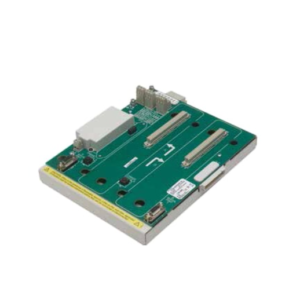
The GE IS200EPDMG1B is a power distribution module specifically engineered for the EX2100 static excitation system and Mark V turbine controls. It acts as the primary power conversion stage, accepting a wide range of universal input voltages (85-264V) and stepping it down to a stable 24VDC rail. This output powers critical control boards, cooling fans, and auxiliary relays within the exciter cubicle.This module distinguishes itself through its ruggedized design suitable for harsh industrial environments found in power generation plants. With a maximum continuous current rating of 10 Amps, it provides sufficient headroom for complex control logic loads. Its universal input capability eliminates the need for separate transformer taps, simplifying inventory management for global operations.

Installation & Configuration Guide
Preparation (10 min)
Verify that the main breaker feeding the exciter cabinet is OPEN and tagged out. Use a multimeter to confirm zero potential at the installation site. Ensure you have a calibrated torque screwdriver; loose power terminals are a leading cause of failure in these modules.Removal (5–10 min)
If replacing an existing unit:
- Disconnect the input wiring (L, N, PE) and output wiring (+24V, -24V). Label wires clearly.
- Release the DIN rail locking clip at the bottom of the module.
- Tilt the module forward and lift it off the rail. Be careful of sharp edges on the metal casing.
Installation (10 min)
Hook the top of the IS200EPDMG1B onto the DIN rail. Press firmly until the bottom locking clip engages with a distinct “click.”
- Wiring Note: Connect the 24VDC output to the system bus. Ensure polarity is correct (+ to +, – to -). Reverse polarity can damage downstream electronics if external diodes are not present.
- Torque: Tighten terminal block screws to the manufacturer’s specification (typically 0.5 – 0.6 Nm for small signal, higher for power terminals—check label).
Power-On & Test (10 min)
Close the main breaker. Measure the output voltage at the module terminals using a multimeter. It should read 24.0V DC ± 5%. If the voltage is absent or erratic, check the input fuse and verify the 85-264V input presence immediately.
Troubleshooting Quick Reference
| Symptom | Probable Cause | Corrective Action |
|---|---|---|
| No Output Voltage | Input fuse blown | Check input L/N voltage. Replace internal fuse if accessible, or replace module. |
| Voltage Drop (<20V) | Overload condition | Disconnect loads one by one. The total draw may exceed the 10A limit. |
| Overheat / Thermal Fault | Poor ventilation | Check ambient temperature. Ensure airflow around the module is not blocked by cables. |
| Intermittent Power | Loose terminal screws | Re-torque all input and output connections. Vibration can loosen them over time. |
Dimensions, Mounting & Wiring Notes
- Form Factor: Rectangular metal enclosure, designed for vertical DIN rail mounting.
- Dimensions: Approximately 33.0 cm (H) x 12.6 cm (W) x 4.0 cm (D).
- Connections: Screw-type terminal blocks located on the faceplate or bottom edge.
- Heat Dissipation: The unit relies on convection cooling. Do not mount directly below heat-generating components like braking resistors.

FAQ
Q: Is the IS200EPDMG1B compatible with Mark VI systems?
A: While physically similar, Mark VI systems often use different power supply revisions (like the PPRO or PDIO series). Verify your system manual. This unit is primarily intended for EX2100 and Mark V applications.Q: My old part number is 230739. Will this work?
A: Yes, the IS200EPDMG1B is the standard replacement for older part numbers like the 230739 in many EX2100 configurations. However, always cross-reference the schematic to ensure the pinout matches your specific harness.Q: Why is the output voltage reading 28V?
A: Unloaded power supplies often read slightly higher than nominal (floating voltage). Once connected to the system load, the voltage should settle closer to 24V. If it stays above 28V under load, the regulation circuit is likely faulty.Q: Can I parallel two of these for redundancy?
A: Standard power modules like this are generally not designed for direct parallel operation without external diodes (OR-ing diodes) to prevent back-feeding. Check the system schematic for a “Redundant Power” configuration before wiring outputs together.Q: What is the lead time for this item?
A: As a discontinued component, lead times vary based on stock availability. We typically ship within 3 days if in stock, but international sourcing can take longer. Contact us for real-time inventory checks.