Tel:
Tel:  Email:
  WhatsApp:
 Description
Key Technical Specifications
| Parameter | Value |
|---|---|
| Part Number | IS200EMIOH1A |
| Manufacturer | General Electric (GE) |
| System Series | Mark VIe Speedtronic |
| Analog Inputs | 16 Channels (Configurable: TC, RTD, 4-20mA) |
| Digital Inputs | 16 Channels (24V DC, Dry/Wet Contact) |
| Digital Outputs | 16 Channels (Transistor, 24V DC, 0.5A) |
| Analog Accuracy | ±0.1% FS (4-20mA), ±0.5°C (RTD) |
| Update Rate | ≤1 ms |
| Isolation | 500V AC (Channel to System) |
| Power Supply | +24V DC (Backplane powered) |
| Operating Temp | -30°C to +70°C |
| Mounting | Mark VIe Rack Slot (Single width) |
Product Introduction
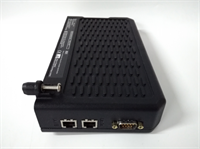
The GE IS200EMIOH1A is an Enhanced Multi-Channel Input/Output module designed specifically for the Mark VIe Speedtronic™ turbine control platform. It serves as a critical interface for monitoring parameters like combustion temperature and fuel pressure while controlling actuators such as solenoid valves. This module integrates analog and digital signal processing into a high-density form factor, reducing the physical space required in the control cabinet.From a maintenance perspective, this board is valued for its ability to handle “mixed” signals without complex external wiring. Field data shows that the module’s ≤1 ms update rate is crucial for fast-acting protection loops, such as emergency shutdown sequences. The inclusion of Cold Junction Compensation (CJC) allows for precise thermocouple readings, ensuring that thermal limits are accurately enforced during peak load operations.

Installation & Configuration Guide
Phase 1: Preparation (10 min)
- Safety Protocol: Verify the Mark VIe rack power is OFF or confirm the system supports hot-swap procedures for this specific slot.
- ESD Safety: Wear a grounded anti-static wrist strap. The MOSFET drivers on the output side are sensitive to static discharge.
- Tool Check: Ensure you have the ToolboxST software ready on your laptop if configuration changes are needed.
Phase 2: Removal (5–10 min)
- Disconnect Cables: Unplug the terminal block connectors from the front of the module.
- Unlock Module: Release the locking mechanism (usually a screw or latch at the top/bottom of the faceplate).
- Extract: Pull the module straight out of the backplane connector. Do not wiggle it excessively to avoid damaging the bus pins.
Phase 3: Installation (10 min)
- Insert Module: Align the IS200EMIOH1A with the empty slot. Push firmly until the backplane connector seats fully.
- Secure: Engage the locking mechanism to prevent vibration-induced loosening.
- Reconnect Wiring: Plug the terminal blocks back in. Double-check that shielded cables are grounded at the cabinet end to prevent noise.
Phase 4: Power-On & Test (10 min)
- Energize: Turn on the rack power.
- LED Check: Observe the status LEDs. Green indicates normal operation; Red typically flags a hardware fault or communication loss.
- Software Verify: Open ToolboxST and verify the module is recognized by the controller (e.g., IS200ERMG). Check that the channel configurations match the .CFG file.
Troubleshooting Quick Reference
| Symptom | Probable Cause | Corrective Action |
|---|---|---|
| Red LED Status | Hardware fault or config mismatch | Check ToolboxST for specific error codes. Reseat the module to ensure good backplane contact. |
| Noisy Analog Readings | Ground loop or poor shielding | Verify the shield is grounded at one end only. Check isolation voltage integrity between channels. |
| Digital Output Fails | Blown fuse or short circuit | Measure resistance on the output line. The module has short-circuit protection, but check external wiring for shorts. |
| Thermocouple Drift | Missing Cold Junction Comp. | Ensure the CJC sensor is active in the software configuration. Verify ambient temperature stability inside the panel. |
Dimensions, Mounting & Wiring Notes
- Form Factor: Single-slot VME-style module (approx. 33 cm height).
- Mounting: Slides into standard Mark VIe racks; secured by a front-panel latch.
- Wiring Note: The analog inputs share a common architecture but require software configuration to distinguish between TC, RTD, and mA signals. Do not apply voltage to a channel configured as a passive current input.

FAQ
Q: Can I use the IS200EMIOH1A in a Mark V system?
A: No. This module is designed exclusively for the Mark VIe platform. The backplane connectors and communication protocols differ significantly between Mark V and Mark VIe architectures.Q: How do I configure the input types (e.g., changing from TC to 4-20mA)?
A: There are no physical jumpers for signal type selection. You must configure the channel type via the ToolboxST software. The hardware automatically adapts based on the software settings.Q: What does the “H1A” suffix indicate?
A: The suffix generally refers to the revision or hardware version. “H1A” is a standard revision for this module. Always cross-reference the specific revision with your system’s compatibility list before upgrading.Q: My analog readings are fluctuating wildly. Is the board bad?
A: Not necessarily. Fluctuations are often caused by electromagnetic interference (EMI). Check that you are using twisted-pair shielded cables and that the cabinet grounding is solid. A loose terminal connection can also cause “jitter.”Q: Does this module support hot-swapping?
A: Yes, the Mark VIe system supports hot-swapping for I/O modules. However, exercise extreme caution: ensure you do not touch live terminals and that the replacement module matches the slot configuration exactly to avoid logic upsets.