 Tel:
 Email:
 WhatsApp:
Description
Key Technical Specifications
| Parameter | Specification |
|---|---|
| Processor | 586-class processor with hardware floating point |
| User Memory | Configurable total memory (RAM with battery backup + Flash); configurable %R, %AI, %AO areas |
| Boolean Scan Rate | Typical high-speed Boolean scan performance |
| Ethernet Ports | Dual Ethernet ports with built-in auto-sensing switch |
| Ethernet Protocols | SRTP, Ethernet Global Data (EGD), Modbus TCP/IP; client/server support |
| Serial Port | RS-485 via power supply module; SNP/SNPX protocol |
| I/O Capacity | Extended discrete I/O points locally; multiple distributed I/O sites; extensive analog I/O memory |
| Programming Software | VersaPro, CIMPLICITY Machine Edition Logic Developer, Control |
| Power Requirement | 5 V DC from backplane; requires compatible IC693PWR330/331-class supply |
| Battery Backup | External IC693ACC302 recommended for RAM retention during power loss |
| Operating Temperature | Standard industrial operating range; IP20; non-condensing humidity |
| Mounting | Single-slot Series 90-30 rack installation |
Product Introduction
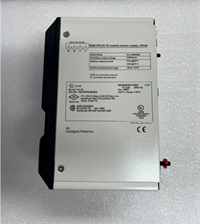
If your plant still runs a Series 90-30 rack, you already know the CPU374 is the module you pray doesn’t fault on a Friday night. The GE Fanuc IC693CPU374 sits in a 90-30 rack as the main processor, handling logic scans, I/O mapping, Ethernet communications, and serial SNP traffic through the power supply port. I’ve seen these deployed in packaging lines, water/wastewater stations, legacy turbine auxiliary controls, and older manufacturing cells where nobody wants to rewrite years of ladder logic just to chase a newer platform.Engineers kept this CPU alive because the high-speed processor and extended configurable memory were genuinely strong for a single-slot 90-30 CPU. The dual Ethernet ports with built-in switching made linear drops easier without adding an external switch, and the fast Boolean scan handled respectable logic sizes without begging for an RX3i migration. That said, this specific revision is picky about firmware consistency, battery health, and clean 5 V backplane power. Treat it well and it runs for years. Starve it or mix firmware carelessly, and it will remind you who is in charge.
Quality SOP & Tech Pitfalls
The Lab Report (SOP)
- Visual and counterfeit inspection: check label font, PCB revision marks, connector condition, and corrosion.
- Backplane live test: install into a known-good 90-30 rack with a verified IC693PWR330/331-class supply; confirm RUN/STOP/FAULT LED behavior.
- Electrical checks: measure backplane 5 V draw with a Fluke 115 or equivalent; verify no shorted rails.
- Communication test: confirm Ethernet link, SRTP/EGD reachability, and serial SNP response through the power supply port.
- Firmware and configuration capture: record firmware revision, date/time battery status, and existing user program checksum.
- Memory/battery check: verify RAM retention and replace the IC693ACC302 battery if voltage is marginal.
- Final packing: ESD bag, anti-static seal, and photo documentation of label/firmware before shipment.
The Engineer’s Warning (Pitfalls)
Do not swap this CPU without photographing every DIP switch, jumper, slot layout, and LED state first. I once watched a plant lose hours because a technician installed a replacement CPU374 with a different firmware revision and an empty memory map; the rack came up in STOP, the HMI lost SRTP tags, and nobody had backed up the original program. Also, the Ethernet ports share one IP address. If you plug both ports into different active switch ports without understanding the internal switch behavior, you can create strange communication drops. Verify with the OEM manual before changing network topology.
Installation & Configuration Guide
1. Pre-Installation ️
- Place the PLC rack in a safe stopped state and remove power.
- Wait for capacitors to discharge; verify with a multimeter.
- Photograph the existing CPU label, firmware screen, LED states, Ethernet cabling, and rack slot order.
- Back up the current program from the running CPU if it is still accessible.
2. Removal
- Label all Ethernet cables and serial wiring.
- Release the DIN rail or rack retention clips carefully.
- Slide the failed CPU straight out; do not rock it sideways against the backplane connectors.
3. Installation
- Copy all DIP/jumper settings from the old CPU to the new unit. This prevents most startup failures.
- Insert the replacement IC693CPU374 firmly into the correct slot until the backplane connector seats fully.
- Reinstall retention clips and reconnect Ethernet/serial cables exactly as photographed.
4. Power-On & Testing
- Restore power and confirm the 5 V backplane supply is stable.
- Watch the LED sequence: POWER OK, then CPU status indicators moving through initialization.
- Connect with VersaPro or Machine Edition and verify firmware revision, time/date, and program checksum.
- Download the verified program if needed, clear faults, and test I/O forcing, Ethernet tags, and serial communication before returning to full production.
Compatible Replacement Models
- IC693CPU374 (matching suffix/firmware): True drop-in if the suffix and firmware align. This is the safest replacement. Price and availability vary heavily because the part is discontinued.
- ️ IC693CPU364 or IC693CPU350: Same 90-30 hardware family, but not a clean drop-in for CPU374 applications. Expect reduced performance, possible memory limits, and program recompilation or I/O map adjustments. Plan engineering time depending on program size.
- Migration to GE VersaMax or PACSystems RX3i: Requires new racks, I/O reassignment, communication rework, and full program conversion. Do not attempt this as a simple CPU swap; treat it as a controlled system upgrade.
Frequently Asked Questions (FAQ)
Can I hot-swap the IC693CPU374?
No. The CPU is not designed for live hot swapping in normal maintenance practice. Power down the rack, or at minimum place the CPU in STOP and follow your plant’s safe-change procedure. Pulling a live CPU risks backplane damage and program corruption.Will any IC693CPU374 work as a replacement?
Not automatically. The base model is the same, but suffixes such as -DJ, -BF, -GV, -GP, and -JY can indicate firmware, Ethernet feature set, or manufacturing revisions. Match the suffix and firmware whenever possible, and always back up the original program first.Does it support Modbus TCP/IP?
Yes. The CPU374 supports Modbus TCP/IP, SRTP, and Ethernet Global Data over its dual Ethernet ports. Confirm protocol enablement in the project configuration before assuming every tag type will pass through.What happens if the battery dies?
RAM-backed data can be lost if the battery fails and power is removed. Replace the IC693ACC302 battery proactively and keep a current program backup offline. Do not wait for the BATT LED to become a crisis.Can I use both Ethernet ports on different subnets?
Be careful. The two Ethernet ports share one IP address and include an internal auto-sensing switch. They are not two independent network interfaces in the usual sense. Verify the exact behavior in the OEM documentation before splitting them across switches or VLANs.Is this module still manufactured?
No. The IC693CPU374 is discontinued. Most available units are surplus, refurbished, or new-old-stock. Always request photos of the label, firmware screen, and test results before buying.What software do I need to program it?
Use VersaPro, CIMPLICITY Machine Edition Logic Developer, or Control. When working online with an existing controller, use the same or a newer software version to avoid download conflicts.