 Tel:
 Email:
 WhatsApp:
Description
Key Technical Specifications
| Parameter | Specification |
|---|---|
| Part Number | D20-PS LFDSC143-4000 |
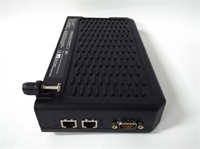
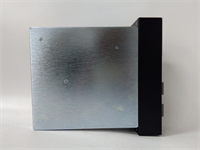
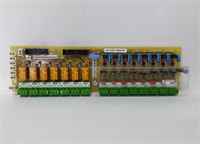
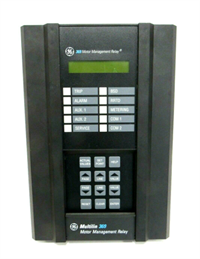
| Product Type | Power supply module for GE D20 substation controller |
| Compatible System | GE D20 Substation Controller main chassis |
| Application | Substation automation, SCADA, feeder/bay control |
| Input Voltage | Verify against D20 chassis datasheet; AC/DC option depends on revision |
| Output Voltage | Regulated internal rails for D20 controller and I/O |
| Protection Features | Overvoltage, overcurrent, thermal protection |
| Mounting | D20 main chassis / modular backplane |
| Diagnostics | Module status indicators per D20 chassis design |
| Operating Environment | Industrial substation environment; verify temperature class |
| Condition | New surplus / factory sealed / removed stock depending on supplier |
| Warranty | Typically 1 year for new original; confirm with supplier |
Product Introduction
Substation controllers do not forgive weak power. If the supply sags, trips, or drifts out of tolerance, you lose SCADA visibility, protection data, and sometimes the entire bay controller. The GE D20-PS LFDSC143-4000 is the power supply module used in GE D20 substation controller systems, which are deployed in feeder, bay, and small-to-medium substation automation projects.Engineers keep this module in spares inventory because the D20 chassis is modular and field-proven. The D20 platform can scale from a few hundred points up to large SCADA deployments, and the power supply is the first thing that has to hold up when station auxiliaries fluctuate. One caution: “D20-PS” covers a family of supplies. The LFDSC143-4000 suffix can indicate a specific revision, input option, or regional configuration. Treat it as a matched part, not a universal D20 power brick.
Quality SOP & Tech Pitfalls
The Lab Report (SOP)
- Visual inspection — check housing, connector pins, label, part number, and revision code.
- Counterfeit check — compare label font, serial format, and mechanical fit against known GE D20 modules.
- Bench power-up — apply rated input only after confirming the correct voltage class.
- Output verification — measure regulated outputs under no-load and light-load conditions.
- Protection check — verify overvoltage/overcurrent behavior per OEM test procedure.
- Chassis fit test — confirm clean insertion into a D20 main chassis without forcing.
- Documentation — photograph label, serial number, and test results before anti-static packing.
The Engineer’s Warning (Pitfalls)The biggest mistake I see is assuming all D20 power supplies are interchangeable. They are not. Some D20 chassis accept AC input, others DC, and some revisions have different output current limits. If you install the wrong revision, the controller may not boot, may fault repeatedly, or may damage downstream modules.Another common failure point is dirty or corroded backplane contacts. Substation cabinets see temperature cycling, humidity, and vibration. A module can look fine externally but still fail because the rear connector is oxidized. Clean the chassis contacts, verify seating torque, and check the chassis ground before blaming the power supply.
Installation & Configuration Guide
Pre-Installation ️
- Follow site switching and LOTO procedures. Substation work is not the place for shortcuts.
- Verify the D20 chassis model, revision, and required power supply type.
- Photograph the existing module label, wiring, fuses, and chassis slot position.
- Confirm input voltage source matches the replacement module rating.
Removal
- Remove AC/DC input power and verify zero energy state.
- Disconnect external wiring only if required by your chassis design.
- Release mounting hardware or retaining clips.
- Slide the module out carefully; do not rock it against the backplane.
Installation
- Verify the part number and revision before installing.
- Inspect backplane pins for damage or corrosion.
- Seat the module firmly into the correct chassis slot.
- Reconnect input power wiring with correct polarity and terminal torque.
- Confirm chassis grounding meets site requirements.
Power-On & Testing
- Apply input power and observe module status LEDs.
- Check D20 controller boot sequence.
- Verify SCADA communication, I/O health, and event records.
- Confirm no overvoltage, undervoltage, or thermal alarms remain active.
- Document the replacement in the maintenance log.

Compatible Replacement Models
- D20-PS LFDSC143-4000 (same revision) — Best option. Matches the installed D20 chassis when the suffix and revision are identical.
- ️ Other GE D20-PS revisions — May fit mechanically but can differ in input voltage, output current, or protection behavior. Expect engineering verification and possibly chassis reconfiguration.
- Non-D20 GE power supplies (PAC8000, DCS, or generic industrial PSUs) — Not compatible. Different backplane, signaling, and safety architecture. Do not force-fit them into a D20 chassis.
Frequently Asked Questions (FAQ)
Is this a controller or just a power supply?
It is a power supply module for the GE D20 substation controller system. The D20 controller itself is a separate module inside the chassis.Can I substitute any GE D20 power supply for LFDSC143-4000?
No. D20 power supplies vary by input type, output rating, and revision. Using the wrong one can prevent the controller from booting or cause repeated faults.What input voltage does it accept?
That depends on the exact D20 chassis and power supply revision. Some D20 configurations support AC input; others may be DC-fed. Confirm with the D20 installation manual before energizing.Does it support redundancy?
D20 systems can be configured for higher availability, but redundancy depends on the chassis, power architecture, and installed modules. Do not assume dual-supply redundancy unless your specific D20 configuration supports it.Can I hot-swap this module?
Not without confirming the OEM procedure. Substation controller power supplies are not always hot-swappable, and removing power may take the controller offline. Treat this as a planned outage unless the site documentation explicitly allows live replacement.How do I know if my module is genuine?
Check the label, serial number, connector quality, and mechanical fit. Counterfeit or mislabeled industrial power modules do exist. If the price looks unusually low, verify before installation.What warranty should I expect?
New original or factory-sealed units commonly carry a 1-year warranty. Surplus or removed stock may have shorter terms. Confirm this before ordering.