 Tel:
Tel:  Email:
  WhatsApp:
 Description
⚙️ Key Technical Specifications
| Parameter | Specification |
|---|---|
| Processor Architecture | 32-bit RISC based controller |
| I/O Capacity | Up to 128 FBMs per processor (2 Mbps HDLC Fieldbus) |
| Communication Ports | 2 x 100 Base-TX Ethernet (Copper) or Fiber Optic |
| Fieldbus Protocol | HDLC (High-Level Data Link Control) |
| Memory | Non-volatile flash memory for checkpoint storage |
| Operating Temp | -20°C to +60°C (-4°F to +140°F) |
| Enclosure Rating | IP20 (Module), requires NEMA-rated cabinet for field install |
| Physical Dimensions | Standard Eurocard form factor (mounts on RH924YF baseplate) |
| Certifications | CE, FM Class I Div 2 (when installed in rated enclosure) |
📝 Product Introduction
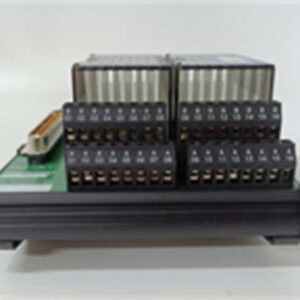
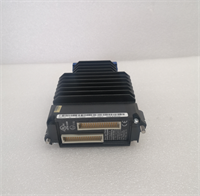
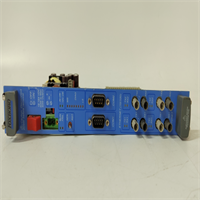
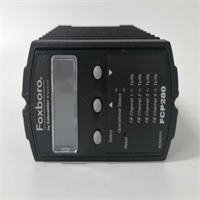
Let’s be honest: in a refinery or a chemical plant, you don’t care about “process automation synergy.” You care if the controller reboots when the voltage dips or if it loses logic during a firmware patch. The Foxboro FCP280 RH924YA is the workhorse designed to keep the plant running when things get ugly. It replaces the older FCP270 generation, bringing better processing power and native Ethernet connectivity, but its real value lies in how it handles failure.Unlike standard PLCs that just trip and dump you into a scram, the FCP280 is built for Fault Tolerance. If you run these in a redundant pair (which you absolutely should for critical loops), they synchronize bit-for-bit. I’ve seen one module fail completely—dead hardware—and the partner unit took over without the process even hiccuping. It supports “Self-Hosted Mode,” meaning if your engineering workstation goes down or the network link cuts out, this thing keeps controlling the process using its last good database. It’s not fancy; it’s reliable.
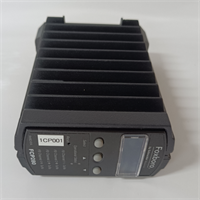
FCP280 RH924YA FOXBORO
🛡️ Quality SOP & Tech Pitfalls (The Reality Check)
The Lab Report (SOP)
Before we ship a unit, we don’t just look at the box. Here is the protocol:
- Visual Inspection: Check the PCB for corrosion or “tin whiskers.” Verify the manufacturing date code; units sitting in humidity for 5+ years need re-baking.
- Baseplate Integrity: The connectors on the back of the RH924YA are sensitive. We check for bent pins under magnification.
- Live Rack Test: We load the module onto a test rack with a dummy FBM load.
- Comm Verification: We verify the LEDs (Status/Run) cycle correctly and attempt a handshake via the maintenance port.
- Firmware Check: Ensure the boot PROM version matches the customer’s system revision (v9.0+ Core Services usually required).
The Engineer’s Warning (Pitfalls)
⚠️ Field Disaster Story:
I once watched a junior tech swap an FCP280 without checking the DIP switches on the faceplate. He put the new card in, powered it up, and immediately caused a network storm that knocked offline three other controllers in the cluster. Why? The address switches were set to ’00’ instead of the required unique node ID.The Fix: Always, always photograph the front panel DIP switch settings of the failed card before you pull it. Also, watch out for the fiber optic cables—they are fragile. If you kink the cable while stuffing it back into the cabinet, you’ll get intermittent comms errors that will haunt you for months.
🔧 Installation & Configuration Guide
Time estimate: 30 minutes (Swap only).
- Pre-Installation Safety
- ⚠️ CRITICAL: If this is a redundant pair, ensure the other controller is in “Active/Primary” mode before pulling the standby unit.
- Take a high-res photo of the front panel DIP switches and the LED status of the failing unit.
- Discharge static electricity. Touch the chassis ground rail. This electronics are sensitive to ESD.
- Removal
- Disconnect the Ethernet/Fiber cables. Label them (Port A vs. Port B) if the cables aren’t already tagged.
- Unscrew the captive screws at the top and bottom of the faceplate.
- Use the extraction levers (if equipped) or gently rock the module side-to-side to disengage it from the RH924YF baseplate connector. Do not pry with a screwdriver against the PCB.
- Installation
- Configuration: Set the DIP switches on the new FCP280 to match the old unit exactly. This includes the Node Address and Boot Mode settings.
- Align the module with the baseplate guides. Push firmly until the rear connector seats fully.
- Tighten the captive screws. Don’t overtighten; strip the threads and you’re buying a new baseplate.
- Power-On & Testing
- Reconnect the Ethernet/Fiber cables.
- Observe the LEDs. You should see the
STATUSlight blink amber during boot, then turn solid green (RUN) once the application loads. - Log into the workstation (Control Core Services). Verify the module appears in the hierarchy and shows “Online/Healthy.”
- If redundant, verify the “Sync” status between the two processors.
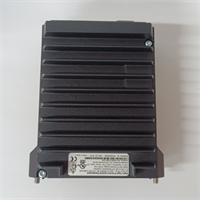
FCP280 RH924YA FOXBORO
🔄 Compatible Replacement Models
| Model | Compatibility Tier | Notes |
|---|---|---|
| FCP280 RH924YB | ✅ Drop-in Replacement | Revision B is generally backward compatible but check firmware levels. |
| FCP270 P0917YZ | ❌ Hardware Mod Required | Older generation. Different pinout/baseplate. Requires full chassis upgrade. |
| FCP280 RH924YC | ✅ Drop-in Replacement | Newer revision. Preferred for long-term support. |
❓ Frequently Asked Questions (FAQ)
Can I hot-swap this module while the plant is running?
Yes, but proceed with caution. If you have a redundant setup (two FCP280s), you can hot-swap the “Standby” unit safely. If you are running a single (simplex) controller, pulling it will stop the process logic execution for that cluster. That means valves will likely go to their fail-safe position. Only do a simplex swap during a shutdown.What does the “RH924YA” suffix actually mean?
That is the specific hardware revision code. “YA” indicates the specific interface configuration and connector type. You generally cannot mix revisions on the same baseplate without checking the compatibility matrix, but swapping an old YA for a new YA is safe.My FCP280 is showing a “Checkpt Mismatch” error. What gives?
This happens in redundant pairs when the two processors lose sync. Their internal databases don’t match bit-for-bit. You usually need to force a “Reload” from the active unit to the standby unit via the engineering workstation software. It’s annoying, but standard procedure.Does this support fiber optics?
Yes. The FCP280 has ports for both copper RJ45 and fiber optic SFP modules (depending on the specific sub-model ordered). For long runs in noisy electrical environments (like near large VFDs), I always recommend using the fiber option to avoid ground loops.Do I need to buy the baseplate separately?
Usually, yes. The FCP280 is the brain; the RH924YF is the body (baseplate). If your baseplate terminals are corroded or damaged, order a new one. If the baseplate is fine, you just need the processor module.