 Tel:
Tel:  Email:
  WhatsApp:
 Description
Key Technical Specifications
| Parameter | Specification |
|---|---|
| Part Number | P0916CQ |
| Input Type | Pulse / Frequency |
| Channels | 8 Independent, Isolated Inputs |
| Input Voltage | 7 to 27 V DC (Nominal 24V) |
| Max Frequency | 25 kHz (KHz) |
| Input Impedance | 10 kΩ |
| Isolation | Channel-to-Channel and Channel-to-Ground |
| Accuracy | ±0.01% of reading (Rate), No missing pulses @ 10-25kHz |
| Power Supply | 24 VDC ±10% (Redundant inputs supported) |
| Power Consumption | 7 W (Max) |
| Environment | G3 Level (Harsh/Corrosive) rated enclosure |
Product Introduction
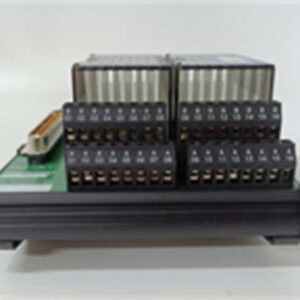
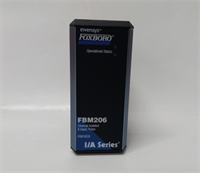
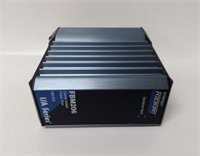
In oil and gas, if you can’t count the pulses, you can’t bill the customer. The FBM206 (P0916CQ) is the dedicated “tally counter” for your Foxboro DCS. It’s designed specifically to take the noisy, high-speed output from turbine flow meters, vortex shedding meters, or shaft speed sensors and turn it into a clean number your control processor can use.What makes this card valuable is the isolation. In a dirty electrical environment—like a compressor skid—you don’t want noise from Channel 1 bleeding into Channel 2. The FBM206 isolates every single channel. It handles up to 25 kHz, which is fast enough for most industrial flow applications. Just remember: this is a specialized tool. It doesn’t do standard on/off logic well; it’s built to count transitions.
Quality SOP & Tech Pitfalls (The Reality Check)
The Lab Report (SOP)
Before I sign off on an FBM206, I run it through a specific gauntlet:
- Visual Inspection: Look at the terminal block area. These cards often live near high-voltage drives; check for heat discoloration or burnt traces.
- Power Test: Apply 24V DC. Verify the module status LED goes solid green.
- Frequency Injection: Use a signal generator to inject a precise 1 kHz square wave into Channel 1. Read back the value in the software. It should match exactly.
- Leakage Check: Measure resistance between channels. It should be open circuit (infinite). If there is continuity between Ch 1 and Ch 2, the isolation barrier is blown. Trash it.
The Engineer’s Warning (Pitfalls)
The biggest mistake I see? Wiring active sensors to the wrong terminals.The FBM206 can source power (loop powered) or accept dry contacts, depending on the configuration and Terminal Assembly (TA) setup. If you have an active sensor (one that puts out its own voltage) and you wire it thinking the card is providing the power, you can short out the sensor or the input circuit. Always verify if your field device is “Active” (4-wire) or “Passive” (2-wire) before tightening the screws. Also, watch out for the FBM206b. It looks identical but has 4 analog outputs mixed in. Don’t order the wrong one if you just need pulse counting.
Installation & Configuration Guide
Swapping this module requires attention to detail, especially with the wiring.
- Pre-Installation ⚠️
- Safety: Lockout/Tagout the 24V DC supply.
- Documentation: Take a high-res photo of the existing wiring. Label every wire with tape. “Field Side” vs “Module Side.”
- Check TAs: Ensure your Terminal Assembly (TA) matches the application (e.g., internal loop power vs external).
- Removal
- Unplug the field wiring connector (if removable) or loosen terminal screws.
- Release the DIN rail clip or mounting screw.
- Slide the module out.
- Installation
- Slide the new FBM206 into place. Ensure it clicks onto the backplane bus.
- Reconnect the wires exactly as they were in your photo. Torque to spec (don’t strip the threads).
- Crucial: Verify the ground connection on the shield. Noise kills pulse accuracy.
- Power-On & Testing
- Restore 24V DC power.
- Check LEDs. Green means good. Red usually indicates a comms failure or hardware fault.
- Calibration: In the control software, set the “Meter Scale Factor.” This converts raw pulses into engineering units (e.g., Gallons per Minute). Without this, you’re just counting clicks.

FBM206 FOXBORO
Compatible Replacement Models
If you are looking for alternatives or upgrades, keep these distinctions in mind.
- ✅ Drop-in Replacement: FBM206 (P0916CQ). Standard 8-channel pulse input.
- ⚠️ Hybrid Variant: FBM206b. Contains 4 Pulse Inputs AND 4 Analog Outputs (0-20mA). Good if you need to control a valve position based on flow, but overkill if you just need counting.
- ❌ Wrong Protocol: FBM202. This is a generic discrete input module. It cannot handle the high frequency (25 kHz) of a flow meter. It will miss counts.
Frequently Asked Questions (FAQ)
Can I use this for a standard proximity switch?
Yes, absolutely. As long as the proximity switch outputs a 7–27 V DC pulse, the FBM206 will read it. It works great for speed monitoring on conveyors or mixers.My flow meter reads zero even though fluid is moving. What gives?
Check your “Scale Factor” in the software first. If that’s correct, check your wiring. Are you using a dry contact? You might need to enable the internal pull-up resistor (check the TA manual). If you are using an active sensor, make sure you aren’t back-feeding voltage into a passive input.Does the FBM206 support SSI or absolute encoders?
No. This is a simple pulse counter. It counts rising/falling edges. It does not support complex serial protocols like SSI or BiSS-C. For those, you need a different specialty module.Is the P0916CQ compatible with older Foxboro systems?
It is part of the 200 series Field Bus Modules (FBM), used in both the older I/A Series and the newer Evo systems. However, always check your system compatibility matrix. Firmware matters.How do I calculate total flow?
The module itself provides the instantaneous rate (frequency) and a raw pulse count. Your control strategy (logic in the CP) needs to integrate that count over time to give you Totalized Flow (Gallons/Cubic Meters).