 Tel:
Tel:  Email:
  WhatsApp:
 Description
Key Technical Specifications
- Manufacturer: Emerson
- Associated Part Numbers: KJ3204X1-BA1, 12P3275X022
- Module Type: Discrete (Digital) Output Module
- Number of Channels: 12
- Output Signal: Digital (Dry Contact)
- Channel Isolation: Yes (Channel-to-channel isolation)
- Operating Temperature: -40°C to 70°C (-40°F to 158°F)
- Storage Temperature: -55°C to 85°C (-67°F to 185°F)
- Status Indicators: Per-channel LED indicators
- Weight: 0.20 kg (0 lb 7 oz)
Product Introduction
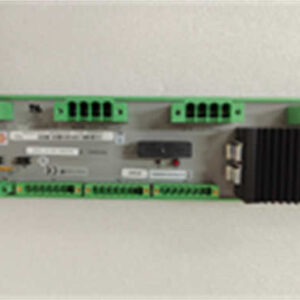
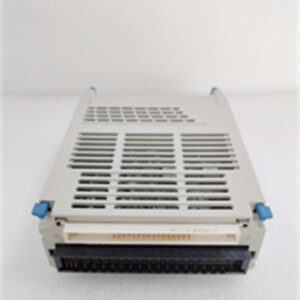
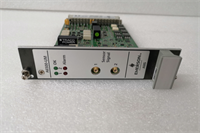
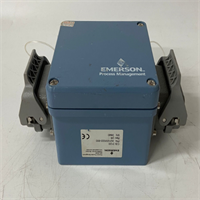
The Emerson VE4002S1T2B5 is a 12-channel discrete output module engineered specifically for the DeltaV distributed control system (DCS). It provides reliable digital (dry contact) signal output, making it an essential component for controlling relays, solenoids, and other binary field devices in process automation.Designed for harsh industrial environments, this module features robust channel-to-channel isolation to prevent electrical noise interference and improve overall system reliability. With a wide operating temperature range of -40°C to 70°C and individual LED status indicators for each of the 12 channels, it allows for rapid visual diagnostics and stable operation even in demanding turbine or manufacturing applications.

Installation & Configuration Guide
Phase 1: Preparation (10 min)
- Confirm the module model (VE4002S1T2B5) and its associated part numbers (KJ3204X1-BA1) against your DeltaV system architecture.
- Ensure the DeltaV controller rack is properly grounded and the chassis power is turned off before handling any cards.
- Have your electrostatic discharge (ESD) wrist strap ready. Industrial circuit boards are highly sensitive to static.
Phase 2: Removal (If replacing) (5-10 min)
- Identify the faulty module by checking the ‘E’ (External fault – Red) or ‘I’ (Internal fault – Red) LEDs on the faceplate.
- Disconnect all field wiring from the terminal block carefully.
- Release the locking mechanism and gently pull the module straight out of the rack slot.
Phase 3: Installation (10 min)
- Align the new VE4002S1T2B5 module with the empty slot in the DeltaV rack.
- Push the module firmly into the backplane until it seats completely and the locking mechanism clicks into place.
- Reconnect the field wiring to the corresponding terminals, ensuring tight connections to prevent signal loss.
Phase 4: Power-On & Test (10 min)
- Restore power to the DeltaV rack.
- Observe the ‘P’ (Power – Green) and ‘C’ (Communication – Green) LEDs. Both should be steadily lit.
- Use the DeltaV workstation software to force a test output on a specific channel. Verify that the corresponding channel LED on the module lights up and the field device (e.g., a relay) actuates correctly.
Troubleshooting Quick Reference
| Symptom | Probable Cause | Quick Check / Solution |
|---|---|---|
| ‘P’ LED is off | Module not receiving power | Check chassis backplane power and ensure module is fully seated. |
| ‘I’ LED is red | Internal module failure | The electronic module likely needs replacement. Log the fault. |
| ‘E’ LED is red | External wiring or fuse issue | Check the common auxiliary power supply fuses and field wiring. |
| ‘C’ LED is off/flashing | Communication loss with controller | Verify the slot configuration in the DeltaV Explorer software. |
| Output channel not actuating | Field wiring or device fault | Measure continuity at the terminal block; check the field device. |
Dimensions, Mounting & Wiring Notes
- Mounting Method: Direct plug-in to Emerson DeltaV DCS chassis/rack.
- Terminal Notes: Uses discrete dry contact outputs. Ensure the external load voltage and current ratings do not exceed the module’s specified limits (verify with the official OEM datasheet).
- Wiring: Field wiring connects to the front-facing terminal block. Keep field wiring separated from high-voltage cables to reduce electromagnetic interference.
FAQ
Q: Is the VE4002S1T2B5 compatible with other Emerson systems besides DeltaV?
A: This module is specifically architected for the DeltaV DCS environment. While Emerson has other systems (like Ovation or legacy RS3), cross-compatibility is not guaranteed. Always verify your specific system generation with the part number KJ3204X1-BA1.Q: What do the P, C, E, and I LEDs actually mean?
A: They are your quickest diagnostic tools. ‘P’ (Green) means normal module power. ‘C’ (Green) means normal communication with the controller. ‘E’ (Red) indicates an external problem, like a blown fuse or bad wiring. ‘I’ (Red) means an internal hardware fault—usually meaning the card itself is toast.Q: I’m getting an internal fault light. Can this be repaired?
A: An illuminated ‘I’ (Internal Fault) LED typically points to a hardware failure within the module’s electronics. In a production environment, the standard best practice is to swap it with a known good spare to minimize downtime rather than attempting board-level repairs.Q: Does this module support analog signals?
A: No. The VE4002S1T2B5 is strictly a discrete (digital) output module providing dry contacts. If you need to handle 4-20mA or other analog signals, you will need a different DeltaV analog I/O card.Q: How should I handle and store this module to prevent damage?
A: Always use an ESD wrist strap when handling the module. Static electricity can silently damage the internal processors. If storing as a spare, keep it in an anti-static bag in a climate-controlled environment within its specified storage temperature range (-55°C to 85°C).Q: Is this a new or refurbished unit?
A: We supply this as New Original (New Surplus) stock. It is an authentic Emerson part that has been sitting in inventory. It undergoes visual inspection and basic continuity checks before shipping, but it has not been previously installed in a live plant.