
 Tel:
Tel:  Email:
  WhatsApp:
 Description
Key Technical Specifications
| Parameter | Specification |
|---|---|
| Part Number | 12P4710X032 |
| Logic Channels | 8 Channels (AND, OR, NOT, XOR) |
| Bus Type | 16-bit Fieldbus (Single Slot) |
| Comm. Ports | RS-232, RS-422/485 (Isolated) |
| Work Voltage | 10-30 VDC |
| Work Temperature | -40°C to +85°C |
| Data Channels | 32 per port |
| Dimensions | 176 x 140 x 43 mm |
| Weight | Approx. 1.2 kg |
| Protection | IP20 (Some models IP66) |
Product Introduction
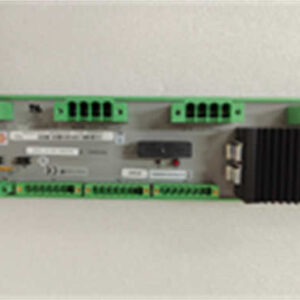
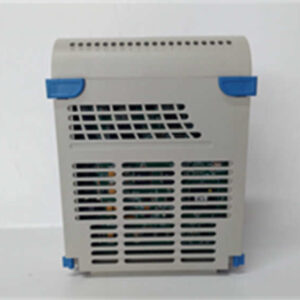
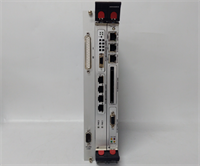
The Emerson KJ3241X1-BK1 (12P4710X032) acts as a dedicated Logic Solver within the DeltaV distributed control system. It translates logic control programs into electrical signals to drive actuators and field devices. This module effectively bridges the gap between high-level DCS commands and physical hardware operations.This unit distinguishes itself with industrial-grade durability, rated for temperatures up to 85°C. It features 8 independent logic channels capable of executing Boolean functions like AND, OR, and XOR. The built-in isolation on communication ports prevents ground loops, a common issue in complex industrial wiring setups.
Installation & Configuration Guide
Preparation (10 min)
Confirm the module part number matches your system schematic (12P4710X032). Ensure the DeltaV chassis power is OFF. Verify you have the correct DIN rail or mounting bracket ready.Removal (5–10 min)
If replacing an existing unit, disconnect the terminal block wiring carefully. Release the locking clips on the module face. Slide the unit out of the rack. Note the position of any grounding straps.Installation (10 min)
Mount the module onto the DIN rail or flat surface using the provided brackets. Ensure it is level to maintain proper airflow across the metal heat sink. Connect the field signal lines to the terminal block according to the wiring diagram (check for input vs. output terminals).Power-On & Test (10 min)
Reconnect power to the DeltaV system. The module should perform a self-check. Use the DeltaV Engineering Station to download the logic program. Monitor the “Channel OK” LEDs; they should be solid green during normal operation.
Troubleshooting Quick Reference
| Symptom | Probable Cause | Action |
|---|---|---|
| LED Flashing (0.2s) | Gap Error | Check input signal wiring; signal is likely below limit. |
| LED Flashing (1s) | Parameter Error | Review configuration in DeltaV software; settings mismatch. |
| LED OFF | Module Fault | Check power supply (10-30VDC) or replace module. |
| Comm. Timeout | Baud Rate Mismatch | Verify RS-485 settings match the connected device. |
Dimensions, Mounting & Wiring Notes
- Dimensions: 176 mm (H) x 140 mm (W) x 43 mm (D).
- Mounting: Supports DIN rail or wall mounting.
- Wiring Note: Use shielded cables for all signal inputs to minimize noise. The communication ports are electrically isolated, allowing for flexible grounding strategies, but ensure the shield is grounded at the cabinet entry point.

FAQ (5–7 questions)
Q: What does the “Channel OK” LED blinking at 0.2 seconds mean?
A: This indicates a “Gap Error.” It means the input signal has dropped below the configured threshold, suggesting a broken wire or a sensor failure. Check the physical connection to the sensor.Q: Can I use this module for analog signal control?
A: No. This is a Logic Solver designed for digital logic and serial communication. For analog process control (4-20mA), you should use a dedicated Analog Input/Output module in the DeltaV system.Q: Is this compatible with Rockwell or Siemens PLCs?
A: Not directly. It is designed for the Emerson DeltaV 16-bit bus. However, it can communicate with other systems via its RS-232/485 serial ports if the protocols (like Modbus) are configured correctly.Q: What is the operating temperature range?
A: The module is rated for -40°C to +85°C. This wide range makes it suitable for harsh environments, such as outdoor skids or unheated warehouses.Q: Does it support hot-swapping?
A: Yes, the DeltaV system generally supports hot-swapping of modules. However, ensure the logic program is backed up and the specific I/O points are forced to a safe state before removing power or the card to prevent process upsets.