 Tel:
Tel:  Email:
  WhatsApp:
 Description
Key Technical Specifications
| Parameter | Specification |
|---|---|
| Input Voltage | 24 V DC (Nominal) |
| Output Voltage | Regulated DC (System Dependent) |
| Protection | Overcurrent, Overvoltage, Thermal |
| Mounting | DIN Rail / Rack Mount |
| Efficiency | High-Efficiency Conversion |
| Operating Temp | -20°C to 60°C (Industrial) |
| Dimensions | Compact Modular Form Factor |
| Weight | Approx. 0.2 kg (Unit only) |
| Compatibility | Emerson Ovation Controllers |
| Status Indicators | LED Status Lights (PWR, FAULT) |
Product Introduction
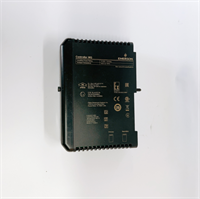
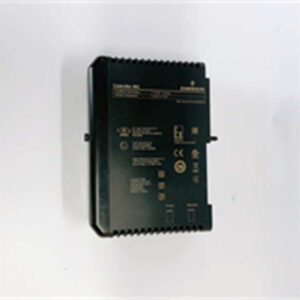
The EMERSON 5X00226G03 is a power supply module designed for the Ovation Distributed Control System (DCS). It converts input power to stable DC voltage required by the backplane and I/O modules. This unit is essential for maintaining system uptime in power plant automation and industrial control environments.Field data indicates this module handles voltage fluctuations well due to its internal regulation circuits. It features active protection against overcurrent and overheating, which prevents damage to sensitive controller logic during grid instability. The modular design allows for hot-swapping in redundant configurations, significantly reducing maintenance windows.
Installation & Configuration Guide
Preparation (10 min)
- Verify Input: Ensure your power source is 24V DC. Check the label on the existing unit or the rack manual.
- ESD Safety: Put on an ESD wrist strap. This module contains sensitive CMOS components.
- Inspect Slot: Check the Ovation rack slot for bent pins or debris.
Removal (5 min)
- Power Down: If this is a non-redundant system, power down the rack. (Redundant systems allow hot-swap, but proceed with caution).
- Disconnect: Unplug the terminal block or wiring harness from the front of the module.
- Unlatch: Press the ejector latches at the top and bottom of the module faceplate.
- Extract: Slide the unit out gently. Do not wiggle it excessively.
Installation (10 min)
- Align: Position the 5X00226G03 into the slot. Ensure the guide rails align with the rack chassis.
- Insert: Slide the module in until the connectors seat firmly. You should feel a solid “click” when the backplane connector engages.
- Lock: Close the ejector latches to secure the module mechanically.
- Wire: Reconnect the 24V DC input wires to the terminal block. Verify polarity (+/-) before tightening.
Power-On & Test (10 min)
- Apply Power: Turn on the 24V DC supply.
- LED Check: The
PWRLED should illuminate solid green immediately. - Fault Check: Ensure the
FAULTorALMLED is OFF. - System Check: Verify the controller recognizes the power supply status in the Ovation software interface.
Troubleshooting Quick Reference
| Symptom | Probable Cause | Corrective Action |
|---|---|---|
| PWR LED OFF | No input voltage or blown fuse | Check 24V DC source. Verify wiring polarity. |
| FAULT LED ON | Internal overvoltage/overtemp | Check rack airflow. Measure input voltage (is it >30V?). |
| System Not Booting | Backplane connection issue | Reseat the module. Clean backplane pins with contact cleaner. |
| Voltage Fluctuation | Unstable input source | Measure input voltage with a multimeter. Check for loose terminal screws. |
| Module Overheating | High ambient temp or fan failure | Check rack cooling fans. Ensure air vents on the module are not blocked. |
Dimensions, Mounting & Wiring Notes
- Dimensions: Compact modular width (Standard Ovation single slot width).
- Mounting: Slides into standard Ovation rack chassis; secured by top/bottom latches.
- Wiring: Input is typically via a removable terminal block. Use 18-22 AWG wire.
- Torque: Tighten terminal screws to 0.5 Nm to prevent loosening due to vibration.

FAQ
1. What is the input voltage for the 5X00226G03?
It operates on a nominal 24V DC input. Always verify your rack power distribution before installation.2. Can I hot-swap this module?
Yes, but only if your Ovation system is configured for redundant power supplies. If it is a single supply setup, you must power down the rack.3. Is this compatible with Westinghouse systems?
This part number is associated with Emerson Ovation. While Emerson acquired Westinghouse process control, verify the specific backplane compatibility with your system manual.4. What does the “G03” suffix mean?
It indicates the hardware revision. Ensure this revision matches your system requirements, as mounting points or pinouts can change between revisions.5. Does it come with a terminal block?
Usually, the module includes the terminal block, but verify the photos in the listing. Sometimes they are sold separately.6. How do I know if it’s bad?
If the PWR LED is off despite having 24V at the input terminals, the internal converter has likely failed.7. Do you offer a warranty?
Yes, we provide a standard 1-year warranty on all tested surplus modules.