 Tel:
 Email:
 WhatsApp:
Description
Key Technical Specifications
| Parameter | Specification |
|---|---|
| Model | 135031-01 |
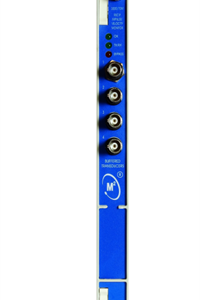
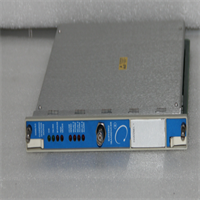
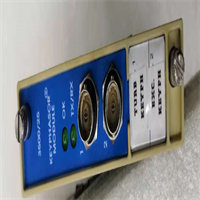
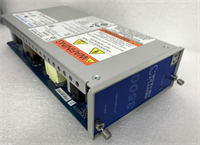
| Product Type | Rack interface / I/O module |
| Host System | Bently Nevada 3500 series machinery monitoring system |
| Function | Data interface between the rack and external control systems (DCS, PLC) |
| Signal Handling | Aggregates vibration, temperature, and displacement data from monitor modules for transfer to the host system |
| Supply Voltage | 24 VDC |
| Mounting | Standard 19-inch EIA rack, slot-inserted |
| Hot Swap | Yes — module replacement without rack shutdown |
| Redundancy | Supports redundant configuration for continuous operation |
| Environment | Industrial-grade; rated for high temperature, humidity, and vibration |
| Communication | Interfaces with standard industrial protocols (Modbus, Ethernet class) |
| HS Code | 8537.10 |
Product Introduction
A 3500 rack is protecting a steam turbine. The monitors are healthy, the trip logic is fine — but the DCS has stopped receiving channel data. The break is not in the sensors. It is in the interface layer that carries everything out of the rack. That is where a module like 135031-01 sits.The 3500 platform is the benchmark in rotating machinery protection, with more than 80,000 installations worldwide and full API 670 compliance. Its architecture deliberately separates measurement from communication: monitor modules measure, interface modules talk to the plant. That separation is the whole reason a failed interface card does not trip a machine — and the whole reason you want a spare on the shelf.Engineers value this class of module for two reasons. First, hot-swap: pull the module, drop in a spare, and the rack keeps running — I have done that swap in under ten minutes on a live turbine. Second, redundancy: the 3500 architecture supports configurations from single module to dual supply to full triple modular redundancy with two-out-of-three voting logic, so a single electronic fault cannot cause a spurious trip or a failure to trip.Subjective note: the thing I actually care about is configuration portability. The 3500 stores configuration in non-volatile memory in two independent regions on each module, allowing consistency comparison and anomaly flagging. When you swap an interface module, you want the new one to come up with the right configuration — not a blank slate.
Quality SOP & Tech Pitfalls
The Lab Report (SOP)
- Nameplate and part-number verification — confirm the full suffix, casting marks, and terminal block integrity.
- Visual inspection for counterfeit indicators: re-soldered connectors, blurred silkscreen, mismatched PCB revision.
- Bench test in a known-good 3500 rack — verify slot recognition, backplane communication, and I/O channel continuity.
- Supply and continuity checks with a Fluke multimeter on the 24 VDC feed.
- Configuration read-back compared against the OEM rack configuration file.
- Anti-static sealing; nameplate photographed; serial and test record logged.
The Engineer’s Warning (Pitfalls)The first mistake is assuming any 3500 interface module is interchangeable with another. It is not. The 3500/22 RIM, the 3500/22M TDI, and the 3500/92 gateway occupy different slots and do different jobs. Install the wrong one and the rack will either reject it or, worse, come up in a degraded state that only shows up during the next fault.The second is configuration. A replacement interface module does not automatically inherit the rack’s configuration. Load the correct configuration file and verify channel mapping before you call the job done. I once watched a maintenance team close an outage with the DCS still blind — the module was healthy, the configuration was empty.Third: hot-swap is real, but it is not license to pull modules during a trip test or a machine start-up. Schedule the window.
Installation & Configuration Guide
Phase 1 — Pre-Installation (⚠️)
- Obtain a work permit and confirm the rack’s protection functions are blocked or the machine is safely isolated. Never pull an interface module on a live protection scheme without documented isolation.
- Record the current rack slot map and photograph the existing module’s nameplate and terminal wiring.
- Export the rack configuration file from the 3500 configuration software before touching hardware.
Phase 2 — Removal
- Tag every wire with its terminal number before disconnecting.
- Release the module retaining hardware; withdraw the module straight along the slot rails. Do not pry against the backplane connector.
- Inspect the slot for dust, bent pins, or discoloration. Clean before inserting the replacement.
Phase 3 — Installation
- Verify the replacement part number matches the old nameplate exactly, including the suffix.
- Slide the module in until the backplane connector seats fully; fasten the retaining hardware.
- Torque terminals to spec. No cold joints.
Phase 4 — Power-On & Configuration
- Confirm the module is recognized in the rack — check slot status LEDs and the system display.
- Load the configuration file and verify channel mapping, alarm setpoints, and I/O assignments.
- Test the data path end to end: confirm the DCS or PLC is receiving live channel values.
- Verify redundancy status if the rack is configured for it.
- Record the module serial, firmware version, and configuration revision in the asset file.

Compatible Replacement Models
- ✅ Drop-in Replacement: Another 135031-01 from verified surplus stock. Identical part number, identical behavior. New-surplus commands a premium over pull stock.
- ⚠️ Software Compatible: Later 3500 interface or gateway modules (e.g., 3500/22M TDI, part numbers 288055-01 / 138607-01V; or 3500/92 gateway, part number 136180-01). Same rack family, different slot role and different configuration. Budget 2–4 hours of engineering, configuration, and commissioning.
- ❌ Hardware Mod Required: Orbit 60 series or other current-generation Bently Nevada platforms. Different architecture, different rack, different configuration tooling. Only worth considering in a full system refresh — not for a single failed module.
Note: Baker Hughes has formally designated authorized agents for 3500 spare-parts supply on major overhaul projects, and OEMs in this space argue that non-original substitutes cannot guarantee system stability and functional compatibility. That is a real constraint on sourcing — factor it into your spares strategy.
Frequently Asked Questions (FAQ)
What exactly does 135031-01 do?
It is a rack interface / I/O module for the Bently Nevada 3500 system — it carries monitor data and signals between the rack and external systems such as DCS or PLC. Treat the nameplate as final; reseller descriptions for this code are inconsistent.Can I hot-swap it?
Yes — 3500 modules support hot-swap replacement without stopping the rack. Do it in a scheduled window, not during a trip test or a machine start.Will a 3500/22 or 3500/92 work instead?
Not as a like-for-like swap. Those are different module classes with different slot roles and different configuration requirements. Verify against your rack’s slot map before accepting a substitute.Does the replacement come configured?
No. Configuration must be loaded from your rack configuration file and verified channel by channel. An unconfigured module will look healthy and still leave the DCS blind.New or used?
Mostly new-surplus and pull stock from legacy 3500 racks. Condition is stated on every quote. Nobody here sells pulls as “new original.”What’s the warranty?
Twelve months against manufacturing and functional defects — slot recognition, backplane communication, I/O channel continuity. It does not cover a module installed in the wrong slot or loaded with the wrong configuration.Do you have the OEM manual?
The 3500 system documentation is the authority; I supply the rating plate photo and my own test record with every unit. For scheme-critical parameters, the OEM manual has the final say.