 Tel:
Tel:  Email:
  WhatsApp:
 Description
Key Technical Specifications
- Manufacturer: Bently Nevada
- Model Number: 3500/93
- Common Part Number: 135785-02C
- Operating Temperature: -30°C to +65°C (-22°F to +150°F)
- Storage Temperature: -40°C to +85°C (-40°F to +185°F)
- Humidity Tolerance: 95% non-condensing
- Input Power: Max 15.5W (display unit and interface module)
- Data Update Rate: Less than 1 second
- Standard Transmission Distance: 100 ft (up to 4000 ft with external power)
- Compliance: API 670 Standard
- Condition: New Surplus (Factory Sealed)
- Testing Status: Function verified under test conditions
Product Introduction
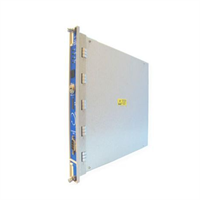
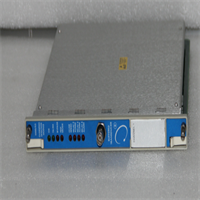
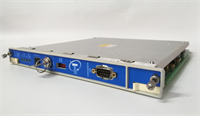
BENTLY 3500/93 is a system display module designed for the 3500 machinery protection platform. It provides real-time visualization of rack status, alarms, and events in compliance with API 670 standards.The display collects data via a high-speed internal network with an update rate of under one second. Field engineers must verify the exact part number suffix, as minor configuration differences between units like the 135785-01 and 135785-02C can cause severe compatibility issues.
Installation & Configuration Guide
Preparation (10 min)
- Review the 3500 rack configuration software settings.
- Determine the installation method (front-mount, 19-inch EIA rack, panel-mount, or standalone).
- Gather a #2 Phillips screwdriver and an anti-static wrist strap.
- Verify the available 24V DC power supply.
Removal (5–10 min)
- Attach the anti-static wrist strap to a grounded point.
- If front-mounted, use the dedicated hinge bracket to swing the display away safely.
- Disconnect the display interface module cable.
- Unfasten the mounting hardware and remove the old unit.
Installation (10 min)
- Inspect the display interface connector for bent pins.
- Align the new 3500/93 display and secure the mounting hardware.
- Reconnect the interface cable firmly.
- Ensure the display does not obstruct access to user interface buttons or buffer output connectors.
Power-On & Test (10 min)
- Restore power to the 3500 rack.
- Observe the “Display Unit OK” LED. A steady light indicates normal operation.
- Check the “Rack OK,” “Rack Alarm,” and “Rack Danger” LEDs for accurate status reflection.
- Navigate the menu to confirm alarm event lists and channel data are updating.
Troubleshooting Quick Reference
- Display is completely blank: Check the input power at the display interface module. Measure for 24V DC. If power is present but the screen remains dark, the backlight or internal power supply has failed.
- “Display Unit OK” LED is off: Indicates a loss of internal communication. Reseat the display interface module. If the issue persists, the display unit may require replacement.
- Blank or corrupted screen data: Verify the high-speed internal network connection. A loose cable between the display and the TDI module (3500/22M) will prevent data from reaching the screen.
- New Alarm LED stays lit continuously: The LED latches until manually acknowledged. Press the acknowledge button on the display or via the configuration software to clear it.
- Intermittent data loss: Check the transmission distance. Standard cabling is limited to 100 ft. If the display is mounted further away, verify that an external power supply is being used to support up to 4000 ft.
Dimensions, Mounting & Wiring Notes
- Mounting Options: Front-mount (hinge bracket), 19-inch EIA rack, panel cutout, or standalone flat-mount.
- Standard Cable Distance: Maximum 100 ft from the 3500 system.
- Extended Cable Distance: Up to 4000 ft when utilizing an external power supply.
- Terminal Notes: Handle the display interface cable with care. Avoid sharp bends to prevent damaging the high-speed data lines.
FAQ
Will the 135785-01C work as a direct replacement for my 135785-02C?
Not necessarily. Bently Nevada displays have strict part number matching requirements. Even minor interface or configuration differences between the -01 and -02 variants can cause communication failures. Always match the exact suffix.I installed the display but the Rack OK LED is flashing red. What gives?
A red Rack Alarm or Danger LED means at least one channel in the 3500 rack is in an active alarm or danger state. Check the alarm event list on the display to identify the specific monitor and channel causing the fault.Can I mount this display 200 feet away from the rack?
Yes, but you cannot rely on the rack’s internal power for that distance. Standard transmission is limited to 100 ft. For a 200 ft run, you must use an external power supply, which extends the maximum distance to 4000 ft.Is this display brand new or refurbished?
This is New Surplus. It is factory sealed but may have been in warehouse storage. We perform a full functional test, including LED verification and data update checks, before shipping to guarantee it meets operational specs.How do I configure the alarm setpoints on this display?
You cannot configure setpoints directly on the 3500/93 display. It is strictly a visualization tool. All channel configurations, setpoints, and logic must be programmed using the 3500 Rack Configuration Software on a connected PC.What is the power draw of this module?
The maximum input power for the display unit and its interface module combined is 15.5 watts. Ensure your rack power supply has at least a 20% capacity margin to handle this load safely.Does this display show real-time waveform data?
No. The 3500/93 shows current values, alarm states, and system events. It updates in under one second. For detailed waveform capture and advanced diagnostics, you need the 3500/22M TDI module and the System 1 software.