 Tel:
Tel:  Email:
  WhatsApp:
 Description
Key Technical Specifications
| Parameter | Specification |
|---|---|
| Manufacturer | ABB |
| Part Number | 3BSE013175R1 |
| Model | GRBTU |
| Series | S800 / AC 800M |
| Function | Processor Module Base |
| Input Voltage | 24VDC (Range: 5-24VDC) |
| Max Current | 5A |
| Dimensions | 120mm (L) x 80mm (W) x 45mm (H) |
| Weight | 150g |
| Mounting | 35mm DIN Rail (EN 60715) |
| Protection | IP20 |
| Operating Temp | -20°C to +60°C |
Product Introduction
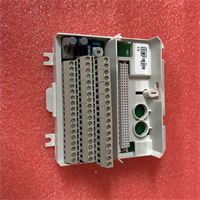
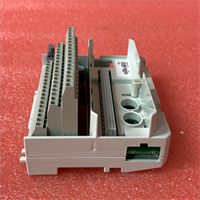
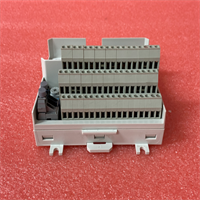
The ABB GRBTU (3BSE013175R1) is a processor module base unit designed for the ABB AC 800M series of programmable automation controllers. It serves as the physical and electrical interface between the processor module (CPU) and the S800 I/O system backplane.This unit provides the necessary power distribution and signal routing for the CPU to communicate with distributed I/O modules via the PROFINET or Profibus DP bus. It is mechanically engineered to secure the processor module onto a standard 35mm DIN rail, ensuring stable operation in industrial environments subject to vibration and electrical noise.
Installation & Configuration Guide
Preparation (10 min)
- Verify Components: Ensure you have the GRBTU base, the compatible CPU (e.g., PM861, PM864), and the 24VDC power supply.
- Safety: Disconnect the main power supply to the control cabinet.
- Mounting Surface: Ensure the DIN rail is securely fastened and grounded.
Removal (5–10 min)
- Power Down: Isolate the 24VDC power.
- Disconnect: Unplug the power supply wires from the base terminals.
- Unlock: Release the locking mechanism on the base unit.
- Slide Out: Carefully slide the base unit off the DIN rail.
Installation (10 min)
- Mount Base: Clip the GRBTU onto the 35mm DIN rail. Ensure it is firmly seated.
- CPU Installation: Align the processor module (PM86x) with the base connector. Press down firmly until the locking levers engage.
- Wiring: Connect the 24VDC power supply to the designated terminals. Verify polarity.
Power-On & Test (10 min)
- Power Up: Apply 24VDC power.
- LED Check: The “Power” LED on the base/CPU should illuminate.
- Bus Test: Verify the “Bus” or “Comm” LED status. A steady green light indicates successful communication with the I/O system.
Troubleshooting Quick Reference
| Symptom | Probable Cause | Action |
|---|---|---|
| No Power LED | Loose wiring or blown fuse | Check 24VDC input voltage at terminals. Verify polarity. |
| CPU Not Detected | Poor connection | Reseat the CPU module onto the GRBTU base. Ensure locking clips are tight. |
| Bus Fault LED | Termination error | Check Profibus/PROFINET termination settings and cabling. |
| System Intermittent | Vibration | Ensure the DIN rail is tight and the module is locked securely. |
Dimensions, Mounting & Wiring Notes
- Dimensions: 120mm x 80mm x 45mm.
- Mounting: Standard 35mm DIN rail (EN 60715).
- Wiring: The unit features a 50-pin connector interface for the CPU. Power is supplied via screw terminals (24VDC). The base supports a maximum current of 5A to power the CPU and auxiliary circuits.
FAQ
Which CPUs are compatible with the GRBTU 3BSE013175R1?
It is designed for the ABB AC 800M series processors, including the PM861, PM864, and similar models within the S800 system architecture.What is the difference between GRBTU and TU810?
The GRBTU is a base specifically for Processor Modules (CPUs). The TU810 is a termination unit (base) typically used for standard I/O modules (Digital/Analog). They are not interchangeable.Does this base support hot-swapping?
The base supports module replacement, but hot-swapping should only be performed if the specific CPU and system configuration explicitly support it in the hardware manual.What is the input voltage?
The unit operates on 24VDC.Is this a new or refurbished part?
This part is typically available as new surplus or refurbished/tested. Verify the condition with the specific supplier listing.