 Tel:
Tel:  Email:
  WhatsApp:
 Description
Key Technical Specifications
| Parameter | Specification |
|---|---|
| Manufacturer | ABB |
| Series | 1000 Series (S5) |
| Model | GFD212A |
| Type | Digital Output Module |
| Channels | 8 points (8 x 24VDC sink/source) |
| Power Supply | 24VDC (typically 20.4V–28.8V) |
| Current Rating | 0.5A per point (total 4A) |
| Output Type | Solid State (Transistor) |
| Mounting | DIN Rail (35mm) |
| Dimensions | 24 mm (H) x 90 mm (W) x 75 mm (D) |
| Operating Temperature | -5°C to 55°C |
Product Introduction
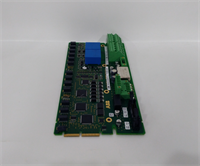
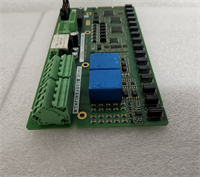
The ABB GFD212A is a legacy 8-channel digital output module designed for the ABB S5 series of programmable logic controllers (PLCs). It serves as a critical interface between the CPU and external machinery, converting logic signals into electrical outputs to control solenoids, relays, and indicator lights.This module features solid-state (transistor) outputs capable of switching 24VDC loads. The “sink/source” configuration allows flexibility in wiring, supporting both sinking (common positive) and sourcing (common negative) output circuits. It is physically distinct from the GFD211A, offering higher current capacity per point compared to the older transistor modules.
Installation & Configuration Guide
Preparation (10 min)
- Verify Compatibility: Confirm the CPU rack is S5-series and has available slots. The GFD212A requires a specific backplane connector.
- Safety: Turn off the main power supply to the control panel to prevent electrical shock or damage to the module.
- Environment: Ensure the operating temperature is between -5°C and 55°C to prevent overheating of the solid-state components.
Removal (5–10 min)
- Power Down: Switch off the 24VDC control power.
- Unplug: Carefully unplug the connector from the rear of the module. Take note of the wire colors and terminal positions for reinstallation.
- Slide Out: Press the locking tab and slide the module out of the DIN rail.
Installation (10 min)
- Align: Slide the GFD212A into an available slot on the S5 rack.
- Connect: Reconnect the wires to the corresponding terminals. Ensure the wiring matches the original configuration (sink/source).
- Secure: Press the module down until it clicks into place on the DIN rail.
Power-On & Test (10 min)
- Power Up: Restore 24VDC power to the rack.
- Monitor: Check the LED status indicators on the front panel. The “RUN” light should be steady green, and the “BUSY” light should flash.
- Test Outputs: Use a multimeter to check each output point for 24VDC when energized. Verify that the current rating (0.5A) is not exceeded by the connected load.
Troubleshooting Quick Reference
| Symptom | Probable Cause | Action |
|---|---|---|
| Module Not Recognized | Loose connector or wrong slot | Check the rear connector for damage. Ensure the module is fully seated in the rack. |
| All LEDs Off | Power supply failure | Verify 24VDC is present at the module’s power terminals. Check the internal fuse. |
| Output Fault | Overcurrent or short circuit | Disconnect the load and test the output voltage. If voltage is present but current is low, the transistor may be damaged. |
| Intermittent Operation | Loose terminal screws | Tighten all wire connections on the rear terminal block. |
Dimensions, Mounting & Wiring Notes
- Dimensions: The module is compact, measuring 24 mm in height, 90 mm in width, and 75 mm in depth.
- Mounting: It uses a standard 35mm DIN rail for mechanical attachment and connects to the S5 backplane for electrical power and data.
- Wiring: The module accepts 24VDC input and outputs 24VDC. The sink/source configuration requires specific wiring depending on the external load type (sinking for common positive, sourcing for common negative).
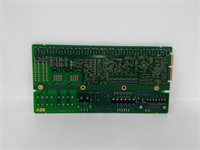
GFD212A ABB
FAQ
What is the difference between the GFD212A and GFD211A?
The GFD212A is an upgraded version of the GFD211A. The primary difference is the current rating; the 212A can supply 0.5A per point (compared to 0.3A on the 211A), allowing it to drive higher-power loads directly.Can I use this module in a modern PLC system?
No. The GFD212A is strictly for the ABB S5 series (1000/2000/3000). It uses a proprietary backplane connector and communication protocol that is not compatible with modern ABB systems like the 800xA or AC800M.What is the maximum load current?
Each of the 8 output points can handle up to 0.5A. The total load current for the entire module must not exceed 4A to prevent overheating of the solid-state transistors.How do I know if the module is faulty?
If the “RUN” LED is off and there is no communication, the module is likely not powered or seated correctly. If the “BUSY” LED is flashing abnormally or specific output LEDs do not light when commanded, the individual transistors may be damaged.Does this module support sinking and sourcing outputs?
Yes. The GFD212A is a “sink/source” module, meaning it can be wired to support both sinking (common positive) and sourcing (common negative) output configurations depending on your external circuit design.
ABB GFD212A Digital Output Module