 Tel:
Tel:  Email:
  WhatsApp:
 Description
Key Technical Specifications
| Parameter | Specification |
|---|---|
| Model Number | FENA-11 |
| Part Number | 3AUA0000093568 (Manual Ref) |
| Port Configuration | 1 x RJ45 Ethernet Port (X1) |
| Supported Protocols | PROFINET IO, EtherNet/IP, Modbus TCP |
| Data Transmission | 10/100 Mbps Auto-sensing |
| Connection Type | CAT 5 Cable (RJ45) |
| Configuration | DIP Switches & Parameter Settings |
| Compatibility | ACS355, ACSM1, ACS850, ACQ810, ACS880, ACS580 |
| Operating Temp | -20°C to +50°C |
| Mounting | Option Slot on Drive |
Product Introduction
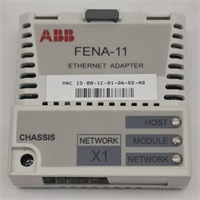
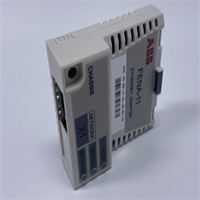
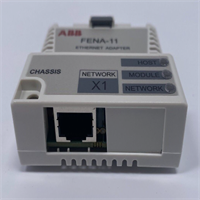
The ABB FENA-11 is a versatile Ethernet adapter module designed to integrate ABB variable frequency drives (VFDs) into modern industrial automation networks. It acts as a communication bridge, allowing drives to connect to Programmable Logic Controllers (PLCs) and Distributed Control Systems (DCS) via standard industrial Ethernet protocols.A key feature of the FENA-11 is its flexibility; it supports PROFINET IO, EtherNet/IP, and Modbus TCP simultaneously. The protocol can be selected via a parameter setting in the drive’s firmware, meaning you do not need to change hardware if you switch control systems. The module features a single RJ45 port for network connection and includes LED indicators for easy diagnostics of power, network status, and communication activity. It is widely used in manufacturing, process control, and energy management applications where reliable data exchange is critical.
Installation & Configuration Guide
Preparation (10 min)
- Safety: Ensure the drive power is OFF and locked out.
- Verify the FENA-11 module is compatible with your specific drive series (e.g., ACS880).
- Have a Torx TX10 screwdriver ready for the locking screw.
Removal (5–10 min)
- If replacing an old module, pull out the lock lever.
- Unscrew the grounding screw (0.8 N·m torque).
- Slide the module out of the option slot.
Installation (10 min)
- Insert the FENA-11 module carefully into the drive’s option slot.
- Push in the lock lever to secure it mechanically.
- Tighten the grounding screw to 0.8 N·m using a Torx TX10 driver.
- Warning: Do not over-tighten, as this can damage the module or reduce EMC performance.
- Connect the Ethernet cable (CAT 5) to the RJ45 connector [X1].
Power-On & Configuration (10 min)
- Restore power to the drive. The HOST LED on the module should turn green.
- Set the communication protocol via the drive parameters:
- 51.02 Protocol/Profile: Select
PNIO(PROFINET),EIP(EtherNet/IP), orModbus/TCP.
- 51.02 Protocol/Profile: Select
- Configure the IP address (Parameter group 51.04 – 51.08) if using Modbus TCP or static IP.
- Validate settings by refreshing parameters (Parameter 51.27 FBA par refresh).
Troubleshooting Quick Reference
| Symptom | Probable Cause | Corrective Action |
|---|---|---|
| HOST LED is Off | Module not seated or no power. | Check module connection; verify drive is powered. |
| NET LED is Off/Red | Ethernet cable disconnected. | Check RJ45 connection; verify switch port is active. |
| Communication Fault | Wrong protocol selected. | Verify parameter 51.02 matches the PLC network (e.g., PROFINET vs EtherNet/IP). |
| No Data Exchange | Incorrect GSD/EDS file. | Ensure the correct GSDML (PROFINET) or EDS (EtherNet/IP) file is installed in the PLC. |
| Module Not Recognized | Loose grounding screw. | Tighten the mounting screw to 0.8 N·m. |
Dimensions, Mounting & Wiring Notes
- Dimensions: Approx. 100mm x 50mm x 30mm.
- Mounting: Plugs directly into the “Option Slot” of compatible ABB drives.
- Wiring: Standard Ethernet CAT 5 cable with RJ45 connector.
- Note: The module has a DIP switch and rotary switch for setting the device ID (Node Address) for PROFINET/EtherNet/IP.
FENA-11 ABB
FAQ
What protocols does the FENA-11 support?
It supports three major industrial Ethernet protocols: PROFINET IO, EtherNet/IP, and Modbus TCP. You select the desired protocol via a drive parameter.Which ABB drives are compatible with the FENA-11?
It is compatible with a wide range of ABB drives, including the ACS355, ACSM1, ACS850, ACQ810, ACS880, and ACS580 series.What is the difference between FENA-11 and FENA-21?
The FENA-11 has a single Ethernet port, while the FENA-21 (or FENA-21-M) has two ports, allowing for daisy-chaining (line topology) without an external switch.How do I configure the IP address?
You can set the IP address via the drive’s parameter menu (Group 51) or, for some protocols, via the rotary switches on the module itself.Can I use this for Modbus TCP?
Yes, the FENA-11 acts as a Modbus TCP server, supporting standard read/write register functions.