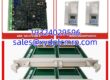
Key Technical Specifications
| Parameter | Detail |
|---|---|
| Part Number | 51304485-100 |
| Description | DI IOP — Digital Input I/O Processor Board |
| System Family | Honeywell TDC 3000 / TPS HPM I/O |
| Signal Type | Discrete / Digital Input |
| Typical Input Voltage | 24 V DC (verify with OEM datasheet) |
| Mounting | HPM I/O rack / card cage |
| Indication | LED status / channel indication |
| Environmental | Industrial indoor; verify exact range with OEM documentation |
| Compatibility | HPM I/O subsystem; requires correct FTA/cable assembly |
| Condition | Obsolete — new surplus, tested surplus, or refurbished |
Product Introduction
If you still run a TDC 3000 or TPS system, you already know the drill: the controllers keep humming, but the spare parts list gets thinner every year. The 51304485-100 is one of those cards nobody thinks about until an interlock input goes dark and the unit trips. It is a Digital Input IOP for the Honeywell HPM I/O subsystem, used to read field contact status into the process manager.Engineers keep this card in the cabinet because it does one job and does it predictably. It sits in the HPM I/O rack, talks to the associated FTA, and presents discrete inputs to the control strategy without extra protocol headaches. The real risk is not the card itself — it is grabbing the wrong revision, the wrong FTA, or a board with a bent backplane connector. Treat it like a legacy life-support part, not a commodity.

Quality SOP & Tech Pitfalls
The Lab Report (SOP)
- Visual and counterfeit check — nameplate, revision, solder joints, connector pins, corrosion, and burn marks.
- Backplane connector inspection — look for bent pins or cracked headers; this is a common failure point on old IOPs.
- Live test on an HPM I/O test rack — power applied, module recognized, LEDs behave normally.
- Channel verification — apply 24 V DC to sample input points and confirm the module reads correctly.
- Insulation and continuity checks — Fluke 115 or equivalent for basic electrical health.
- Firmware/revision logging — record all visible revisions before shipment.
- Anti-static bag, foam, and sealed box — no loose cards in cardboard.
The Engineer’s Warning (Pitfalls)Do not assume every “51304485-100” is identical. Revision differences, FTA mismatches, and cable assembly changes can make a new-old-stock card refuse to play nice. I have seen a plant swap a DI IOP during a turnaround, only to spend six hours chasing “bad field wiring” when the real problem was a mismatched FTA and a loose I/O link connector. Take photos first. Copy every label. Verify the FTA part number before you pull the old card.
Installation & Configuration Guide
1. Pre-Installation ⚠️
- Obtain a work permit and follow site LOTO procedures.
- Confirm the correct slot, FTA, and cable assembly.
- Photograph the existing card, rack slot, FTA wiring, and LED status.
- Verify the replacement part number reads 51304485-100 and matches the old revision if possible.
2. Removal
- Label all FTA terminals and cables.
- Remove rack covers and discharge static.
- Unseat the card evenly; do not rock it hard.
- Inspect the backplane connector for damage before installing the replacement.
3. Installation
- Match the FTA and cable assembly exactly. This prevents most startup failures.
- Insert the card firmly and evenly into the correct slot.
- Secure retaining hardware.
- Double-check that no wires were loosened on the FTA during removal.
4. Power-On & Testing
- Restore power per site procedure.
- Watch the LED boot sequence; confirm no fault LEDs remain lit.
- Force or verify each DI channel from the operator station.
- Confirm interlocks, permissives, and sequence logic respond correctly.
- Document the installed revision and slot number in the maintenance log.
Compatible Replacement Models
- ✅ 51304485-100 (same part, matching revision) — True drop-in if the revision, FTA, and cable assembly match. This is the safest path.
- ⚠️ 51304485-xxx (other 51304485 revisions) — May work in the same HPM I/O rack, but revision differences can affect input thresholds, diagnostics, or LED behavior. Verify with the Honeywell hardware manual before using.
- ❌ Experion PKS C-series or other non-HPM I/O — Not a direct replacement. Moving away from HPM I/O means new racks, FTAs, cabling, logic migration, and commissioning. Only consider this during a full system upgrade.
Frequently Asked Questions (FAQ)
Can I hot-swap this card?
Sometimes the HPM I/O rack allows online replacement, but I would not bet a unit trip on it. If the procedure allows it, do it with full awareness of interlocks, forced points, and operator notification. If the site rules say shut down, shut down.Will any 51304485 card work?
No. The suffix matters. A 51304485-100 is not automatically interchangeable with other 51304485 revisions or variants. Check the nameplate, FTA, and OEM documentation before installing.Does this work in Experion PKS?
Not directly. The 51304485-100 belongs to the TDC 3000/TPS HPM I/O world. Experion uses different I/O hardware. If you are migrating, plan a proper I/O replacement project.What causes these cards to fail?
Backplane connector damage, power transients, moisture, and old electrolytic components are typical culprits. Sometimes the card is fine and the FTA or cable is the problem.How do I know if it is genuine?
Check the nameplate, revision markings, PCB quality, connector condition, and LED behavior on a known-good rack. If the price looks too good and the seller cannot provide photos or test records, walk away.Do you offer a warranty?
Yes — 12 months from shipment on tested units. Legacy hardware is sold as-is for cosmetic condition, but electrical function is verified before dispatch.Should I keep spares?
If the system is still production-critical, yes. One card on the shelf beats a three-week procurement delay after a midnight trip.