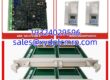
Key Technical Specifications
| Parameter | Specification |
|---|---|
| Processor | Intel 80486DX4, 96 MHz, 32-bit |
| Boolean Speed | 0.4 µs per Boolean instruction |
| User RAM | 512 KB battery-backed |
| Flash Memory | 256 KB non-volatile user flash |
| Memory Feature | BMA (Block Memory Allocation) supported |
| Serial Ports | 3 isolated: 1× RS-232, 2× RS-485 |
| Protocols | SNP, SNPX, Modbus RTU, Break-Free SNP Slave |
| Ethernet | Via CMM741/CMM742 expansion module |
| Max Discrete I/O | 2,048 points |
| Max Analog I/O | 8,192 points |
| Real-Time Clock | Battery-backed calendar clock |
| Mode Switch | 3-position: RUN / STOP / REMOTE |
| Power | 5 VDC ±5%, backplane-powered, 3.1 A |
| Operating Temp | 0°C to 60°C |
| LEDs | 7 status indicators (OK, RUN, EN, MEM PROTECT, BATT, COM1, COM2) |
Product Introduction
If you are still running a Series 90-70 in your plant, you are running something that was built to outlast its own documentation. The IC697CPX772 was GE Fanuc’s answer to “we need more than a CPU364 but cannot justify a full RX7i migration.” It stuffed a 96 MHz 486DX4, half a meg of battery-backed RAM, and three serial ports into a single VME slot. That was serious horsepower when it shipped.I have pulled these out of power generation cabinets and rolling mill stands. They hold up. The 0.4 µs Boolean scan is fast enough for most process loops, and the three serial ports mean you can talk Modbus RTU to a VFD while keeping SNP for the HMI without buying an extra comm card. The real vulnerability is the battery and the flash. A dead backup battery on a cold Monday morning will wipe your program if the flash copy was never made. That is not a CPU failure. That is a maintenance failure.

Quality SOP & Tech Pitfalls
The Lab Report (SOP)
- Visual inspection: verify GE Fanuc label, IC697CPX772 marking, slot connector pins, and battery compartment.
- Battery check: measure backup battery voltage; replace if below spec before any power cycle.
- Power-up test: install in a Series 90-70 rack, apply 5 VDC backplane power, verify LED boot sequence (OK, RUN, BATT).
- Memory test: confirm 512 KB RAM and 256 KB flash are recognized; verify BMA configuration.
- Serial port test: loopback test on RS-232 and RS-485 ports; confirm SNP/Modbus RTU response.
- Program load test: download a test logic block via LogicMaster 90 or Proficy Machine Edition and verify RUN mode.
- Electrical checks: measure backplane current draw with a Fluke 115; inspect connector pins for corrosion.
- Firmware logging: record firmware revision before shipment.
- Anti-static packing: seal in ESD bag with test summary and battery replacement note.
The Engineer’s Warning (Pitfalls)
- The backup battery is a silent killer. The CPX772 keeps RAM alive with that battery. If it dies and the flash copy is stale or missing, you lose the program. Always verify battery voltage before removing power from an old rack.
- Do not confuse this with the CPU780 or CPX782. The 780 is a 16 MHz 386 with far less memory. The CPX782 is a different performance tier. Swapping the wrong CPU into slot 1 will either fail to boot or run your logic at a crawl.
- Firmware mismatch can block program download. A replacement CPU with older firmware may reject a program compiled on a newer version of LogicMaster 90. Check the firmware revision before you pull the old card.
- Slot 1 is non-negotiable. This CPU must sit in slot 1 of the CPU rack. I have seen a technician plug it into slot 2 because “it fit.” The rack did not agree.
Installation & Configuration Guide
1. Pre-Installation
- ⚠️ Shut down the rack and lock out power.
- ⚠️ Photograph all module positions, wiring, and the front LED panel of the existing CPU.
- Record the firmware version, BMA memory split, SNP node address, and serial port settings.
- Verify the backup battery on the old CPU is still holding charge before removing it.
2. Removal
- Label the CPU slot and adjacent modules.
- Release the front retention screws or locking handles.
- Pull the CPU straight out — do not rock it. The VME connector pins are fragile.
- Keep the old CPU accessible for parameter reference.
3. Installation
- Insert the IC697CPX772 into slot 1 of the CPU rack. This is mandatory.
- Seat the module firmly into the backplane connector.
- Secure the retention mechanism.
- Verify the backup battery is installed and seated.
4. Power-On & Testing
- Apply rack power.
- Watch the LED sequence: OK should go solid, RUN should illuminate, BATT should be off.
- If BATT is lit, replace the battery immediately.
- Connect via RS-232 using LogicMaster 90 or Proficy Machine Edition.
- Verify the program downloads and the CPU enters RUN mode.
- Confirm all serial ports respond at the correct baud rate and node address.
- Monitor for at least one full production cycle before clearing the fault log.

Compatible Replacement Models
| Compatibility Tier | Model | Notes |
|---|---|---|
| ✅ Drop-in Replacement | IC697CPX772 (same revision) | Exact match. Verify firmware level and battery condition. |
| ⚠️ Software Compatible | IC697CPX782 | Higher-performance CPX CPU in the same 90-70 family. May require firmware alignment and program recompile. |
| ⚠️ Migration Path | GE PACSystems RX7i (IC697CPUxxx) | Full platform migration. Requires hardware redesign, I/O migration, and program conversion in Proficy Machine Edition. |
| ❌ Hardware Mod Required | IC697CPU780 / CPU788 | Different architecture and performance class. Not a direct swap for CPX772 applications without engineering review. |
Frequently Asked Questions (FAQ)
Q: Can I hot-swap the IC697CPX772?
A: No. This is not a hot-swappable module. Removing the CPU from slot 1 stops the entire rack. Plan a maintenance window.Q: What programming software does it use?
A: LogicMaster 90 (LM90) for legacy work, or Proficy Machine Edition (PME) for newer installations. PME is the current supported tool.Q: Why is the BATT LED on?
A: The backup battery is low or dead. Replace it immediately. If the battery has been dead for an extended period, the RAM program may already be lost — check the flash copy.Q: Can I use this in a redundant configuration?
A: The CPX772 itself is a single CPU. Series 90-70 supports hot-standby and GMR redundancy, but that requires specific redundant CPU hardware and Genius I/O architecture, not just two CPX772 cards.Q: Is this still available new from the manufacturer?
A: No. GE Fanuc automation is now under Emerson, and the 90-70 series is discontinued. Market supply is surplus or refurbished.Q: What is the most common failure mode?
A: Dead backup battery, corrupted flash copy, failed backplane connector pins, and firmware mismatch after a replacement. The 486DX4 processor itself rarely fails.Q: Can I upgrade to an RX7i without rewriting everything?
A: Proficy Machine Edition can import 90-70 logic, but it is not a one-click migration. Expect to recompile, retest I/O mapping, and validate every function block. Plan engineering hours accordingly.