Key Technical Specifications
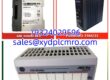
- Product Model: 3500/22M 138607-01
- Manufacturer: Bently Nevada
- Product Category: Transient Data Interface (TDI) Module
- System Compatibility: Bently Nevada 3500 Rack
- Data Capability: Steady-State & Transient Waveform Capture
- Network Interface: 10 Base-T / 100 Base-TX Ethernet
- Operating Temp: -30°C to +65°C
- Mounting Style: Full-Height Front Slot (TDI) + Rear I/O
- Storage Temp: -40°C to +85°C
- Humidity: 95% Non-Condensing

Product Introduction
The Bently Nevada 3500/22M 138607-01 is a Transient Data Interface (TDI) module for the 3500 Machinery Protection System. It enables the acquisition of both steady-state and transient waveform data for advanced vibration diagnostics.This module acts as the gateway between the 3500 backplane and external data management software. Field engineers rely on the 3500/22M to capture critical dynamic events, such as machine startups or trips, which are essential for root cause analysis and predictive maintenance.
Installation & Configuration Guide
Preparation (10 min):
Verify the 3500 rack slot assignment in System 1 software. Gather an Ethernet cable (10/100 Base-T) and ensure the network switch supports the required bandwidth.Removal (5–10 min):
Disconnect the Ethernet cable from the rear I/O module. Release the front TDI module lever and slide it straight out of the rack. Never force the connector.Installation (10 min):
Insert the 3500/22M into the designated front slot until the lever locks. Connect the Ethernet cable to the matching rear I/O module. Verify the link LED illuminates.Power-On & Test (10 min):
Check the TDI status LEDs for normal operation. Open System 1 software and verify the module is recognized. Trigger a test waveform capture to confirm data flow to the host system.
Troubleshooting Quick Reference
- Module Not Recognized: Verify the TDI is fully seated and the rear I/O module is correctly aligned.
- No Network Link: Check Ethernet cable continuity and switch port configuration.
- Data Capture Fails: Confirm the transient data enable disk is installed and configured in System 1.
- Erratic Waveforms: Inspect shield grounding on sensor cables. Ground loops corrupt high-speed data.
- Status LED Red: Check for internal TDI faults via System 1 diagnostics. May require module replacement.
Dimensions, Mounting & Wiring Notes
- Dimensions: Full-height front slot (TDI) + matching rear I/O
- Mounting: 3500 rack backplane connector with locking lever
- Wiring: 10/100 Base-T Ethernet to rear I/O module
- Caution: Always handle TDI modules with ESD protection. Static discharge can damage internal memory.
FAQ
What is the difference between 138607-01 and 288055-01?
Both are standard TDI modules, but they may have different internal revisions. Always match the exact part number on your existing board to avoid configuration conflicts.Can I use this with fiber optic Ethernet?
No. The 138607-01 is for 10/100 Base-T copper Ethernet. Fiber optic requires the 100 Base-FX I/O module variant.Do you test these before shipping?
Yes. Every TDI module undergoes a 24-hour live rack test. We verify network communication and data capture functionality. Function verified under test conditions.I lost my transient data enable disk. Can you provide one?
The enable disk is a separate software license. Contact us for availability. Without it, the TDI will only support limited steady-state data.Is there a warranty?
12 months. If the module fails under normal operating conditions, we replace it. No restocking fees for defective units.How do I know it is genuine Bently Nevada?
We verify origin through serial number tracking and physical inspection. Counterfeit TDI modules are a known risk. We only sell verified authentic Bently Nevada components.Can I hot-swap this module?
The 3500/22M supports hot-swap, but always consult your System 1 configuration and OEM procedures first. Data loss can occur during improper removal.