Key Technical Specifications
- Product Model: T9110
- Manufacturer: ICS Triplex (Rockwell Automation)
- Product Type: Safety Communication Interface / Processor
- Safety Rating: SIL 2 / SIL 3 (IEC 61508 / IEC 61511)
- Communication Protocols: Modbus TCP/IP, OPC UA (Optional)
- Network Ports: Dual-port Ethernet (10/100 Mbps, Hot Standby)
- Redundancy Switch Time: < 100 ms
- Power Supply: 24 VDC (±10%), Redundant Input Optional
- Power Consumption: Typical 8 W (Full Load)
- Operating Temperature: -40°C to +70°C
- Configuration Software: Trusted Toolset™ / AADvance Workbench
Product Introduction
The ICS TRIPLEX T9110 is a specialized communication interface and processor module designed for the Trusted® safety control system. It provides high-speed, fault-tolerant data exchange between safety controllers and external plant systems like DCS or HMI.Field deployments of the ICS TRIPLEX T9110 rely on its dual-port Ethernet architecture to maintain continuous network uptime. Its hot-standby redundancy switches in under 100 ms, ensuring that critical SIL 3 safety communications are never interrupted during a hardware or network fault.

Installation & Configuration Guide
Preparation: Verify the control cabinet power is 24 VDC ±10%. Put on an ESD wrist strap. Confirm you have the correct version of Trusted Toolset™ or AADvance Workbench (R1.2 or higher) installed on your engineering PC.Removal: If replacing a failed module, verify system redundancy is active. Loosen the two retaining screws securing the module to the RMIO board or chassis. Gently pull the module straight out to avoid bending backplane pins.Installation: Align the T9110 with the chassis guides and press firmly until fully seated. Secure the two retaining screws to prevent vibration-induced disconnection. Connect the dual Ethernet cables to the designated redundant ports.Power-On & Test: Apply 24 VDC power. Observe the front panel LEDs: verify RUN/FAULT and LINK/ACT indicators show normal status. Use Trusted Toolset™ to ping the module and confirm network parameters are correctly mapped.
Troubleshooting Quick Reference
- Communication Interrupted: Check physical Ethernet connections and verify network configuration in Trusted Toolset™. Ensure auto-switch time is < 100 ms.
- Module Fails to Start: Measure 24 VDC at the module terminals. Verify power supply redundancy is functioning and voltage is within ±10% tolerance.
- Firmware Mismatch Error: Ensure the T9110 hardware version matches the AADvance Workbench license version. Older licenses (pre-R1.2) are incompatible.
- Redundancy Failover Not Occurring: Check the Hot Standby configuration. Verify both primary and secondary network paths are physically connected and active.
- Backplane Communication Fault: Reseat the module. Inspect backplane pins for corrosion or bending. Replace if mechanical damage is found.
Dimensions, Mounting & Wiring Notes
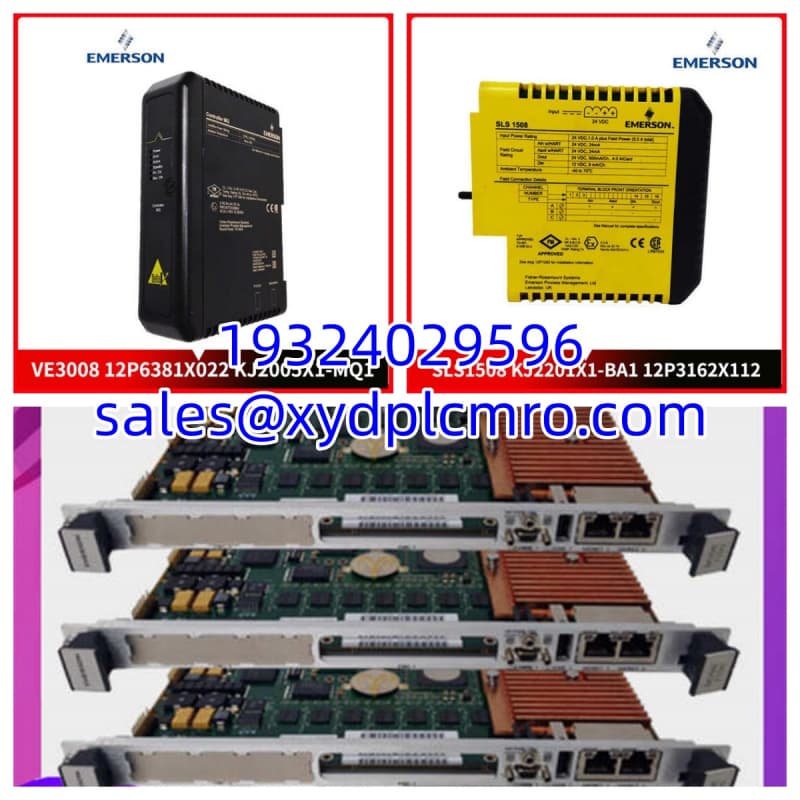
- Dimensions: 3.5 cm x 19.8 cm x 17.1 cm (Standard 19″ Rack / DIN Rail Mount)
- Mounting Method: Control room rack or Tricon chassis slot, secured with two screws
- Terminal Notes: Dual RJ-45 Ethernet ports for redundant communication; requires isolated 24 VDC power input
- Environmental Rating: IP20 (Must be installed inside a sealed control cabinet)
FAQ
- Can I use an older AADvance Workbench license with this T9110?
No. The T9110 requires AADvance Workbench license R1.2 or higher. Earlier license versions are strictly incompatible and will fail to communicate with the processor. - I need 3 units for a turbine protection upgrade. What’s the lead time?
Because this is discontinued Trusted® hardware, availability depends on our current surplus inventory. Contact our sales team with your exact quantity for a real-time stock check and volume pricing. - Wait, does this module support Profibus DP out of the box?
Not natively. The T9110 supports Modbus TCP/IP by default. Profibus DP requires an optional adapter module inserted into the RMIO board’s expansion slot. (I always double-check the RMIO manual before ordering, just to be safe.) - Are these modules brand new or refurbished?
We clearly state the condition on every listing. Current inventory consists of New Surplus (factory sealed) or Refurbished (functionally tested) units. Never assume condition without checking the specific product page. - What happens if one of the Ethernet ports fails?
The T9110 features Hot Standby dual-port Ethernet. If the primary port fails, the system automatically switches to the secondary port in under 100 ms, maintaining uninterrupted SIL 3 communication. - Do you offer bulk discounts for system integrators?
Absolutely. We provide tiered pricing for volume purchases. Reach out to our procurement desk with your required quantity, and we will generate a formal quote within 24 hours. - Is this module certified for hazardous areas?
Yes. The T9110 carries TÜV and Exida certifications for use in hazardous areas, meeting IEC 61508 and IEC 61511 standards for SIL 2/SIL 3 applications. Always verify the specific certificate matches your plant’s zoning requirements.