
 Tel:
 Email:
 WhatsApp:
Description
Key Technical Specifications
| Parameter | Specification |
|---|---|
| Part Number | 45C992 |
| Manufacturer | Reliance Electric |
| System Compatibility | Shark XL Series |
| Channel Count | 8 channels |
| Resolution | 8-bit |
| Input Signal Type | Analog Voltage (0-10 VDC) |
| Input Impedance | 100 kΩ |
| Conversion Time | 1 ms |
| Isolation | Not isolated (DC input not separated, no inter-channel isolation) |
| Operating Temp | 0°C to 55°C |
| Storage Temp | -20°C to +70°C |
| Humidity | 30% to 90% (non-condensing) |
| Certifications | UL Listed |
Product Introduction
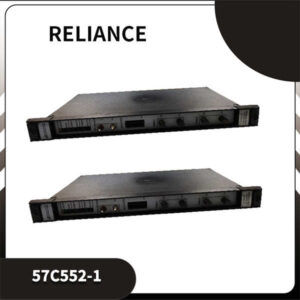
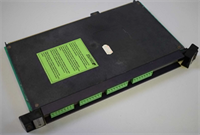
I’ve spent years troubleshooting legacy Shark XL racks, and the 45C992 is one of those workhorse analog input modules that keeps older systems alive. When this module fails, you lose visibility into critical analog process variables. The Reliance 45C992 packs 8 channels of 8-bit analog voltage acquisition into a single slot, handling the 0-10 VDC signals typical of legacy industrial environments.Engineers rely on this specific module because of its straightforward design and proven reliability within the Shark XL architecture. With a fast 1 ms conversion time, it keeps up with dynamic process changes. However, it is crucial to note that this module lacks input isolation. In noisy plant environments, ground loops can corrupt your readings if you aren’t meticulous about your grounding practices. I’ve seen these modules run for years in dusty facilities, but proper chassis cooling and clean power are non-negotiable for long-term survival.
Quality SOP & Tech Pitfalls
The Lab Report (SOP):
Before anything ships out of our facility, it goes through a strict gauntlet.
- Visual & Counterfeit Check: We inspect the PCB traces for micro-fractures, corrosion, and verify the silkscreen against known OEM standards.
- Bench Test: We power it up on a dedicated test rack, hooking up a Fluke process calibrator to inject precise 0-10 VDC signals across all 8 channels, verifying the 8-bit resolution and 1 ms conversion accuracy.
- Thermal & Environmental Check: We verify operation within the 0°C to 55°C operating range.
- Connector Integrity: We inspect the backplane connector pins for bending or oxidation.
- Anti-static Sealing: Bagged with desiccant and ESD warnings.
The Engineer’s Warning (Pitfalls):
️ The Isolation Trap: This is the most common mistake I see. The 45C992 does not provide channel-to-channel isolation. If you tie multiple analog sensors with different ground potentials into this module, you will create ground loops. This introduces noise, erratic readings, or worse, damages the module. Always use isolated transmitters or signal isolators on the field side if your grounding scheme isn’t perfect.Another classic mistake? Ignoring the legacy nature of the Shark XL series. These systems are obsolete. When a 45C992 fails, you often can’t just buy a new one off the shelf. You have to source from surplus stock. Always keep a spare on the shelf; don’t wait for the board to fail before you start looking for a replacement.
Installation & Configuration Guide
Phase 1: Pre-Installation
️ Safety First: Drop power to the specific Shark XL subrack. Wait for capacitors to discharge. Take a high-res photo of the old board’s wiring and terminal block connections.Phase 2: Removal
Label every single wire if they aren’t already ferruled correctly. Release the chassis retainers or DIN rail clips carefully. Pull the module straight out. Don’t pry against adjacent cards to avoid damaging the backplane.Phase 3: Installation
Verify Terminal Block Transfer: If you are reusing the old terminal block, ensure it is seated correctly on the new 45C992. If you are using a new terminal block, double-check your wiring against your photos. The pinout for 0-10 VDC signals must be exact. Seat the new module firmly until the retainers click.Phase 4: Power-On & Testing
Restore power. Watch the status LEDs on the Shark XL controller and the I/O module. You’re looking for a solid green “OK” or “PWR” light. Use your process calibrator at the terminal block to inject a known voltage (e.g., 5 VDC) and verify the reading on the controller workstation. Check the system diagnostics to ensure the module is recognized and no new fault tags are generated.
Compatible Replacement Models
- Drop-in Replacement: 45C992 (Same revision). Direct swap, zero configuration changes required.
- ️ Software Compatible: 45C992 (Higher hardware revisions). Often functionally identical, but check the Shark XL release notes. You might need a minor database update in the controller to recognize the new hardware revision. Expect a short engineering window for validation.
- Hardware Mod Required: Shark XL Analog Input Modules (Different Voltage Ranges). If you attempt to swap in a module designed for 4-20mA or a different voltage range, you will need to completely rewire the field devices and reconfigure the controller database. Do not attempt this unless you are doing a full I/O redesign.
Frequently Asked Questions (FAQ)
Q1: Can I hot-swap this safely?
Technically, the Shark XL architecture may support it, but practically? I strongly advise against it. Yanking power from live I/O cards in legacy systems can cause data glitches, backplane arcing, or controller faults. Only do it if dropping the subrack means shutting down a critical running process, and ensure you are properly grounded.Q2: What does it mean if the red fault LED is flashing?
Usually, it means an input channel is open, shorted, or out of the 0-10 VDC range. The module is flagging a hardware fault. Disconnect the field wires one by one to find the shorted or open device. If it flashes with no load connected, the board’s internal A/D converter or voltage regulator is likely failed. Replace it.Q3: Is this module redundant?
The 45C992 itself does not have internal redundancy. The Shark XL system relies on the controller for high availability. If you require redundant analog inputs, you must provision dual modules and dual wiring paths, managed at the controller level.Q4: Do I need to download any software to the new board?
No. The 45C992 is a dumb hardware acquisition module. It doesn’t hold control logic or firmware that needs updating. However, if you are replacing it due to a fault, you might need to clear latched fault tags in the Shark XL controller database once the new board is installed.Q5: Can I use a third-party 24VDC power supply instead?
You can, but I strongly advise against it. The Shark XL I/O boards are designed to communicate their health status back to the system via specific hardware lines on the backplane. A generic off-the-shelf power supply won’t give you those diagnostics, leaving you blind if a power fault occurs. Stick to OEM power supplies to maintain system integrity.