
 Tel:
 Email:
 WhatsApp:
Description
Key Technical Specifications
| Parameter | Specification |
|---|---|
| Module Type | TMR Digital Output |
| Output Channels | Grouped configuration |
| Power Groups | Independent distribution |
| Nominal Output Voltage | Standard Vdc ratings |
| Operating Voltage Range | Wide tolerance |
| Current per Channel | Continuous rating |
| Current per Power Group | Continuous rating |
| Response Time | Rapid Turn-On / Turn-Off |
| SOE Resolution | High-resolution timestamping |
| Isolation Voltage | Continuous and max withstand ratings |
| Short Circuit Protection | Electronic (latching) |
| Operating Temperature | Industrial range |
| Safety Certification | TÜV certified SIL |
Product Introduction
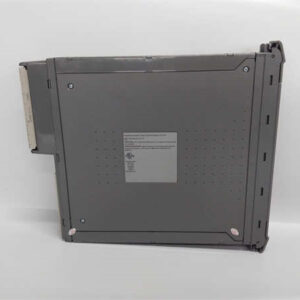
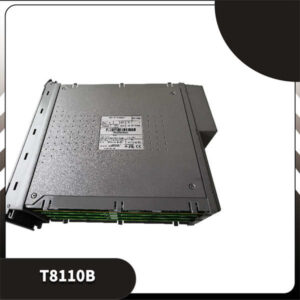
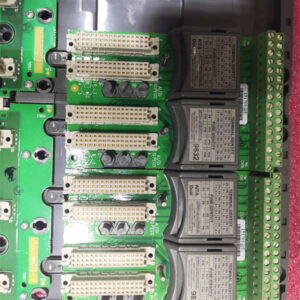
If you’ve spent any time maintaining safety instrumented systems in oil and gas or power generation, you already know the Trusted platform. The T8461C is the heavy lifter on the output side. It’s a digital output card built on that classic Triple Modular Redundant (TMR) architecture. Three independent circuits vote on every single output state, meaning a single component failure won’t drop your valve command or trip your ESD logic.What I appreciate most about this specific revision is the power grouping. Instead of feeding all channels from a single bus, it splits them into independent power groups. If you lose a fuse on one group, you only lose a fraction of the points, not the whole card. It handles everything from relays to motor starters without breaking a sweat, and the SOE timestamping is exactly what you need when you’re trying to reconstruct a sequence of events after a plant upset. It’s not a delicate piece of electronics; it’s built to drive inductive loads in harsh environments day in and day out.
Quality SOP & Tech Pitfalls
The Lab Report (SOP)
Before this card goes into a shipping box, it gets a rigorous bench test. I visually inspect the backplane connector for bent pins and check the terminal blocks for stress cracks. Then it goes onto the Trusted test rack. I verify the electronic ID matches the T8461C revision, check the isolation resistance across the power groups, and run a full channel-by-channel continuity and current draw test to ensure the electronic latching protection triggers correctly under simulated fault conditions. Finally, it’s bagged with desiccant.The Engineer’s Warning (Pitfalls)
- Power Group Overload: I once got a call from a tech complaining that a “new” T8461C was failing immediately. The issue? They had wired high-inrush solenoid valves across multiple channels within the same power group. The combined inrush current exceeded the limit for that group, causing the electronic protection to latch off. You have to distribute high-current loads across different power groups.
- Ignoring the SOE Clock: The SOE resolution is fantastic, but it relies on the system clock synchronization. If your Trusted network has timing issues or you haven’t properly configured the SOE polling in the control strategy, your timestamps will be garbage. Don’t blame the card when your sequence of events looks like a random number generator.
Installation & Configuration Guide
- Pre-Installation: Put the Trusted I/O chassis into a safe state. If your system is configured for hot-swapping (using a Companion or SmartSlot), force the specific module offline via the system software. ️ Photograph the existing field wiring and power group connections before disconnecting anything.
- Removal: Disconnect the field wiring from the terminal blocks. Release the module retaining levers and pull the card straight out of the backplane. Avoid wiggling it side-to-side to prevent pin damage.
- Installation: Verify the jumper settings and power group wiring match the original configuration exactly. Slide the new T8461C into the slot, ensuring it seats fully into the backplane connectors before locking the levers. Reconnect the field wiring.
- Power-On & Testing: Bring the module online via the system software. Watch the front-panel LEDs. You are looking for a solid “Active” or “Standby” status, with no fault indicators. Use the system diagnostic tools to verify the module ID, force a test output on a safe channel, and confirm the state change registers correctly in the SOE log.
Compatible Replacement Models
| Compatibility Tier | Model / Option | Notes |
|---|---|---|
| Drop-in Replacement | T8461C (Same Revision) | 100% hardware and firmware match. Automatically addresses via chassis slot. |
| ️ Software Compatible | T8461 (Base / Older Revision) | Hardware is functionally identical, but you may need to update the Trusted control strategy database to recognize the specific revision. |
| Hardware Mod Required | T8403 / T8310 / T8311 | These are Digital Input or Analog modules. They perform entirely different functions and cannot be swapped with a T8461C without a complete system redesign. |
Frequently Asked Questions (FAQ)
Can I hot-swap this safely?
Yes, but only if your Trusted system is configured to support it. You must use a dedicated Companion slot or a SmartSlot configuration. If you just yank the card out of a standard slot while the system is running, you will cause a TMR mismatch and potentially trip the safety system.What happens if I exceed the current limit on a power group?
The electronic short-circuit protection will trip and latch off that specific power group. You won’t lose the entire card, but you will lose the channels in that group until the fault is cleared and the module is reset.Is this card suitable for hazardous areas?
The module itself is not intrinsically safe. It is designed for the control room or safe area. If you are driving field devices in a hazardous area, you must use appropriate isolation barriers or galvanic isolators between the T8461C and the field.How do I know if my old card is actually dead?
Check the front-panel LEDs and the system diagnostic logs. A solid red fault LED or a “TMR Mismatch” error in the software usually indicates a hardware failure. However, always verify your field wiring first. A shorted field device can sometimes mimic a dead output channel.Do you provide a warranty?
Yes. We typically back these with a warranty. If it fails during normal operation within spec, we replace it. If you fry the output stages by wiring incorrect voltage into the channels, that’s on you.