

 Tel:
Tel:  Email:
  WhatsApp:
 Description
Key Technical Specifications
| Parameter | Detail |
|---|---|
| Manufacturer | National Instruments (NI) |
| Model | PXI-6052E |
| Series | E Series Multifunction DAQ |
| Form Factor | 3U PXI module |
| Analog Input Channels | 16 single-ended or 8 differential |
| AI Resolution | 16-bit ADC |
| AI Sampling Rate | Up to 1.25 MS/s (aggregate) |
| AI Input Ranges | ±10 V, ±5 V, ±1 V, ±0.5 V |
| Analog Output Channels | 2 |
| AO Resolution | 16-bit DAC |
| AO Update Rate | Up to 333 kS/s |
| Digital I/O | 8 TTL-compatible lines |
| Counter/Timer | 2 × 24-bit counters/timers |
| Triggering | Software, digital, analog, PXI trigger bus, RTSI bus |
| Driver Software | NI-DAQmx / Traditional NI-DAQ |
| Operating Temperature | 0°C to 55°C |
| Power | PXI backplane powered |
| Status | Discontinued / Legacy |
Product Introduction
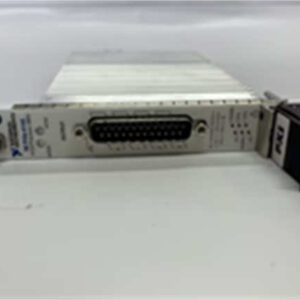
The NI PXI-6052E is a classic E Series multifunction DAQ module built for the PXI platform. It combines 16 analog inputs, 2 analog outputs, 8 digital I/O lines, and two 24-bit counters in one 3U PXI card, which makes it useful for mixed-signal test stations, sensor simulation, closed-loop validation, and legacy PXI chassis that still need reliable analog I/O.What keeps this module in service is its balance of channel count, 16-bit resolution, and PXI-native triggering. It can share triggers across PXI slots, synchronize with other PXI instruments, and run under NI-DAQmx or Traditional NI-DAQ. For sites that already have PXI-6052E-based test programs, replacing it with a different DAQ family is not just a hardware change — it usually requires revalidating timing, triggering, calibration, and channel mapping.
Quality SOP & Tech Pitfalls
The Lab Report (SOP)
- Visual inspection: verify NI branding, PXI-6052E label, serial number, and revision. Check for damaged PXI connectors, bent pins, or missing hardware.
- Chassis verification: install the module in a known-good 3U PXI chassis with adequate backplane power.
- Device recognition: confirm the module is detected in NI MAX and that the correct driver version is installed.
- Self-test: run the NI MAX self-test and check for calibration or hardware errors.
- AI functional check: apply a known DC voltage and verify measured values across at least two input ranges.
- AO functional check: output a known voltage from AO0/AO1 and verify with a calibrated meter.
- DIO and counter check: verify digital line direction, TTL levels, and basic counter operation if required.
- Calibration status: check the last calibration date; schedule recalibration if the module will be used for measurement-critical work.
The Engineer’s Warning (Pitfalls)
The biggest risk is assuming any “NI 16-channel PXI DAQ” is interchangeable. The PXI-6052E is an E Series device. Replacing it with an M Series PXI-625x or X Series PXI-63xx changes resolution, timing architecture, calibration method, and possibly terminal assignments. Existing LabVIEW VIs, channel names, trigger routes, and calibration routines may need modification.The second pitfall is sampling-rate interpretation. The 1.25 MS/s figure is an aggregate AI rate, not 1.25 MS/s per channel. If your application scans multiple channels at high speed, you must verify per-channel throughput, settling time, and multiplexer behavior.
Installation & Configuration Guide
1. Pre-Installation ⚠️
- Confirm whether the PXI-6052E is used for measurement-only tasks or for closed-loop control.
- Export or document existing NI MAX configuration, DAQmx task names, channel mappings, and trigger routes.
- Photograph PXI slot assignments, cable connections, and chassis power configuration.
- Verify driver compatibility: NI-DAQmx support for E Series devices varies by OS and driver version.
2. Removal
- Power down the PXI chassis unless the site procedure explicitly allows hot-swap.
- Label all front-panel and rear cabling.
- Release the module ejector handles and withdraw the card straight out.
3. Installation
- Install the replacement PXI-6052E in the same PXI slot.
- Ensure the PXI chassis has sufficient cooling and power for all installed modules.
- Reconnect analog, digital, and trigger cabling according to the documented pinout.
4. Power-On & Testing
- Power up the PXI chassis.
- Confirm the module appears in NI MAX without errors.
- Run self-test and verify AI, AO, DIO, and counter functionality.
- Restore DAQmx tasks or application software configuration.
- Validate timing, triggering, and measurement accuracy before returning the system to production.

Compatible Replacement Models
- ✅ NI PXI-6052E (same model): Direct replacement if the PXI slot, driver version, and channel mapping match. Preferred option for legacy systems.
- ⚠️ NI PXI-6251 / PXI-6254 (M Series): Functional successor family with improved resolution and timing, but not a drop-in replacement. Expect engineering effort to update DAQmx tasks, terminal assignments, and calibration.
- ⚠️ NI PXI-63xx (X Series): Higher-performance replacement with different timing, triggering, and calibration architecture. Requires application revalidation.
- ❌ NI PXI-6070E, PXI-6071E, PXI-6110E: Different E Series variants with different analog performance, channel counts, or simultaneous-sampling behavior. Do not substitute without reviewing signal-chain requirements.
Frequently Asked Questions (FAQ)
Is the PXI-6052E still available from NI?
No. The PXI-6052E is a discontinued E Series product. Units are typically available through surplus, verified used, or remaining distributor stock.Is it 12-bit or 16-bit?
The PXI-6052E is a 16-bit multifunction DAQ device. Some older or third-party descriptions list 12-bit, but NI generation documentation classifies the 6052E as a 16-bit E Series device.Can I use it with NI-DAQmx?
Yes. The PXI-6052E is supported by NI-DAQmx and Traditional NI-DAQ, but driver and OS compatibility should be checked against the current NI DAQmx supported hardware list.Can I replace it with an M Series or X Series card?
Only with revalidation. M Series and X Series devices offer better resolution and timing, but they are not direct drop-in replacements for existing PXI-6052E applications.What chassis does it require?
It requires a standard 3U PXI chassis. Verify backplane power, slot compatibility, and cooling before installation.Should I recalibrate a used unit?
Yes. If the module will be used for measurement or test validation, schedule calibration through an accredited provider or verify it against a traceable reference standard.