 Tel:
Tel:  Email:
  WhatsApp:
 Description
Key Technical Specifications
| Parameter | Specification |
|---|---|
| Manufacturer | ABB |
| Product Series | Control Systems / Excitation |
| Model Number | IBA 940143201 |
| Signal Conversion | Analog to Digital (ADC) |
| Input Types | Voltage, Current, Thermocouple, RTD |
| Protection | Overload & Short Circuit Protection |
| Application | Industrial Automation, Power Generation |
| Product Weight | Approx. 0.001 kg (Unit Weight) |
Product Introduction
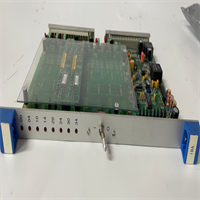
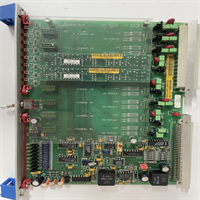
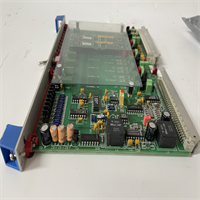
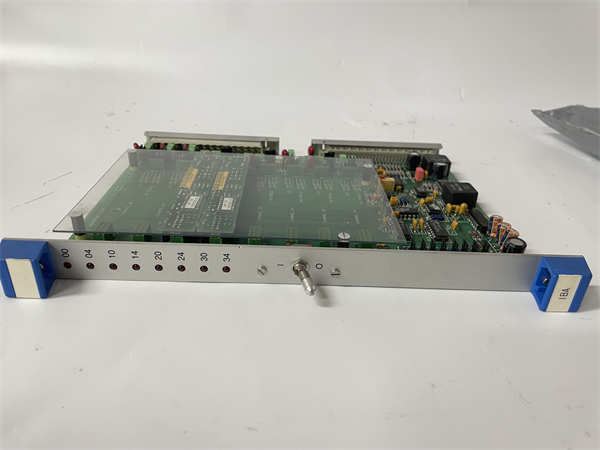
The IBA 940143201 is a high-precision analog input board manufactured by ABB. It serves as a critical interface in industrial automation and control systems, specifically designed to receive analog signals from field sensors and convert them into digital data that the central processor (PLC or DCS) can understand and process.This board is engineered for reliability and accuracy, featuring high-performance Analog-to-Digital Converters (ADC) and built-in filtering to minimize electrical noise and interference. It is frequently utilized in complex applications such as excitation systems, power generation, and process control, where precise monitoring of parameters like temperature, pressure, and flow is essential for system stability.
Installation & Configuration Guide
Phase 1: Preparation (10 min)
- Safety First: Disconnect all power to the control cabinet. Follow Lockout/Tagout (LOTO) procedures to prevent accidental startup.
- Verify Compatibility: Confirm that the IBA 940143201 is compatible with your specific ABB controller chassis (e.g., AC 800M or Excitation Controller).
- Gather Tools: You will need a precision screwdriver and a multimeter for signal verification.
Phase 2: Removal (5–10 min)
- Mark Wires: Label all analog signal wires connected to the board terminals.
- Disconnect Cables: Unplug the field wiring harness or terminal block from the board.
- Unlock Module: Release the locking mechanism or remove the mounting screws securing the board to the rack.
- Extract: Gently pull the board out of the slot, ensuring you do not damage the backplane connectors.
Phase 3: Installation (10 min)
- Mounting: Align the IBA 940143201 with the guide rails in the chassis slot.
- Insert: Push the board firmly into the backplane connector until it seats completely.
- Secure: Fasten the locking mechanism or mounting screws to ensure a stable connection.
- Reconnect Wiring: Connect the analog field wires to the correct terminals (checking polarity for current/voltage inputs).
Phase 4: Power-On & Test (10 min)
- Visual Inspection: Ensure no tools or debris are left inside the cabinet.
- Power Up: Restore power to the control system.
- LED Check: Observe the status LEDs. A steady green light usually indicates healthy communication and power.
- Signal Verification: Monitor the digital values in the control software to ensure they match the physical input from the sensors.
Troubleshooting Quick Reference
| Symptom | Probable Cause | Corrective Action |
|---|---|---|
| Channel Fault LED | Wiring Error or Open Circuit | Check field wiring continuity and ensure terminals are tight. |
| Inaccurate Readings | Electrical Noise / Grounding | Verify shield grounding and check filter settings in configuration. |
| No Communication | Improper Seating | Power down, remove the board, inspect pins, and reseat firmly. |
| Overload Error | Input Signal Exceeds Range | Verify sensor output is within the board’s specified input range. |
| System Instability | Configuration Mismatch | Ensure the software configuration matches the hardware input type (e.g., RTD vs. Voltage). |
Dimensions, Mounting & Wiring Notes
- Dimensions: Specific dimensions are not listed in the available documentation, but it is a standard modular board format designed for ABB racks.
- Mounting: Designed for direct insertion into ABB controller racks (DIN rail or panel mount chassis).
- Wiring: Supports multiple input types including voltage, current, thermocouples, and RTDs. It is crucial to configure the input type in the software to match the physical wiring.
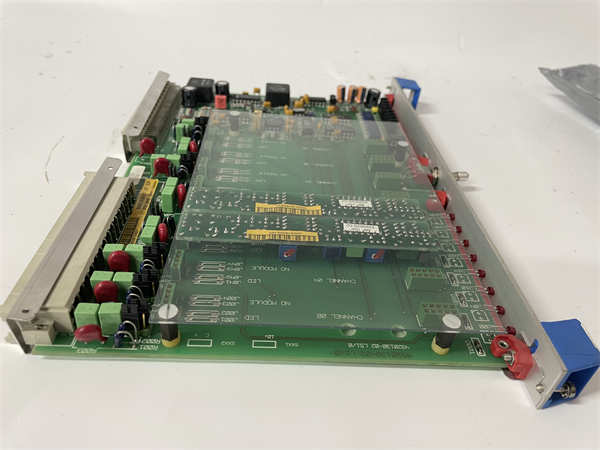
IBA 940143201 ABB
FAQ
What is the primary function of the IBA 940143201?
The primary function is to act as an analog input interface. It takes continuous analog signals (like 4-20mA or 0-10V) from sensors and converts them into digital binary data that the ABB processor can use for logic and control.Is this board compatible with other ABB systems?
Yes, it is designed to integrate seamlessly with ABB control systems, including PLCs and DCS environments. It is also specifically noted for use in ABB excitation systems for generators.What types of sensors can this board connect to?
It is versatile and supports various sensor types, including voltage sources, current loops, thermocouples (for temperature), and RTDs (Resistance Temperature Detectors).Does this board have diagnostic features?
Yes, the module typically includes diagnostic capabilities, such as status LEDs and internal logging, to help identify wiring faults or hardware issues quickly.Is this item new or refurbished?
This part is typically available as “New Surplus” (unused original stock) or “Refurbished/Reconditioned” (tested and verified to work). Check the specific listing for the condition.
ABB IBA 940143201 Analog Input Board