 Tel:
Tel:  Email:
  WhatsApp:
 Description
Key Technical Specifications
| Parameter | Specification |
|---|---|
| Model Number | GCC-PFB401 |
| Manufacturer | Honeywell |
| Product Type | Fieldbus Interface Module |
| System Series | C300 Control System |
| Supported Protocols | Profibus, DeviceNet, Modbus |
| Analog I/O | Supports 4-20mA HART Input/Output |
| Digital I/O | Supports 24VDC Digital Input/Output |
| Data Transmission | High-speed, real-time |
| Design | Compact, ruggedized for industrial environments |
| Diagnostics | Advanced remote diagnostics |
Product Introduction
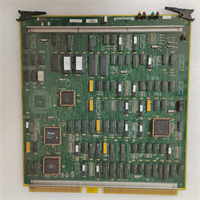
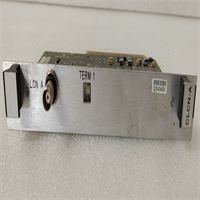
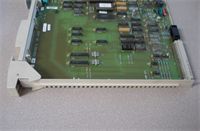
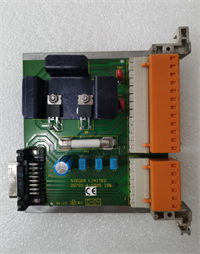
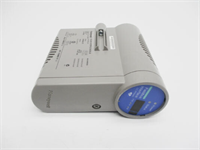
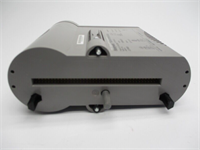
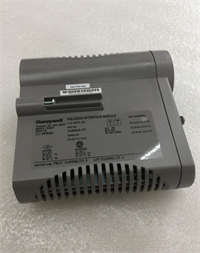
The Honeywell GCC-PFB401 is a fieldbus interface module designed for the C300 control system. It acts as a communication bridge, enabling seamless data exchange between the central controller and various field devices like sensors and actuators. This module is essential for integrating diverse equipment into a unified automation network.It supports multiple industrial protocols, including Profibus, DeviceNet, and Modbus, providing flexibility in system design. The module handles both analog signals (4-20mA with HART) and digital I/O, consolidating communication tasks. Its design ensures reliable, high-speed data transfer and includes advanced diagnostic features for simplified troubleshooting and system monitoring.
Installation & Configuration Guide
Preparation (10 min)
- Verify system power is OFF and locked out.
- Confirm the GCC-PFB401 is the correct module for your fieldbus protocol (e.g., Profibus).
- Gather necessary tools and field wiring.
Removal (5-10 min)
- Disconnect all field wiring from the terminal blocks.
- Unlatch and carefully slide the module out of its rack slot.
Installation (10 min)
- Align the GCC-PFB401 with the empty slot in the C300 controller rack.
- Slide the module in firmly until it clicks and is fully seated.
- Reconnect the field wiring to the appropriate terminals for your devices.
Power-On & Test (10 min)
- Restore power to the control system rack.
- Observe the module’s status LEDs for normal operation (typically a steady green).
- Use the control system software to perform a communication handshake and verify data is being received from field devices.
Troubleshooting Quick Reference
| Symptom | Probable Cause | Corrective Action |
|---|---|---|
| Module Status LED is Red | Communication fault or configuration error. | Check fieldbus wiring and verify protocol settings in the controller. |
| No Data from Field Devices | Incorrect protocol selection or wiring. | Confirm the module is configured for the correct protocol (e.g., DeviceNet). |
| Intermittent Communication | Loose connections or EMI. | Tighten all terminal screws and ensure proper cable shielding and grounding. |
| HART Device Not Recognized | HART communication not enabled. | Verify the analog channel is configured to support HART in the software. |
Dimensions, Mounting & Wiring Notes
- Dimensions: Designed to fit standard Honeywell C300 controller rack slots.
- Mounting: Slides into and locks within the controller chassis.
- Wiring: Connect field devices (sensors, actuators) to the screw terminals. Ensure wiring matches the selected protocol.
- Note: Always consult the official Honeywell C300 hardware manual for detailed wiring diagrams and slot restrictions.
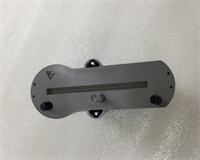
GCC-PFB401 HONEYWELL
FAQ
What fieldbus protocols does the GCC-PFB401 support?
It supports several major protocols, including Profibus, DeviceNet, and Modbus, making it versatile for different network architectures.Is this module compatible with HART devices?
Yes, it supports HART communication on its analog I/O channels, allowing for device configuration and diagnostics.Can I use this in a Honeywell C300 system?
Yes, the GCC-PFB401 is specifically designed as a component for the Honeywell C300 control system.What is the main function of this module?
Its primary function is to serve as an interface, translating communication between the C300 controller and various fieldbus devices on the plant floor.How do I perform diagnostics on this module?
The module features advanced diagnostics that can be accessed and monitored remotely through the Honeywell control system software.