 Tel:
Tel:  Email:
  WhatsApp:
 Description
⚙️ Key Technical Specifications
| Parameter | Specification |
|---|---|
| Part Number | F8627X (Commonly associated with 984862765) |
| Bus Interface | PCI / Local Bus (Internal to HIMA Rack) |
| Network Ports | 2 x RJ45 (10/100 Base-TX) – often labeled X1/X2 |
| Data Rate | 10 Mbps / 100 Mbps (Auto-negotiation) |
| Protocols | Modbus TCP Client/Server, OPC Server, ELOP II |
| Safety Integrity | SIL 3 Capable (Hardware fault tolerance included) |
| Operating Temp | -20°C to +60°C (Standard Industrial) |
| Power Consumption | ~6 Watts (Typical) |
| Mounting | Plugs directly into CPU carrier or specific Comm slot |
| Certifications | CE, UL, CSA, Ex (Zone 2/Class I Div 2 approved systems) |
📝 Product Introduction
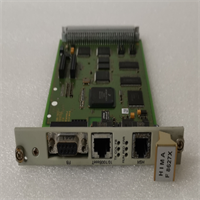
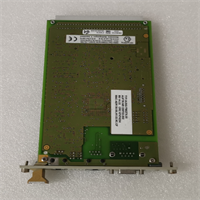
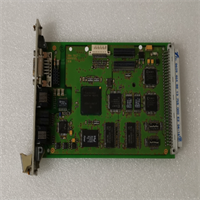
If you are running a Safety Instrumented System (SIS)—like a Triconex or a HIMA system—you know that standard networking cards don’t cut it. You can’t just slap a generic Intel NIC into a safety controller and expect it to pass a hazard analysis. The HIMA F8627X (and its predecessor F8627) is a safety-rated communication module. It doesn’t just move data; it actively monitors itself for faults to ensure that a communication failure doesn’t mask a dangerous process condition.I’ve worked with these in oil & gas applications where the “black box” needs to talk to a Modbus TCP host or a DCS operator station. The beauty of the F8627X is that it supports SafeEthernet. It wraps your standard TCP/IP traffic in a safety protocol that checks for sequence errors, latency, and corruption. If the network gets clogged or a switch dies, this card flags a “safe” state rather than freezing up. It’s robust, handles high electrical noise environments well, and is essential for getting data out of your emergency shutdown (ESD) system without compromising the safety loop.
🛡️ Quality SOP & Tech Pitfalls (The Reality Check)
The Lab Report (SOP)
We treat safety modules differently than standard PLC parts. Here is our validation process:
- Visual Inspection: We check the PCB for “conformal coating” integrity. In corrosive environments (offshore/sour gas), pinholes in the coating lead to trace corrosion.
- Port Continuity: We test both Ethernet ports (X1 and X2). Often, one port is used for the primary network and the second for redundancy or a separate maintenance VLAN. Both must function.
- Handshake Test: We install the card into a test chassis (F60 or F30 series CPU). We verify the CPU recognizes the module during the boot-up self-test (Startup Test).
- Loopback/Ping: We assign a static IP and ping the module. We verify low latency (<1ms on LAN).
- Firmware Check: We verify the internal firmware version matches the HIMA project specification. Mismatches here cause “Module Mismatch” faults.
The Engineer’s Warning (Pitfalls)
⚠️ Field Disaster Story:
I was called to a petrochemical plant where the F8627X was flashing red “Fault” LEDs constantly. The client had replaced the card twice, but the error persisted. They were pulling their hair out.The Fix: It wasn’t the card. It was the IP Address configuration. Someone had hard-coded an IP address in the HIMA engineering software (ELOP II) that conflicted with another device on the plant network. The F8627X detected the collision as a “communication fault” and tripped the safety alarm. Always check your IP table and subnet masks before condemning the hardware. Also, ensure you are using shielded Cat5e/6 cable; unshielded cable in a VFD-heavy room will cause packet loss that this card interprets as a failure.
🔧 Installation & Configuration Guide
Time estimate: 20 minutes (Swap).
- Pre-Installation Safety
- ⚠️ CRITICAL: This is a Safety System component. Ensure the logic solver is in “Force” mode or the process is in a safe state before removing comms cards. Removing this card will sever the link to the Operator Station (blind operation).
- Document the DIP switch settings (if applicable to specific revision) or note the Slot ID.
- Removal
- Disconnect the Ethernet cables. Label them (Port A vs Port B). Mixing these up on redundant networks can cause loops.
- Unscrew the faceplate retention screws.
- Use the ejector levers (if present) or pull gently by the faceplate edge to disengage the connector from the backplane.
- Installation
- Configuration: Verify any jumpers or rotary switches on the new unit match the old unit exactly.
- Align the module with the slot. Push firmly until the rear connector seats.
- Tighten the retention screws. Reconnect Ethernet cables. Ensure the “click” of the RJ45 latch is heard.
- Power-On & Testing
- Observe the LED sequence.
- Green: Run/OK.
- Yellow/Flashing: Data traffic (good sign).
- Red: Fault (Check IP config or backplane connection).
- Log into the Engineering Workstation. Verify the module status is “Available” and “Primary” (or “Standby” if redundant).
- Perform a “Ping” test from the HMI to the module IP.
- Observe the LED sequence.
F8627 HIMA
🔄 Compatible Replacement Models
| Model | Compatibility Tier | Notes |
|---|---|---|
| F8627X | ✅ Drop-in Replacement | The modern standard. Improved processing speed over the older F8627. |
| F8627 | ⚠️ Software Compatible | Older revision. May require firmware downgrade or specific project compatibility check. |
| F8628 / F8628X | ❌ Hardware Mod Required | Different form factor/function (often Fiber or different bus width). Not a direct swap. |
❓ Frequently Asked Questions (FAQ)
What is the difference between F8627 and F8627X?
The “X” series generally denotes an upgraded processor and memory architecture within the HIMA ecosystem. While they look similar, the F8627X handles higher data throughput and newer versions of the SafeEthernet protocol. You should always try to replace an F8627 with an F8627X, but you may need to update the system firmware (FUP/Firmware download) to recognize it.Can I use a standard Ethernet cable?
Yes, standard Cat5e or Cat6 patch cables work fine for the RJ45 ports. However, in industrial panels, I highly recommend using shielded (STP) cables with metal connectors to prevent electromagnetic interference (EMI) from corrupting the safety data packets.Why is the “Fault” LED blinking?
On HIMA cards, a blinking fault light often indicates a configuration mismatch. The card might be physically healthy, but the project database loaded in the CPU doesn’t match the hardware plugged in (e.g., expecting an F8627 but finding an F8627X, or vice versa). Check the diagnostic buffer in the engineering software.Does this module support Fiber Optics?
The standard F8627X usually comes with copper RJ45 ports. If you need fiber optic connectivity (for long distances or extreme isolation), you typically need a different variant (like the F8621A or specific media converter modules), although some specialized F8627 revisions exist with SFP cages. Check the physical ports on your unit before ordering.Is this module hot-swappable?
Technically, yes, the hardware supports hot-swapping. However, because this is a Safety System (SIS), you must follow your site’s Management of Change (MOC) procedure. Swapping it might trigger a “Communication Loss” alarm on the DCS, which could spook operators. Coordinate with the control room before pulling it.