Tel:
Tel:  Email:
  WhatsApp:
 Description
Key Technical Specifications
| Parameter | Specification |
|---|---|
| Manufacturer | GE Fanuc Automation |
| Part Number | HE693SNP306AX |
| Protocol | SNP (Serial Network Protocol), Modbus RTU (Slave) |
| Interface Type | RS-485 / RS-422 (2-wire or 4-wire) |
| Baud Rate | 1200 to 115.2 kbps (software selectable) |
| Network Capacity | Up to 32 nodes (without repeater) |
| Backplane Load | Low (Coprocessor architecture) |
| Isolation | 1500V isolation between ports and logic |
| Status Indicators | TX, RX, Fault LEDs |
| Connector | Removable terminal block or DB9 (depends on specific sub-rev) |
Product Introduction
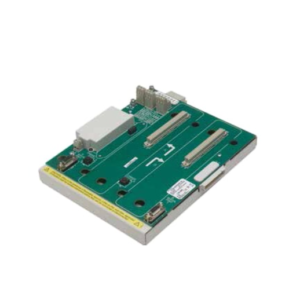
Let’s be honest: modern Ethernet/IP networks are great until you have to connect a vintage bar code scanner or an old weigh-scale that only speaks Serial. That is where this module earns its keep. The HE693SNP306AX isn’t a fancy high-speed motion controller; it is a workhorse designed to translate the chaotic world of serial data into something your Series 90-30 or VersaMax PLC can actually understand without choking the main processor.I’ve deployed these in packaging plants where they sit in the back of a panel for ten years managing communication with legacy printers. The key selling point here is the coprocessor architecture. Unlike cheaper modules that force the main CPU to handle every bit of serial chatter, this card processes the SNP protocol independently. It handles the handshaking and error checking so your main CPU doesn’t get bogged down. It supports baud rates up to 115.2 kbps, which is plenty fast for most HMI or barcode applications. Just make sure your grounding is solid—serial comms are notoriously sensitive to noise in heavy industrial environments.

Quality SOP & Tech Pitfalls (The Reality Check)
The Lab Report (SOP)
Before we ship a unit, we run it through a strict validation cycle to ensure it won’t brick your system:
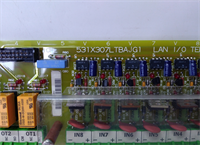
- Visual Inspection: We check the PCB for “green rot” (corrosion) around the connector pins—a common issue if the cabinet had humidity leaks.
- Live Backplane Test: We mount the module into a test rack with a functioning CPU. We verify that the module powers up without throwing a “Bus Error.”
- Loopback Test: We connect the TX and RX lines together and send a dummy string. If the module receives exactly what it sent, the UART chip is healthy.
- LED Verification: We confirm the “TX” and “RX” LEDs blink during the loopback test. Dead LEDs usually mean fried optocouplers.
- Packaging: Once verified, it goes into a static-shield bag with anti-static foam.
The Engineer’s Warning (Pitfalls)
⚠️ The “Ghost” Communication Error:
I once spent four hours troubleshooting a “Comm Fail” fault on a conveyor system, only to realize the technician hadn’t terminated the RS-485 line. This module requires proper termination resistors (usually 120 ohms) at the last device on the daisy chain. Without them, signal reflection will cause intermittent dropouts that drive you crazy. Also, check your DIP switches (if equipped on your specific revision) for the termination setting. Don’t assume it’s set correctly out of the box.
Installation & Configuration Guide
Here is how you swap this module without tripping a fault or frying the port.
- Pre-Installation Safety
- ⚠️ Power Down: Turn off the 24V DC supply to the PLC rack. While some claim hot-swap capability, I prefer not to risk arcing the backplane connector.
- Document Settings: Take a photo of the DIP switch settings on the old module. This is critical.
- Removal
- Disconnect the serial cable carefully. Do not pull by the wires; use the locking screws.
- Release the module from the DIN rail or baseplate clips.
- Pull the module straight out to disengage the backplane pins.
- Installation
- Copy Configuration: Set the DIP switches on the new HE693SNP306AX to match the old one exactly (Node ID, Baud Rate).
- Seat the module onto the backplane connector firmly. You should feel a solid click or resistance.
- Reconnect the RS-485 wiring. Ensure Shield is grounded at one end only (usually the PLC side) to avoid ground loops.
- Power-Up & Logic
- Restore power. Watch the LEDs.
- If the “Fault” LED flashes, check your Proficy Machine Edition logic configuration. The hardware address in the software must match the physical switch settings.

Compatible Replacement Models
| Compatibility | Model Number | Notes |
|---|---|---|
| ✅ Drop-in | HE693SNP306AX | Exact match. Safest bet for zero-downtime replacement. |
| ⚠️ Software Match | HE693SNP306BX | Hardware is identical, but may require a firmware update via the programming port to sync with the CPU. |
| ❌ Different Protocol | HE693ADM300 | Looks similar, but this is an ASCII module. It will not speak SNP natively without heavy custom coding. |
Frequently Asked Questions (FAQ)
Q: Can I use this to talk to a Modbus slave device?
A: Yes, but with caveats. The HE693SNP306AX is primarily designed for SNP (GE’s protocol). However, many GE serial modules can be configured in “Modbus Slave” mode via the hardware configuration menu in Proficy Machine Edition. Check your firmware manual for the specific feature set of the -AX revision.Q: Does this support 4-wire RS-422?
A: Generally, yes. The port is often configurable for 2-wire (RS-485) or 4-wire (RS-422/485) operation. You just need to wire the Tx+/Tx- and Rx+/Rx- pairs correctly in the terminal block.Q: My “Ready” light is blinking slowly. What does that mean?
A: A slow blink usually indicates the module is in “Boot Mode” or has failed its internal self-test. It could also mean the backplane connection is dirty. Reseat the module. If it persists, the memory chip might be corrupt.Q: Is the AX suffix different from the BX?
A: Usually, the letter suffix denotes a hardware revision. The ‘A’ revision is the older version. They are mechanically interchangeable, but you should verify that your PLC firmware version supports the older hardware if you are mixing generations.Q: How long is the max cable run?
A: For RS-485 at 9600 baud, you can theoretically go 4000 feet (1200 meters). But realistically? If you are in a noisy factory with VFDs running everywhere, try to keep it under 1000 feet or use a repeater to be safe.