 Tel:
Tel:  Email:
  WhatsApp:
 Description
Key Technical Specifications
| Parameter | Specification |
|---|---|
| Manufacturer | Foxboro (Emerson) |
| Series | 2000 Series (I/A Series) |
| Model | H90QHQE013N0 |
| Type | Control Processor Module |
| Architecture | 2000 Series (Legacy) |
| Role | Main CPU Processor |
| Compatibility | Foxboro I/A Series 2000, 2100, 2200 |
| Dimensions | 225 mm (H) x 305 mm (W) x 45 mm (D) |
| Operating Temperature | 0°C to 55°C |
Product Introduction
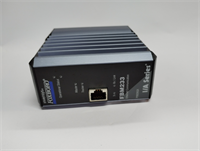
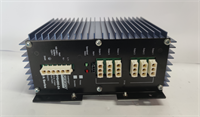
The Foxboro H90QHQE013N0 is a legacy main CPU processor module designed for the Foxboro I/A Series control system. It serves as the central processing unit for the 2000 Series controllers, responsible for executing control logic, managing I/O communication, and maintaining system stability.This module is a critical component of the I/A Series architecture, distinct from the H90QHQE013N1 (which may be a redundant or different variant). It is physically identifiable by its specific part number and the Foxboro branding on the front panel.
Installation & Configuration Guide
Preparation (10 min)
- Verify Compatibility: Confirm the control rack is a Foxboro I/A Series 2000, 2100, or 2200 model. The H90QHQE013N0 requires a specific backplane connector.
- Safety: Turn off the main power supply to the control panel to prevent electrical shock or damage to the module.
- Environment: Ensure the operating temperature is between 0°C and 55°C to prevent overheating of the processor components.
Removal (5–10 min)
- Power Down: Switch off the 24VDC control power.
- Unplug: Carefully unplug the connector from the rear of the module. Take note of the wire colors and terminal positions for reinstallation.
- Slide Out: Press the locking tab and slide the module out of the rack.
Installation (10 min)
- Align: Slide the H90QHQE013N0 into an available slot on the I/A Series rack.
- Connect: Reconnect the wires to the corresponding terminals. Ensure the wiring matches the original configuration.
- Secure: Press the module down until it clicks into place on the rack.
Power-On & Test (10 min)
- Power Up: Restore 24VDC power to the rack.
- Monitor: Check the LED status indicators on the front panel. The “RUN” light should be steady green, and the “BUSY” light should flash.
- Test Operation: Use the system diagnostics or HMI to verify that the CPU is online and executing the control logic correctly.
Troubleshooting Quick Reference
| Symptom | Probable Cause | Action |
|---|---|---|
| Module Not Recognized | Loose connector or wrong slot | Check the rear connector for damage. Ensure the module is fully seated in the rack. |
| All LEDs Off | Power supply failure | Verify 24VDC is present at the module’s power terminals. Check the internal fuse. |
| Intermittent Operation | Loose terminal screws | Tighten all wire connections on the rear terminal block. |
| System Fault | Corrupted firmware or memory | Attempt to reset the system. If the issue persists, the module may need to be reprogrammed or replaced. |
Dimensions, Mounting & Wiring Notes
- Dimensions: The module is compact, measuring 225 mm in height, 305 mm in width, and 45 mm in depth.
- Mounting: It uses a standard rack mount for mechanical attachment and connects to the I/A Series backplane for electrical power and data.
- Wiring: The module accepts 24VDC input and connects to the system bus. The terminal block requires specific wiring depending on the external I/O modules.
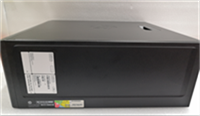
H90QHQE013N0 FOXBORO
FAQ
What is the difference between the H90QHQE013N0 and H90QHQE013N1?
The H90QHQE013N0 is the main CPU processor module. The H90QHQE013N1 is typically a redundant or backup processor module designed to provide failover capability in critical systems.Can I use this module in a modern control system?
No. The H90QHQE013N0 is strictly for the Foxboro I/A Series 2000, 2100, and 2200 controllers. It uses a proprietary backplane connector and communication protocol that is not compatible with modern systems like the DeltaV or Ovation.What is the maximum operating temperature?
The module is rated for operation between 0°C and 55°C. Operating outside this range may cause the processor to overheat and shut down.How do I know if the module is faulty?
If the “RUN” LED is off and there is no communication, the module is likely not powered or seated correctly. If the “BUSY” LED is flashing abnormally or the system displays a CPU fault, the internal firmware or memory may be corrupted.Does this module support Ethernet communication?
No. The H90QHQE013N0 uses the proprietary I/A Series communication bus. It does not have built-in Ethernet ports. You would need a gateway module to interface with Ethernet networks.
Foxboro H90QHQE013N0 CPU module