 Tel:
Tel:  Email:
  WhatsApp:
 Description
⚙️ Key Technical Specifications
| Parameter | Specification |
|---|---|
| Module Type | Communication Interface (Serial) |
| Part Number | P0926GU |
| I/O Channels | 4 x Independent Serial Ports |
| Signal Standards | RS-232, RS-422, RS-485 (Software selectable/jumper) |
| Isolation | Channel-to-Channel and Channel-to-Ground (1500V) |
| Max Data Rate | Up to 115.2 kbps (depending on protocol load) |
| Fieldbus Interface | 2 Mbps HDLC (connects to FCP processor) |
| Operating Temp | -20°C to +60°C (-4°F to +140°F) |
| Power Dissipation | approx. 7 Watts (check specific revision rating) |
| Physical Dimensions | Standard Eurocard form factor (mounts on NCM/TCM baseplate) |
📝 Product Introduction
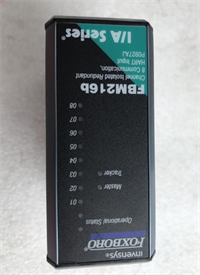
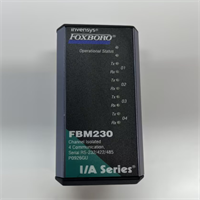
If you’ve ever tried to get a legacy pH analyzer or a third-party PLC to talk to a modern DCS, you know the headache of ground loops and mismatched voltage levels. The Foxboro FBM230 P0926GU is the “universal translator” designed to solve that mess. It’s not a standard analog input card; it’s a smart communication gateway that plugs into the 200 Series Fieldbus.In the field, I value this module for one reason: Isolation. When you are daisy-chaining RS-485 devices across a noisy factory floor, potential differences between grounds can fry standard ports. The P0926GU isolates every single channel. I’ve used these to pull data from Modbus flow computers where the signal was too dirty for standard ethernet. It’s rugged, handles the electrical noise that kills office-grade hardware, and keeps the data stream stable. Just don’t expect it to be fast—it’s built for reliability, not high-speed streaming.
🛡️ Quality SOP & Tech Pitfalls (The Reality Check)
The Lab Report (SOP)
Before we ship a P0926GU, we run a strict validation:
- Visual Inspection: We check the terminal block connectors for heat discoloration. These modules often handle external power feeds which can arc if connections are loose.
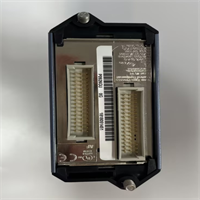
- Connector Integrity: The rear DIN connector (which mates with the baseplate) is inspected for bent pins. This is a common failure point during rough handling.
- Loopback Test: We connect a test laptop to the serial port and run a “loopback” script. We send data out Port 1 and verify it returns perfectly. We repeat this for all 4 channels.
- Isolation Test: Using a megohmmeter (at low voltage), we verify there is no continuity between the chassis ground and the communication pins to ensure the optical isolators are intact.
The Engineer’s Warning (Pitfalls)
⚠️ Field Disaster Story:
I once saw a technician wire an RS-232 device into the FBM230 using the pinout for RS-485. He forced the wires into the wrong terminals. When he powered up the external device, he instantly blew the transceiver on Channel 1. The module looked fine, but it wouldn’t communicate.The Fix: You must verify the wiring schematic for your specific protocol (RS-232 vs. 485) before crimping the ferrules. Also, check the termination resistors. If you are running RS-485 over long distances without the terminating resistor enabled (usually a jumper or dip switch setting on the module/base), you will get “ghost” data and CRC errors that make you look like a rookie.
🔧 Installation & Configuration Guide
Time estimate: 45 minutes (includes wiring verification).
- Pre-Installation Safety
- ⚠️ CRITICAL: Disconnect power to the external serial devices before wiring. A short circuit on the TX/RX lines can destroy the module’s internal optocouplers.
- Identify the communication parameters of your external device (Baud rate, Parity, Stop bits). The FBM230 must match these exactly.
- Removal
- Label all field wiring at the terminal block. Do not trust the existing tags—verify them against the loop diagram.
- Unscrew the terminal block if removable, or disconnect wires individually.
- Release the module locking mechanism (top/bottom screws or clips) and slide the FBM230 out of the chassis.
- Installation
- Configuration: Check the hardware jumpers or DIP switches on the faceplate or side rail. Ensure they are set for the correct mode (e.g., RS-485 Half Duplex vs. Full Duplex) if applicable to your specific sub-revision.
- Seat the module into the carrier/baseplate. Ensure it clicks or locks securely.
- Re-wire the field cables. Tighten terminal screws to spec. Loose wires cause intermittent communication drops that are a nightmare to troubleshoot later.
- Power-On & Testing
- Apply power to the external device first, then the DCS rack.
- Monitor the LED status indicators. The
COMMSorSTATUSLED should indicate activity (flashing green). - Go to the workstation. Force a poll of the device. If you see “Bad Quality” or “Comm Fail,” check your wiring polarity (A/B swap is common on RS-485).
FBM230 P0926GU FOXBORO
🔄 Compatible Replacement Models
| Model | Compatibility Tier | Notes |
|---|---|---|
| FBM230 P0926GU | ✅ Drop-in Replacement | Exact match. Ensure firmware revision matches system requirements. |
| FBM230 P0926GT | ✅ Drop-in Replacement | Different revision code. Generally compatible, but verify baseplate compatibility. |
| FBM217 P0400VK | ❌ Hardware Mod Required | Older generation (100 Series). Different physical size and bus interface. Not compatible. |
❓ Frequently Asked Questions (FAQ)
What is the difference between RS-232 and RS-485 on this module?
It comes down to distance and topology. Use RS-232 for short distances (under 50 feet) point-to-point (like a handheld terminal). Use RS-485 for longer runs or multi-drop networks where you have multiple devices on one pair of wires. The FBM230 handles both, but you have to wire the terminal block correctly for the mode you choose.Can I use this to talk to a Modbus device?
Yes, this is the most common use case. The FBM230 supports Modbus RTU natively within the Foxboro software environment. You configure the FBM as the Master (or Slave) and map the registers to your DCS points. It works well, provided your baud rate isn’t too high for the scan time.Why are there 4 channels? Do I have to use all of them?
You get 4 isolated channels in one slot to save space. You do not have to use all of them. You could have Channel 1 talking to a scale, Channel 2 to a gas analyzer, and leave 3 and 4 empty. The isolation means they won’t interfere with each other electrically.My module shows “Hardware Failure” in the diagnostics. Is it dead?
Not necessarily. Sometimes this error triggers if the module cannot initialize its handshake with the main Processor (FCP). Reseat the module. If that fails, try moving it to a different slot in the chassis to rule out a bad backplane connector. If it still fails, the card is likely toast.Does this support fiber optic serial connections?
No, the P0926GU is copper only (terminal blocks). If you need fiber optic serial communication to eliminate ground loops entirely over long distances, you would need an external media converter or a different specialized module type.