 Tel:
Tel:  Email:
  WhatsApp:
 Description
Key Technical Specifications
| Parameter | Specification |
|---|---|
| Input Type | Dry Contact or Logic Level (24V DC) |
| Output Type | Solid State, Sourcing/Sinking (24V DC) |
| Channel Count | 16 Points (8 Inputs, 8 Outputs) |
| Interface | Fieldbus (FBM) via Carrier or Cable |
| Isolation | Channel-to-Channel / Group Isolation |
| Power Req | 24V DC (Nominal) |
| Environment | IP20 (Requires enclosure), G3 Harsh Env. Rating |
| Dimensions | Standard I/A Series Form Factor |
Product Introduction
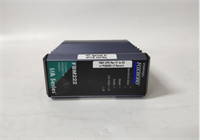
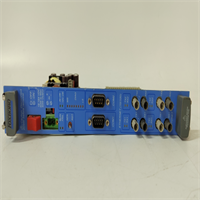
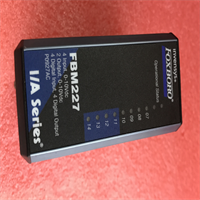
You don’t install an FBM227 because you want “cutting-edge” technology; you install it because your plant runs on 24V logic and you need a card that won’t ghost you at 3 AM. The P0927AC is the workhorse of the discrete world in the Foxboro I/A Series. It sits there, quietly watching limit switches and driving solenoid valves, completely unbothered by the electrical noise that kills cheaper PLC cards.I’ve deployed these in wastewater treatment plants where the humidity eats copper for breakfast, and they hold up. The “AC” suffix usually denotes a specific revision or coating variant designed for those nastier environments (corrosion resistance is key here). It’s not fancy—it doesn’t do PID loops or complex math—but for turning things on and off reliably, it’s the standard. If you’re maintaining an older DCS, this card is gold.
Quality SOP & Tech Pitfalls (The Reality Check)
The Lab Report (SOP)
Before we ship an FBM227, we don’t just look at it and hope for the best. Here is the protocol:
- Visual Inspection: We check the PCB for “green rot” (copper corrosion) and ensure the conformal coating isn’t flaking off near the edge connectors.
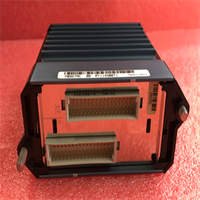
- Pin Integrity: We verify the backplane pins aren’t bent—a common issue if someone dropped the module previously.
- Live Rack Test: We load it into a test carrier, apply 24V, and force bits via software. We toggle every single output and verify the LED matches the logic state.
- Continuity Check: Using a Fluke multimeter, we ensure isolation barriers are intact. A short between channel 1 and 5 can fry your field wiring.
️ The Engineer’s Warning (Pitfalls)
Don’t ignore the firmware version. The FBM227 relies on the Node Bus and the controlling processor (FCP). I once saw a site upgrade their main processors but keep old stock FBM227s. The result? Intermittent communication timeouts that looked like ground loops but were actually handshake protocol mismatches.Also, watch your grounding. This module has isolated commons, but if you daisy-chain the 24V return path incorrectly across multiple modules, you create a ground loop that induces false “ON” signals. Keep your grounds star-pointed.
️ Installation & Configuration Guide
Phase 1: Pre-Installation
️ Safety First: Ensure the carrier power is OFF. While some I/A series modules support hot-swap, messing with discrete wiring live is a great way to arc out a terminal block.
- Photo Documentation: Take a clear picture of the existing wiring. Seriously. Do not rely on memory or faded wire markers.
- ESD Prep: Touch the chassis frame. Static electricity kills the input optocouplers instantly.
Phase 2: Removal
- Disconnect the field wiring harness (usually a screw-terminal block or DB connector).
- Release the locking mechanism (top and bottom clips).
- Pull the module straight out. If it sticks, don’t wiggle it violently; check for a stuck latch.
Phase 3: Installation
- Check Jumpers/DIPs: If replacing an old unit, verify if any hardware configuration straps were set on the old board (rare for FBM227, but common on analog cousins).
- Seat the Module: Slide it into the slot. You should feel a firm connection with the backplane.
- Lock it Down: Engage the clips. Loose modules vibrate loose over time, causing intermittent faults.
Phase 4: Power-On & Testing
- Apply power. Watch the LEDs.
- Status LED: Should turn Green (or flashing Green) indicating valid comms with the processor.
- Force Test: Use the engineering workstation (Foxboro IA Series software) to “Force” Output 1 ON. Go look at the physical LED. If the software says ON but the light is OFF, check your wiring or the module fuse.
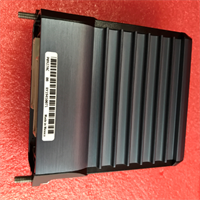
FBM227 P0927AC FOXBORO
Compatible Replacement Models
| Model | Compatibility Tier | Notes |
|---|---|---|
| FBM227 (P0927AA) | Drop-in Replacement | Earlier revision. Functionally identical for most applications. |
| FBM227 (P0927AB) | Drop-in Replacement | Intermediate revision. Check firmware compatibility. |
| FBM228 | Different Function | This is usually Analog I/O. Do not swap unless rewiring. |
Frequently Asked Questions (FAQ)
Q: Can I hot-swap this module without tripping the process?
A: Generally, yes. The I/A Series architecture supports online replacement of FBMs. However, when you pull the card, those 8 outputs will go to a safe state (usually OFF) until the new card initializes. If Output 3 controls a critical cooling pump, you’re going to have a bad day. Always check your logic safety states first.Q: My status LED is blinking red. What does that mean?
A: That’s a “Self-Test Fail” or “Comms Fail.” First, reseat the module. If that fails, the internal microcontroller might be bricked. It could also be a mismatch between the database definition in the workstation and the actual hardware revision installed.Q: Does the P0927AC handle AC voltage inputs?
A: No. Despite the “AC” in the part number (which refers to the revision/package), the electrical specs are for 24V DC discrete signals. Do not hook up 120V AC directly to this card, or you will let the magic smoke out.Q: How do I know if my wiring is sinking or sourcing?
A: Look at your field devices. If the sensor sends +24V to the card when active, the card needs to be wired as a Sink (Common Negative). If the sensor closes a circuit to ground, the card acts as a Source. The FBM227 handles both, but you have to wire the Common terminals correctly.Q: Is this module obsolete?
A: Effectively, yes. Foxboro (Schneider) has moved on to newer platforms like Evo. You are looking at surplus or refurbished stock. Buy spares now while you can still find them; scavenging parts from other machines gets expensive fast.